24
Note:
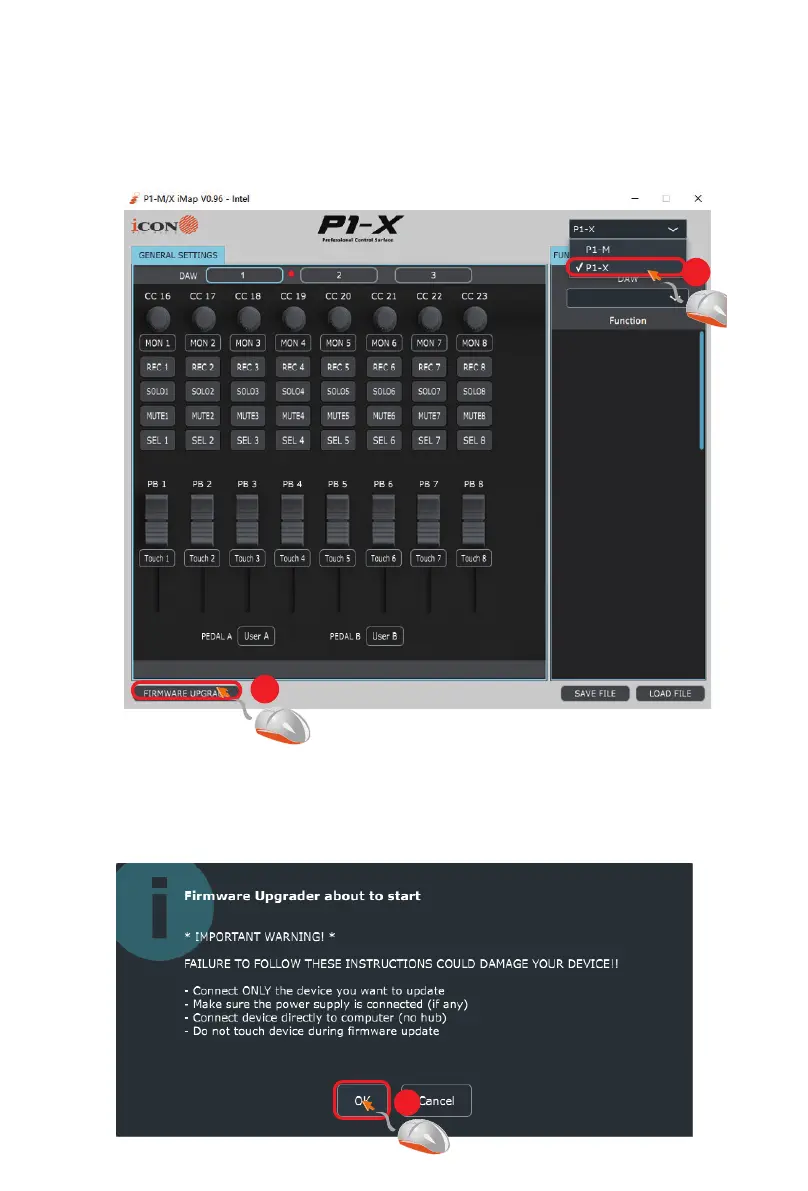
If your connected name “P1-X” does not appear on the pull-down menu,
select “USB Audio” as the MIDI In and Out device.
Step 2:
Read the warning notice.
Connect the P1-X using a USB C connection. Press the “MIDI Device”
button at the top to select your connected P1-X as the “MIDI In and Out”
device in the pull-down menu?
Click ‘Firmware update’.
Step1:
5
4
6


 To Next Page