9
6
27
Avoid pinching the
Main Wire (25)
25
29
7
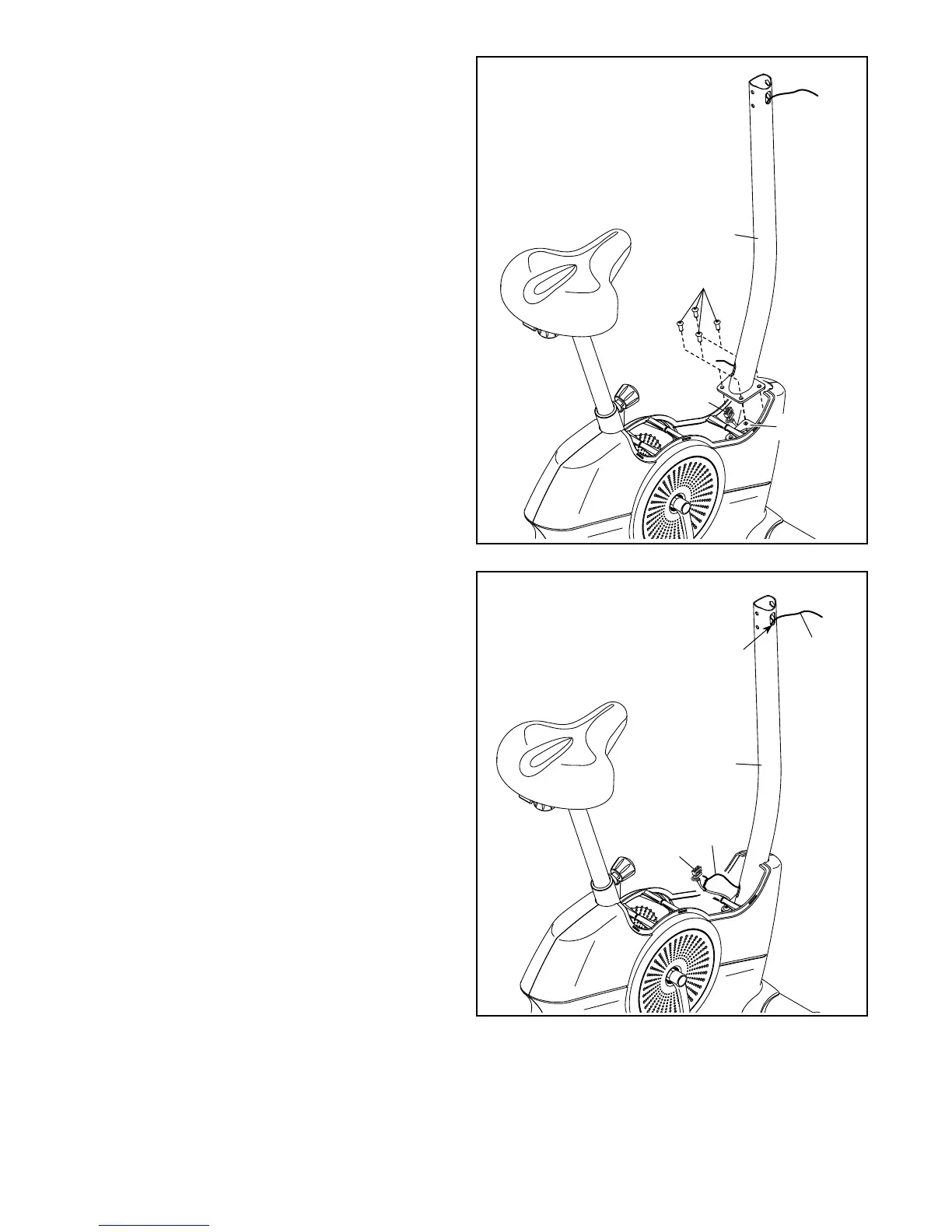
6. Tip: Avoid pinching the Main Wire (25). Orient
the Upright (27) as shown, and hold it on the
Frame (50).
Attach the Upright (27) with four M8 x 20mm
Screws (29).
7. Locate the lower end of the wire tie in the Upright
(27). Tie the wire tie to the Main Wire (25). Then,
pull the upper end of the wire tie until the Main
Wire is routed through the Upright and out of the
indicated hole.
Tip: To prevent the Main Wire (25) from falling
into the Upright (27), secure the Main Wire
with the wire tie.
27
25
Wire
Tie
Wire
Tie
50
Hole








 To Next Page