EasyManua.ls Logo

ICON Pro-Form 85 CSX - User Manual

ICON Pro-Form 85 CSX
20 pages
Print Icon
To Next Page IconTo Next Page
Loading...
Serial Number
Decal
Model No. PFIVEX17016.0
Serial No.
Write the serial number in the space
above for reference.
USER’S MANUAL
CAUTION
Read all precautions and
instructions in this manual
before using this equipment.
Keep this manual for future
reference.
CUSTOMER SERVICE
UNITED KINGDOM
Call: 0330 123 1045
From Ireland: 053 92 36102
Website: www.iconsupport.eu
E-mail: csuk@iconeurope.com
Write:
ICON Health & Fitness, Ltd.
Unit 4,
Westgate Court, Silkwood Park,
OSSETT
WAKEFIELD
WF5 9TT
UNITED KINGDOM
www.iconsupport.eu
Question and Answer IconNeed help?

Do you have a question about the ICON Pro-Form 85 CSX and is the answer not in the manual?

Summary

Customer Service Contact Information

Warning Decal Placement

Safety Warnings for Decal

Details critical safety precautions for using the exercise machine, emphasizing user injury risks.

Important Safety Precautions

General Safety Guidelines

Provides essential safety rules for exercise bike users, including physician consultation and proper usage.

Assembly Instructions

Assembly Tools and Requirements

Lists necessary tools and personnel required for assembling the exercise bike, including specific part identification.

Using the Exercise Bike

Adjusting Seat Height

Guide on how to properly adjust the seat height for optimal exercise posture and comfort.

Leveling the Exercise Bike

Steps to ensure the exercise bike is stable and level on any floor surface for safe operation.

Console Features and Operation

Manual Mode Operation

Learn how to operate the console in manual mode, adjusting resistance and monitoring progress.

Preset Workout Programs

Details on using the 8-week weight-loss and preset workout programs for guided exercise.

Manual Mode Operation Guide

8-Week Weight-Loss Workout

Preset Workout Programs

Watts Workout Mode

Smart Device Connectivity

Settings Mode and Usage Information

Maintenance and Troubleshooting

Regular Maintenance

Guidelines for routine maintenance to ensure optimal performance, reduce wear, and clean the equipment.

Console Troubleshooting Tips

Addresses common console issues like heart rate display problems and power adapter requirements.

Exercise Guidelines and Best Practices

Ordering Replacement Parts

Summary

Customer Service Contact Information

Warning Decal Placement

Safety Warnings for Decal

Details critical safety precautions for using the exercise machine, emphasizing user injury risks.

Important Safety Precautions

General Safety Guidelines

Provides essential safety rules for exercise bike users, including physician consultation and proper usage.

Assembly Instructions

Assembly Tools and Requirements

Lists necessary tools and personnel required for assembling the exercise bike, including specific part identification.

Using the Exercise Bike

Adjusting Seat Height

Guide on how to properly adjust the seat height for optimal exercise posture and comfort.

Leveling the Exercise Bike

Steps to ensure the exercise bike is stable and level on any floor surface for safe operation.

Console Features and Operation

Manual Mode Operation

Learn how to operate the console in manual mode, adjusting resistance and monitoring progress.

Preset Workout Programs

Details on using the 8-week weight-loss and preset workout programs for guided exercise.

Manual Mode Operation Guide

8-Week Weight-Loss Workout

Preset Workout Programs

Watts Workout Mode

Smart Device Connectivity

Settings Mode and Usage Information

Maintenance and Troubleshooting

Regular Maintenance

Guidelines for routine maintenance to ensure optimal performance, reduce wear, and clean the equipment.

Console Troubleshooting Tips

Addresses common console issues like heart rate display problems and power adapter requirements.

Exercise Guidelines and Best Practices

Ordering Replacement Parts

Overview

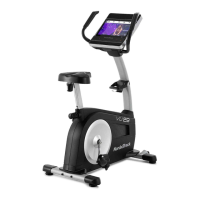
This document describes the PRO-FORM 85 CSX exercise bike, a fitness equipment designed for home use.

Function Description:

The PRO-FORM 85 CSX is an exercise bike that provides a selection of features to make workouts more effective and enjoyable. It allows users to engage in cardiovascular exercise, burn fat, and strengthen their cardiovascular system. The bike features a console that offers various workout modes, including manual mode, an 8-week weight-loss program, preset workouts, and watts workouts. It also includes a heart rate monitor to help users maintain their target heart rate during exercise. The console can connect to smart devices via Bluetooth for tracking workout information using the iFit app and can also connect to compatible Bluetooth Smart heart rate monitors. Additionally, the console has a sound system for playing music or audio books and a fan for user comfort.

Important Technical Specifications:

  • Model No.: PFIVEX17016.0
  • User Weight Limit: 254 lbs. (115 kg)
  • Product Dimensions (L x W x H): 97 x 49 x 138 cm
  • Product Weight (G.W/N.W): 32 / 28 Kg
  • Heart Rate Monitor: Handgrip heart rate monitor and compatibility with Bluetooth Smart heart rate monitors.
  • Connectivity: Bluetooth for iFit app and compatible heart rate monitors.
  • Power: Batteries (console).
  • Unit of Measurement: Miles or kilometers (selectable in settings mode).

Usage Features:

Before You Begin:

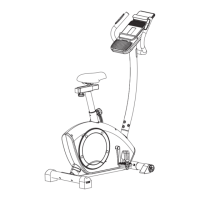
  • Familiarize yourself with the parts labeled in the drawing, including the tablet holder, handlebar, console, heart rate monitor, seat, seat knob, pedal, wheel, and leveling foot.
  • Register your product online at www.iconsupport.eu/product-registration to activate your warranty, save time for customer service, and receive notifications about upgrades and offers.

Assembly:

  • Assembly requires two persons.
  • Ensure all parts are in a cleared area and do not dispose of packing materials until assembly is complete.
  • Left and right parts are marked "L" or "Left" and "R" or "Right."
  • Use the provided drawings and part list to identify small parts.
  • Required tools include an adjustable wrench and a Phillips screwdriver.
  • Step 1: Attach the front stabilizer (2) and rear stabilizer (4) to the main frame (1) using carriage bolts (6), arc washers (8), and cap nuts (9).
  • Step 2: Thread the right pedal (11R) marked "R" onto the right side of the crank (10) and tighten. Do the same for the left pedal (11L) marked "L" onto the left side of the crank (10), turning anticlockwise to tighten.
  • Step 3: Connect the Extension Sensor Wire (15) to the Sensor Wire (13). Lock the upright post (17) onto the main frame (1) with an arc washer (8) and screw (16).
  • Step 4: Pull the handlebar wire (25) out of the upright post (17). Put the handlebar (24) onto the upright post (17) using a washer (23) and inner hex bolt (16).
  • Step 5: Connect the Handlebar wire (25) and Extended Wire (15) to the console wires (29). Attach the console (29) to the console bracket of the upright post (17) with a screw (27). Attach the Tablet Holder (20) to the back of the console (29) with a screw (21).
  • Step 6: Assemble the horizontal post (18) to the saddle post (31) and fasten with a flat washer (33) and pop pin nut (32). Insert the saddle (19) into the horizontal post (18) and fasten it. Insert the saddle post (31) (fixed with saddle 19) into the main frame (1), adjust length, and tighten with the pop pin knob (30). Ensure the saddle (19) is tightened on the horizontal post (18).

Console Features:

  • Manual Mode: Change pedal resistance with buttons. Provides continuous exercise feedback.
  • 8-Week Weight-Loss Program: Progressive program that controls pedal resistance to guide effective workouts.
  • Preset Workouts: Automatically change pedal resistance and prompt target speed maintenance.
  • Watts Workout: Changes pedal resistance to keep watts output near a target level.
  • Sound System: Connect personal audio player to listen to music or audio books.
  • Smart Device Connectivity: Connect to iFit app via Bluetooth for tracking workout data.
  • Heart Rate Monitor: Handgrip monitor and compatibility with Bluetooth Smart heart rate monitors.
  • Fan: High and low speed settings.
  • Displays: Show time, watts, distance, speed, calories, RPM, resistance level, and heart rate.

How to Use the Exercise Bike:

Adjusting the Seat Height:

  • Loosen the post knob a few turns.
  • Pull the knob outward, slide the seat post up or down to the desired position.
  • Release the knob into an adjustment hole and tighten it.
  • Ensure a slight bend in your knees when pedals are in the lowest position for effective exercise.

Adjusting the Pedal Straps:

  • Pull the ends of the straps (B) off the tabs (C) on the pedals.
  • Adjust the straps to the desired position.
  • Press the ends of the straps onto the tabs.

Leveling the Exercise Bike:

  • If the bike rocks, turn one or both leveling feet under the rear stabilizer until the bike is level.

Using the Tablet Holder:

  • Set the bottom edge of the tablet in the tray.
  • Ensure the tablet is firmly secured.
  • Do not place other electronic devices or objects in the holder.

How to Use the Manual Mode:

  • Turn on: Press any button or begin pedaling.
  • Select Manual Mode: Automatically selected when turned on, or press the Manual button if another workout is selected.
  • Begin Pedaling & Change Resistance: Pedal and use Resistance increase/decrease buttons. Resistance changes take a moment to reach the selected level.
  • Follow Progress: Displays show speed meter (visual representation of pedaling speed), upper display (RPM, watts, heart rate), center display (distance, elapsed time), and lower display (speed in mph/kph, calories).
  • Measure Heart Rate: Hold handgrip heart rate monitor contacts with palms. Ensure hands are clean and plastic is removed from contacts. Avoid moving hands or gripping tightly. Console is compatible with Bluetooth Smart heart rate monitors. If both are used, Bluetooth Smart has priority.
  • Turn on Fan: Press fan increase/decrease buttons to select speed or turn off. Fan turns off automatically if pedals don't move for about 30 seconds.
  • Finish Exercise: Console turns off automatically if pedals don't move for several minutes.

How to Use an 8-Week Weight-Loss Workout:

  • Turn on: Press any button or begin pedaling.
  • Select Week: Press Select Week button repeatedly.
  • Select Day: Press Select Day button repeatedly (three day workouts per week).
  • Start Workout: Press Start button and begin pedaling.
  • Workout Structure: Divided into one-minute segments with programmed resistance and target speed. Console alerts with tones and displays next resistance level. Speed meter shows target speed zone (flashing bars) and actual speed (solid bars).
  • Adjusting Speed/Resistance: Keep pedaling speed within target zone by adjusting speed or resistance. Resistance can be manually overridden, but will reset for the next segment.
  • Pause/Restart: Workout pauses if pedaling stops for several seconds. Resume pedaling to continue.
  • Follow Progress, Measure Heart Rate, Turn on Fan: As in manual mode.
  • Finish Exercise: Console turns off automatically.

How to Use a Preset Workout:

  • Turn on: Press any button or begin pedaling.
  • Select Preset Workout: Press Wt. Loss or Intensity button repeatedly until desired workout appears. Duration shows in center display.
  • Start Workout: Begin pedaling.
  • Workout Structure: Similar to weight-loss workout with one-minute segments, programmed resistance, and target speed.
  • Adjusting Speed/Resistance: Keep pedaling speed within target zone. Resistance can be manually overridden, but will reset for the next segment.
  • Pause/Restart: Workout pauses if pedaling stops for several seconds. Resume pedaling to continue.
  • Follow Progress, Measure Heart Rate, Turn on Fan: As in manual mode.
  • Finish Exercise: Console turns off automatically.

How to Use the Watts Workout:

  • Turn on: Press any button or begin pedaling.
  • Select Watts Workout: Press Wt. Loss button repeatedly until watts workout appears. Target watts setting shown.
  • Enter Target Watts Setting: Press Resistance increase/decrease buttons.
  • Start Workout: Begin pedaling.
  • Adjusting Speed: Keep watts output near target setting by adjusting pedaling speed. Resistance automatically adjusts if watts output is too far off target.
  • Change Target Watts: Press Resistance increase/decrease buttons during workout.
  • Pause/Restart: Workout pauses if pedaling stops for several seconds. Resume pedaling to continue.
  • Follow Progress, Measure Heart Rate, Turn on Fan: As in manual mode.
  • Finish Exercise: Console turns off automatically.

How to Use the Sound System:

  • Plug a 3.5 mm male-to-male audio cable (not included) into the console jack and your personal audio player.
  • Press play on your audio player.
  • Adjust volume using console buttons or audio player control.

How to Connect Your Smart Device to the Console:

  • Download iFit App: Open App Store or Google Play, search for iFit app, and install. Enable Bluetooth on your smart device.
  • Connect Smart Device: Open iFit app and follow instructions. LED on console flashes blue, then press Bluetooth Smart button to confirm (LED turns solid blue).
  • Record & Track: Follow iFit app instructions.
  • Disconnect: Press and hold Bluetooth Smart button for 5 seconds (all Bluetooth connections disconnect).

How to Connect Your Heart Rate Monitor to the Console:

  • Console is compatible with Bluetooth Smart heart rate monitors.
  • Press Bluetooth Smart button on console. LED flashes red twice when connected.
  • If multiple monitors are nearby, console connects to the strongest signal.
  • Disconnect: Press and hold Bluetooth Smart button for 5 seconds.

The Settings Mode:

  • Enter Settings Mode: Press and hold On/Reset button until settings information appears.
  • Select Unit of Measurement: Upper display shows "E" for English miles or "M" for metric kilometers. Press Intensity button repeatedly to change.
  • View Usage Information: Press Wt. Loss button to view total time (in hours) and total distance (in miles or kilometers).
  • Exit Settings Mode: Press Wt. Loss button repeatedly.

Exercise Guidelines:

  • Consult Physician: Before starting any exercise program, especially if over 35 or with pre-existing health problems.
  • Heart Rate Monitor: Not a medical device; accuracy can be affected by various factors. Intended as an exercise aid for determining heart rate trends.
  • Burning Fat: Exercise at low intensity for a sustained period. Adjust intensity to keep heart rate near the lowest number in your training zone.
  • Aerobic Exercise: Perform aerobic exercise to strengthen cardiovascular system. Adjust intensity to keep heart rate near the highest number in your training zone.
  • Warming Up: 5-10 minutes of stretching and light exercise.
  • Training Zone Exercise: 20-30 minutes with heart rate in training zone. Breathe regularly and deeply.
  • Cooling Down: 5-10 minutes of stretching.
  • Exercise Frequency: 3 workouts per week with rest days initially, up to 5 workouts per week later.

Maintenance Features:

  • Regular Maintenance: Inspect and properly tighten all parts each time the bike is used. Replace worn parts immediately.
  • Cleaning: Use a damp cloth and a small amount of mild soap.
  • Console Care: Keep liquids away from the console and out of direct sunlight to avoid damage.
  • Power Adapter: If a replacement power adapter is needed, contact customer service. Use only a manufacturer-supplied regulated power adapter to avoid damaging the console.

ICON Pro-Form 85 CSX Specifications

General IconGeneral
BrandICON
ModelPro-Form 85 CSX
CategoryExercise Bike
LanguageEnglish

Related product manuals