iconBIT XDS1003D User Manual English
20
Due to different network conditions, sometimes the workgroup might not be accessed or
shown in the list. You can set ‘Specific File Server IP’ and access it from ‘My_Shortcuts’.
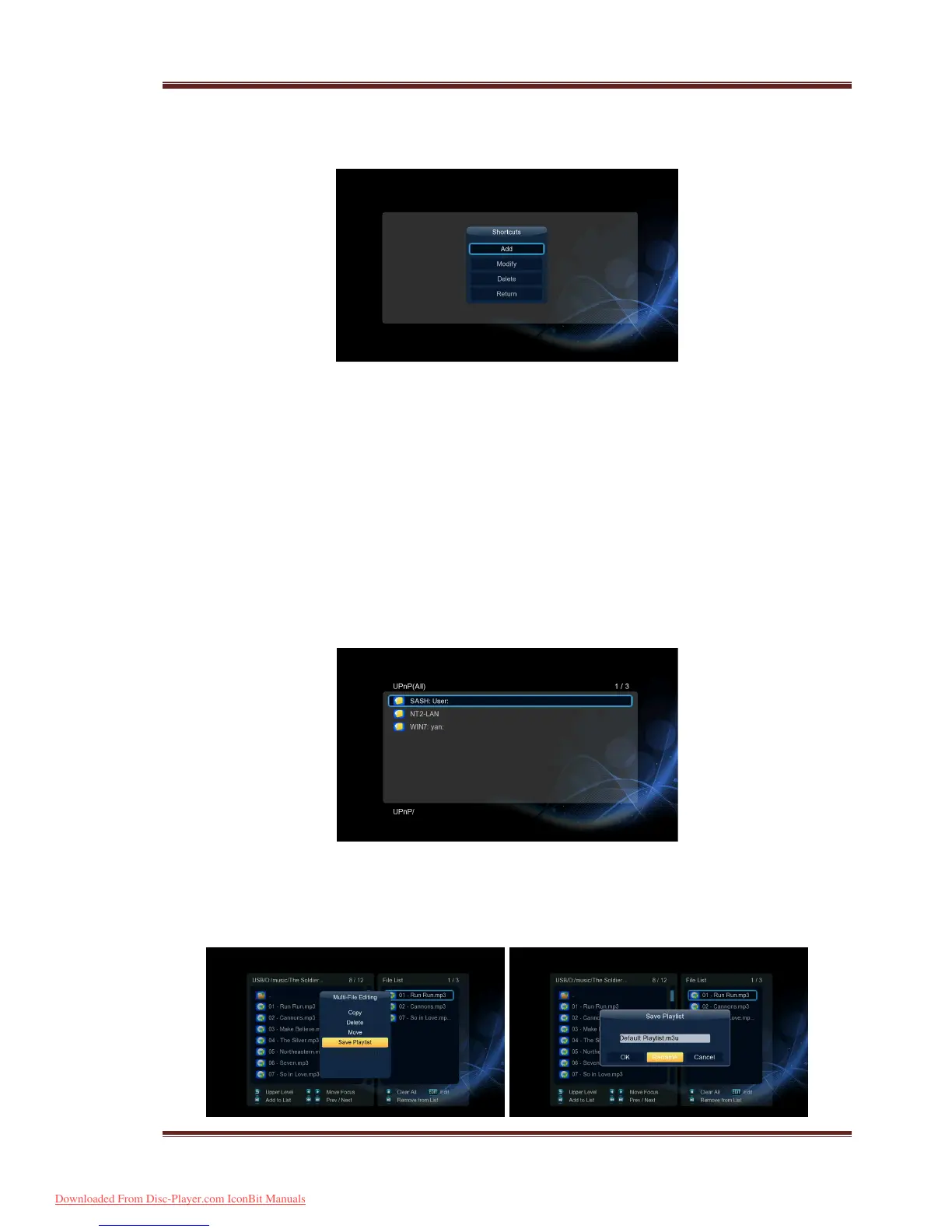
- Press the Red button and a popup menu appears.
- Select Add to open a popup menu where you can input Label, Net User ID, Net
Password, Domain, Host Name, and Specific File Server IP.
3.9 A/V Streaming via UPnP-server
A built-in UPnP (Universal Plug and Play) client has been integrated on the system, which
enables the player to auto-detect UPnP Media Servers on the network to browse and stream
media files from them. There’re a lot of free and commercial UPnP Media Server software,
such as Windows Media Connect, Windows Media Player 11, XBMC Media Center
(Linux/Mac/Windows), MediaTomb (Linux), etc. Please install one of them on your computer,
and share the media files though it.
To stream your media files shared though a UPnP server,
Step 1, Enter into Setup
Network menu, connect your player to the home network.
Step 2, Visit Files Manager
UPnP menu on the player, select the UPnP-server, then you
can browse the media library shared by UPnP server.
3.10 Music Playlist & Photo Album Management
Step 1, Enter into Music/Photo interface.
Step 2, Press Copy button to enter file selecting menu, follow the on-screen information to
finish creating music playlist or photo album.
Downloaded From Disc-Player.com IconBit Manuals



 To Next Page