iconBIT XDS1003D User Manual English
6
2. About the Player
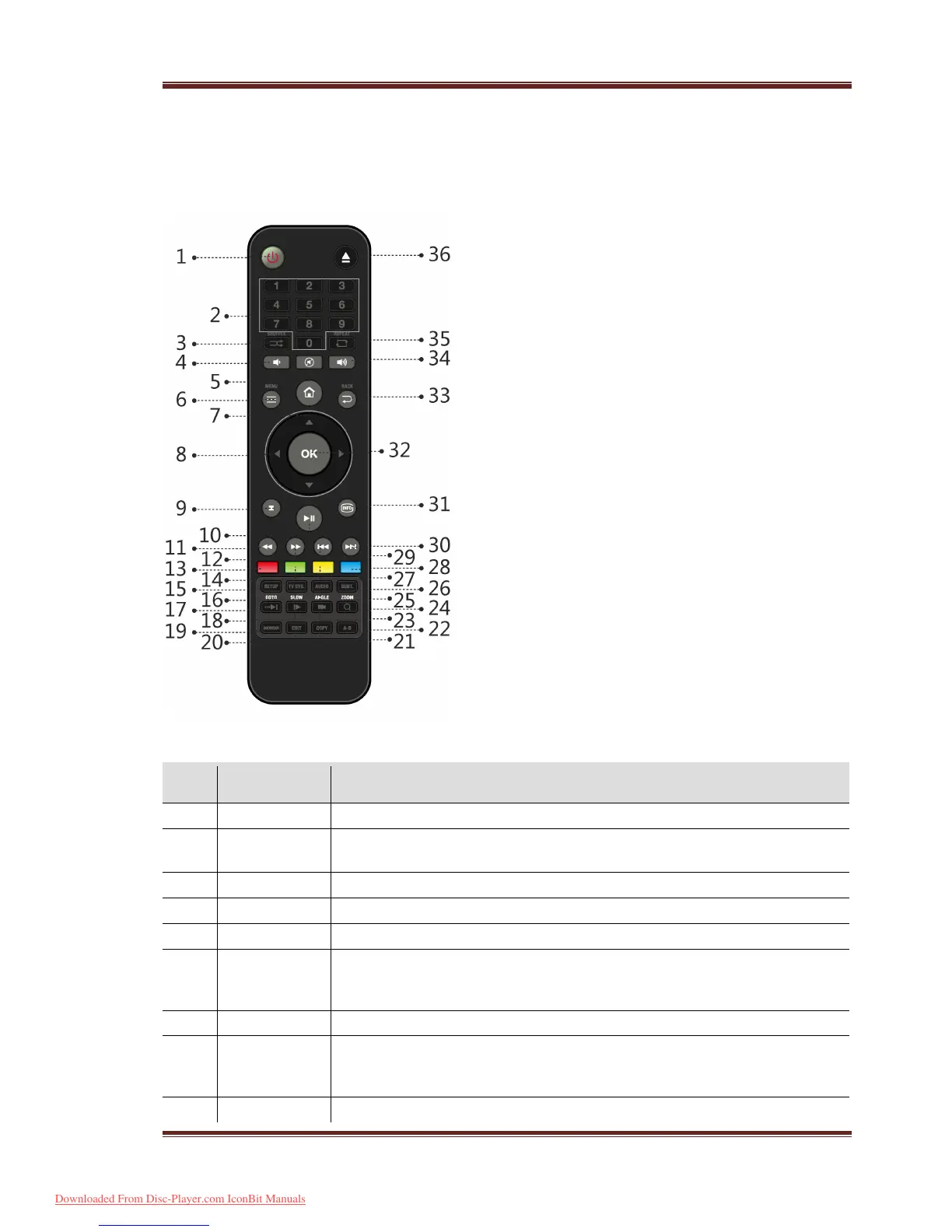
2.1 Remote Control
35. Repeat 36. Eject
No. Button Function
Press to enter standby mode or wake up.
Press to enter channel numbers or numeric input when changing
Press to select shuffle mode during music playback.
Press to decrease the volume.
Press to mute audio output, and press again to resume.
6 Menu Press to enable the option menu, where you can change the review
mode of file manager and media library;
Press to display or hide the option menu during playback.
Press to enter the home screen.
Press the arrow buttons to select menu options, and the OK button
Press Up/Down to rotate a photo during photo playback.
Downloaded From Disc-Player.com IconBit Manuals



 To Next Page