iconBIT XDS1003D User Manual English
21
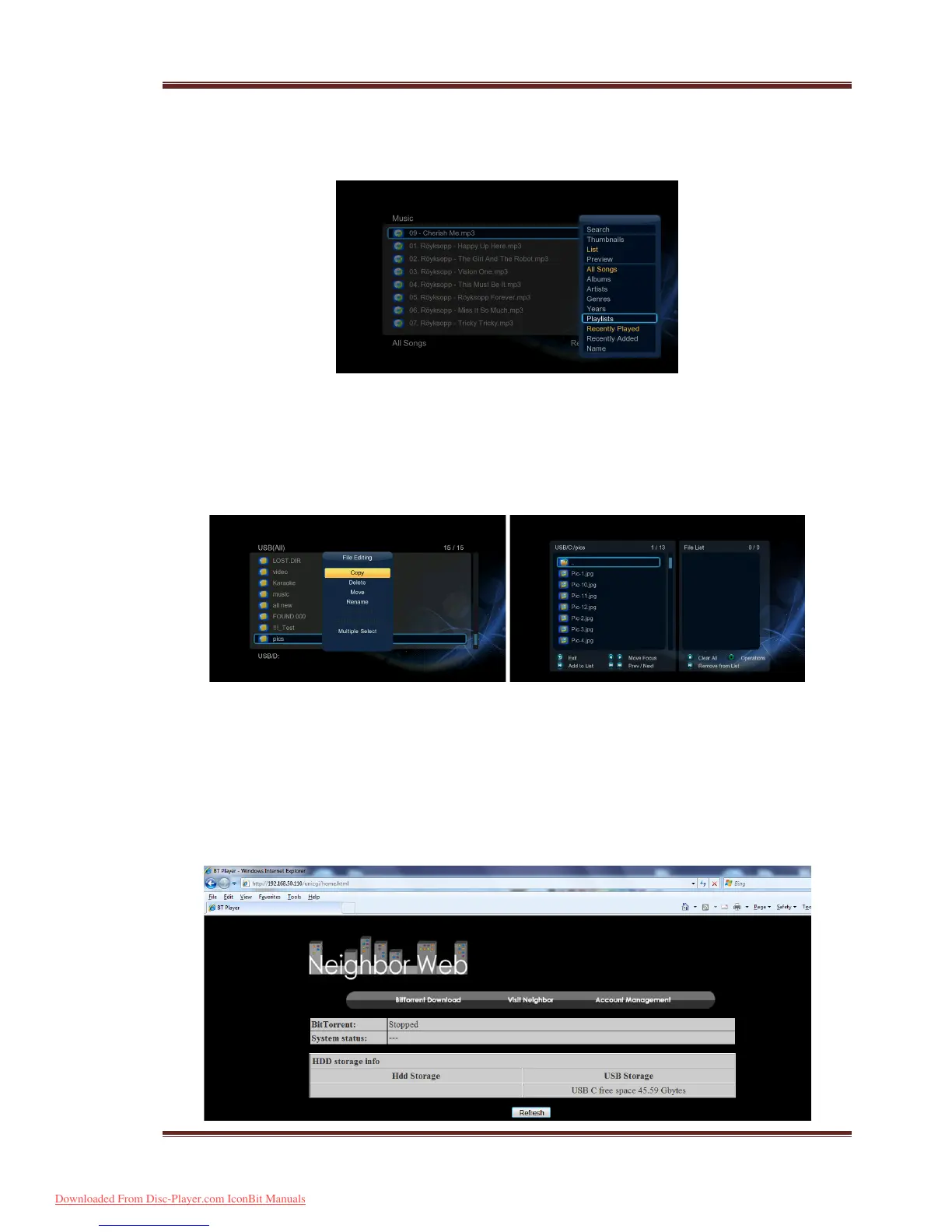
Step 3, Enter Music/Photo interface, press Menu button and choose Playlists/ Albums
to view your music playlists/ photo albums.
3.11 File Copy/Delete/Move/Rename
Step 1, Enter into File Manager.
Step 2, Locate the file or folder which you want to copy/delete/move/rename.
Step 3, Press Edit button to enter file editing menu, or press Copy button to enter file
selecting menu, then follow the on-screen information to finish file
copy/delete/move/rename.
3.12 BT Download
To use BT download,
Step 1, Enter into Setup
Network menu, turn on BT.
Step 3, On your PC, launch a web browser such as Internet Explorer, Firefox or Safari, and
at the address bar, key in http://192.168.0.9/unicgi where 192.168.0.9 is the IP
address of your product.
Downloaded From Disc-Player.com IconBit Manuals



 To Next Page