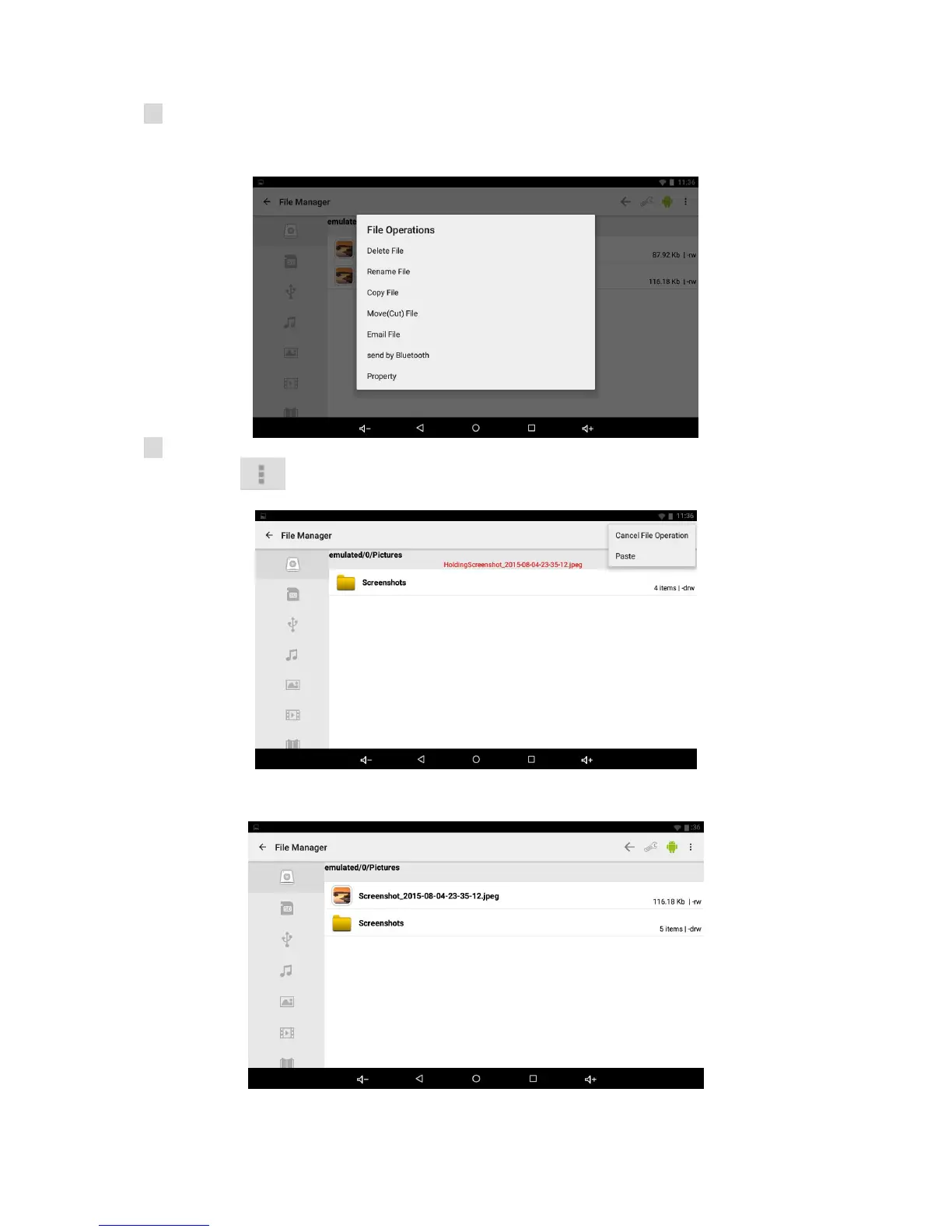
C: Select the file or folder you want to do action as below, touch and hold the file about 2
seconds, Pop-up menu will display different options File operation as Delete File, Rename File,
Copy File, Move(Cut) File, Email File, send by Bluetooth and Property etc.
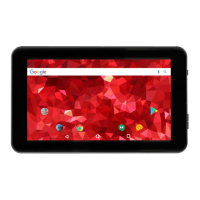
D: Touch the “Copy File” and select Local Disk (SD card) or External Storage (SD-ext or uhost),
then touch “ ” On the top right-hand corner of the screen
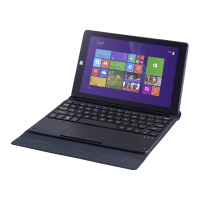
E: Touch the “Paste”, the file will copy and display on the screen.


 To Next Page