© 2021 ICS®, Oregon Tool Inc. REV12232021 P/N 610794
536-E OPERATOR MANUAL
20
ENGLI SH
GUIDEBAR AND DIAMOND CHAIN
INSTALLATION & TENSIONING
Unpacking & Assembly
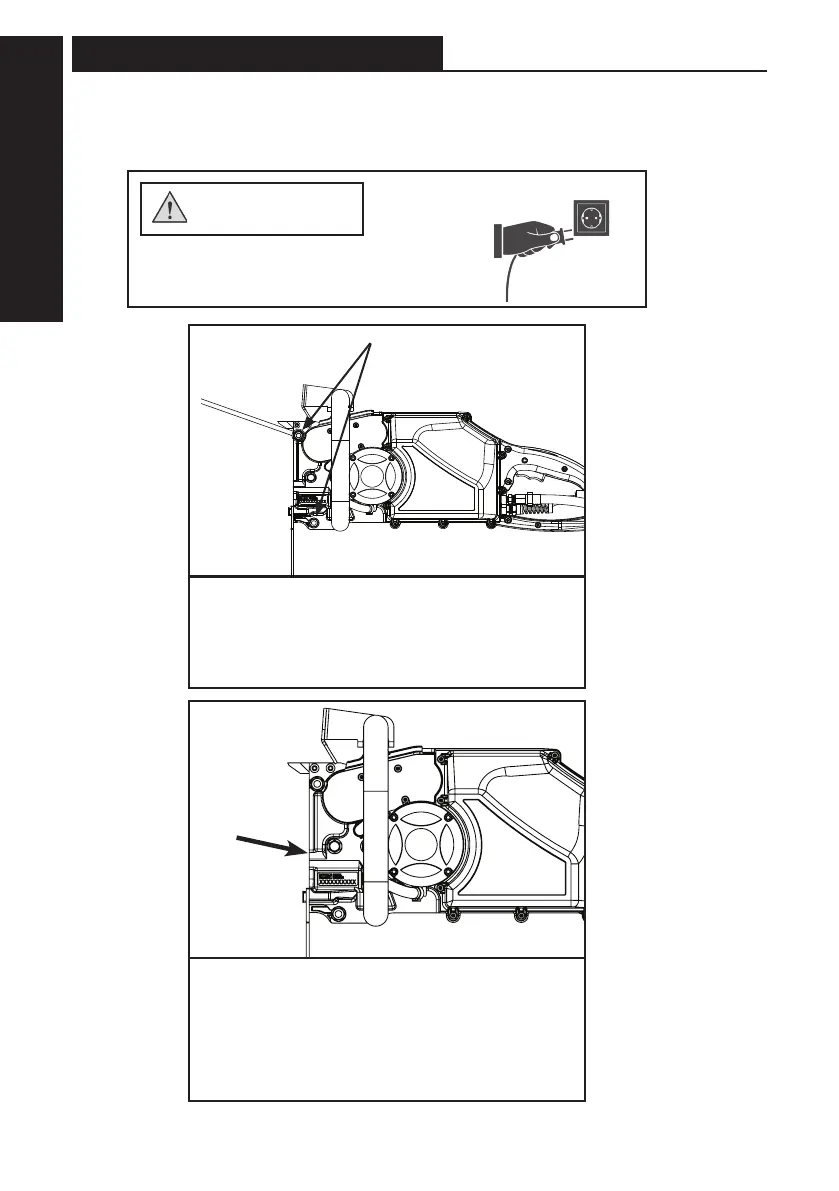
STEP 2
Loosen the side cover nuts and remove
and bar clamp plate.
STEP 3
Turn the chain tensioning screw
counterclockwise until the pin is back
towards the drive sprocket and comes to a
stop. Stop when the pin touches the end of
the chain tensioning slot.
side cover nuts
STEP 1- Disconnect power supply.
WARNING



 To Next Page