OPERATING AND MAINTENANCE MANUAL
Chapter 7 - Electronic controller
iC 215 ÷ iC 780
33
The data in this manual are not binding and they can be modified by the manufacturer without notice. Reproduction of this manual is strictly prohibited
EN
ENGLISH
7.5 Unit start/stop
The unit can be switched on and off as follows:
• From the keypad (local or remote)
• From a digital input configured as remote ON/OFF
• Makes it possible to gain access to parameters programming mode.
In case of a power loss, when power is restored the unit will be ON if it was ON at the time of power loss, and OFF if it was
OFF.
7.5.1 Start from the keypad
From unit OFF (stand-by) press and release button to switch the unit on or off in chiller mode. With the unit on LED
is lit.
Stand-by mode is set each time the unit is turned off from chiller operating mode.. Also in stand-by the controller makes it
possible to:
• Display the measured values
• Manage the alarm situation by displaying and signalling.
• Programmable
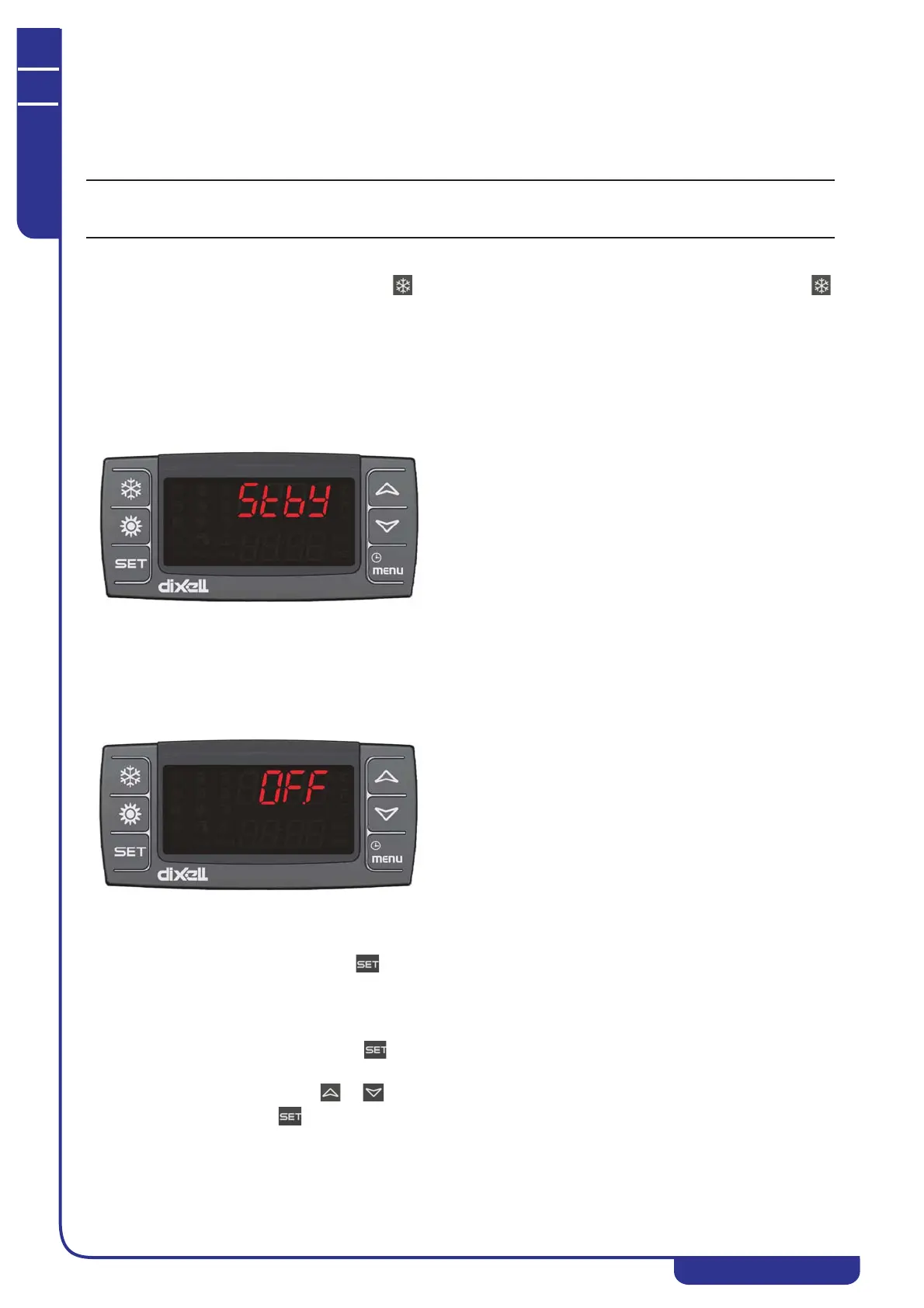
When the unit is in stand-by the controller shows the label
(.W on the display.
7.5.2 Start from a digital input
The unit can be switched on/off from a digital input configured as remote On/OFF.
The power-off command (local or remote) always assumes priority with respect to the power-on command. If the unit is
powered-off with a local command it must be powered back on with a local command.
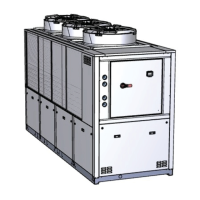
When the unit is in OFF status from a digital input the controller shows the label
. on the display.
7.6 Setpoint
7.6.1 Display the setpoint
To display the setpoint press and release the key.
With the unit in stand-by the lower display will show SetC (chiller set)
The upper display will show the set value.
7.6.2 Change the setpoint
To change the unit working setpoint press the key for at least 3 seconds and the working setpoint SetC (chiller set) will
appear in flashing mode.
The setpoint can be changed using the or buttons.
To save the new setpoint, press or wait for the time-out to exit programming mode.



 To Next Page