OPERATING AND MAINTENANCE MANUAL
Chapter 7 - Electronic controller
iC 215 ÷ iC 780
45
The data in this manual are not binding and they can be modified by the manufacturer without notice. Reproduction of this manual is strictly prohibited
EN
ENGLISH
The parameter families, identified by “Labels”, are divided as follows:
Configuration parameters “CF” are editable only with the unit in Stand-by.
7.12.1 Access to parameters
To enter the parameters menu “Pr1” (user level):
1. Press + for 3 seconds. The upper display shows the label “PASS”, the lower display shows the label
“Pr1”.
2. Press , the upper display shows flashing “0”.
3. To enter the password use or .
4. If the password entered is incorrect, you will be prompted to enter it again. If the password is correct press to
display the parameters. The upper part of the display shows the first label “ALL”.
5. To select the labels press or and then press . The lower display shows the label and the code of the
first parameter it contains; the upper display shows the associated value.
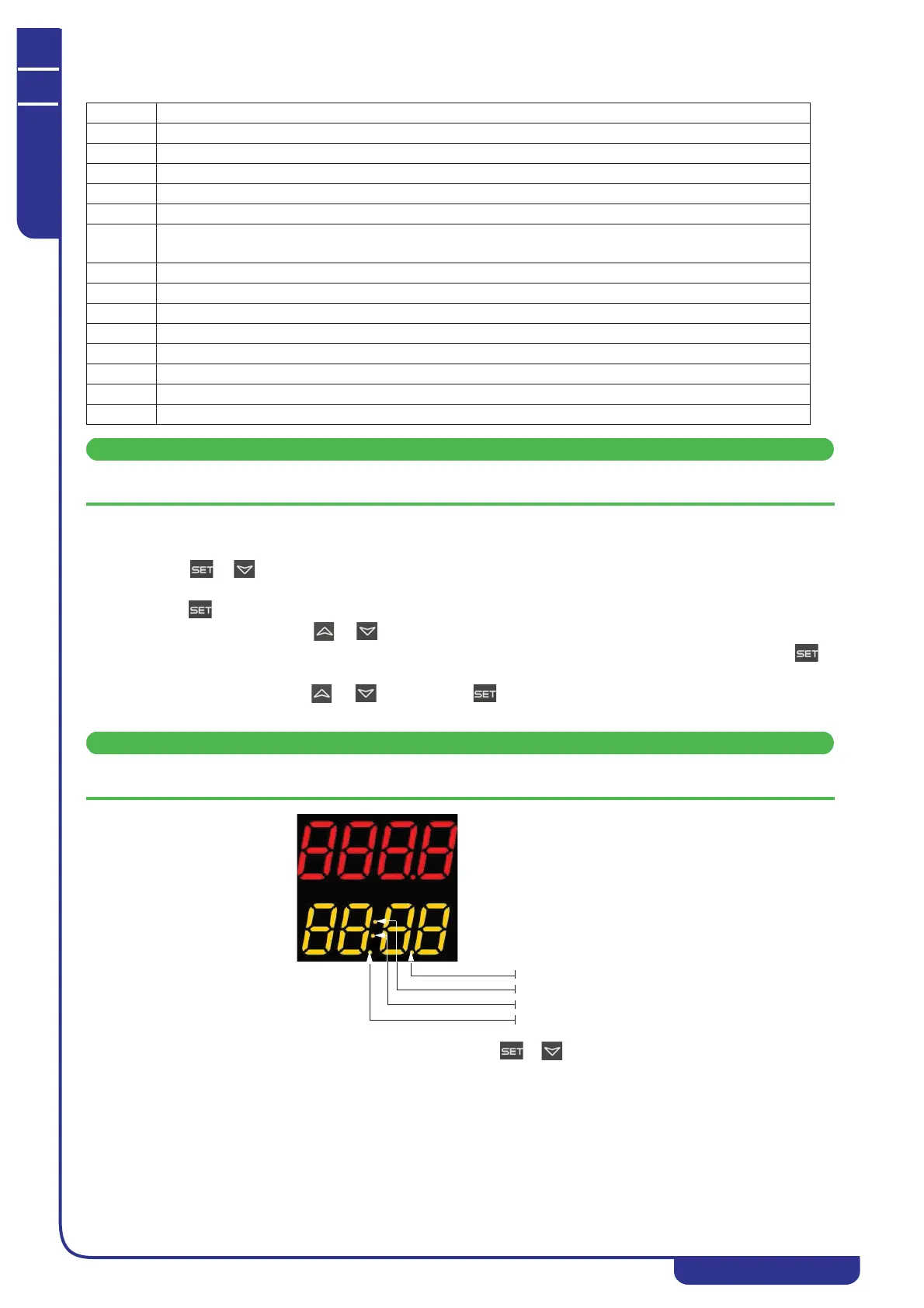
Certain parameters may be read-only. If a parameter is read-only LEDs 1 and 2 will flash.
To exit programming mode and return to normal display mode press + simultaneously.
LABEL ACTION
ALL Displays all parameters
ST Displays Thermoregulation parameters only
dP Displays Display Presentation parameters only
CF Displays Configuration parameters only
SD Displays dynamic setpoint parameters only
ES Displays energy saving and starting parameters only (FUNCTION NOT ACTIVE)
Displays second setpoint parameters only
CO Displays Compressor parameters only
US Displays auxiliary output parameters only
FA Displays Fan parameters only
Ar Displays anti-freeze heater parameters only
DF Displays defrost parameters only
rC Displays Recovery parameters only
AL Displays Alarm parameters only
Pr Password
LED 4
LED 1
LED 2
LED 3



 To Next Page