OPERATING AND MAINTENANCE MANUAL
Chapter 9 - Operation and maintenance
iC 215 ÷ iC 780
59
The data in this manual are not binding and they can be modified by the manufacturer without notice. Reproduction of this manual is strictly prohibited
EN
ENGLISH
CHAPTER 9
OPERATION AND MAINTENANCE
9.1 Operation
Operation of the unit is fully automatic.
It is not necessary to power the unit off in the absence of a thermal load because it powers off automatically once it reaches
the preset water outlet temperature.
9.2 Maintenance
Before installing or operating these units, ensure that all personnel involved have read and understood Chapter 2
“Safety”
9.3 Access to the unit
Any task that requires the panelling to be opened must be performed only with the unit powered off and disconnected
from the electrical supply.
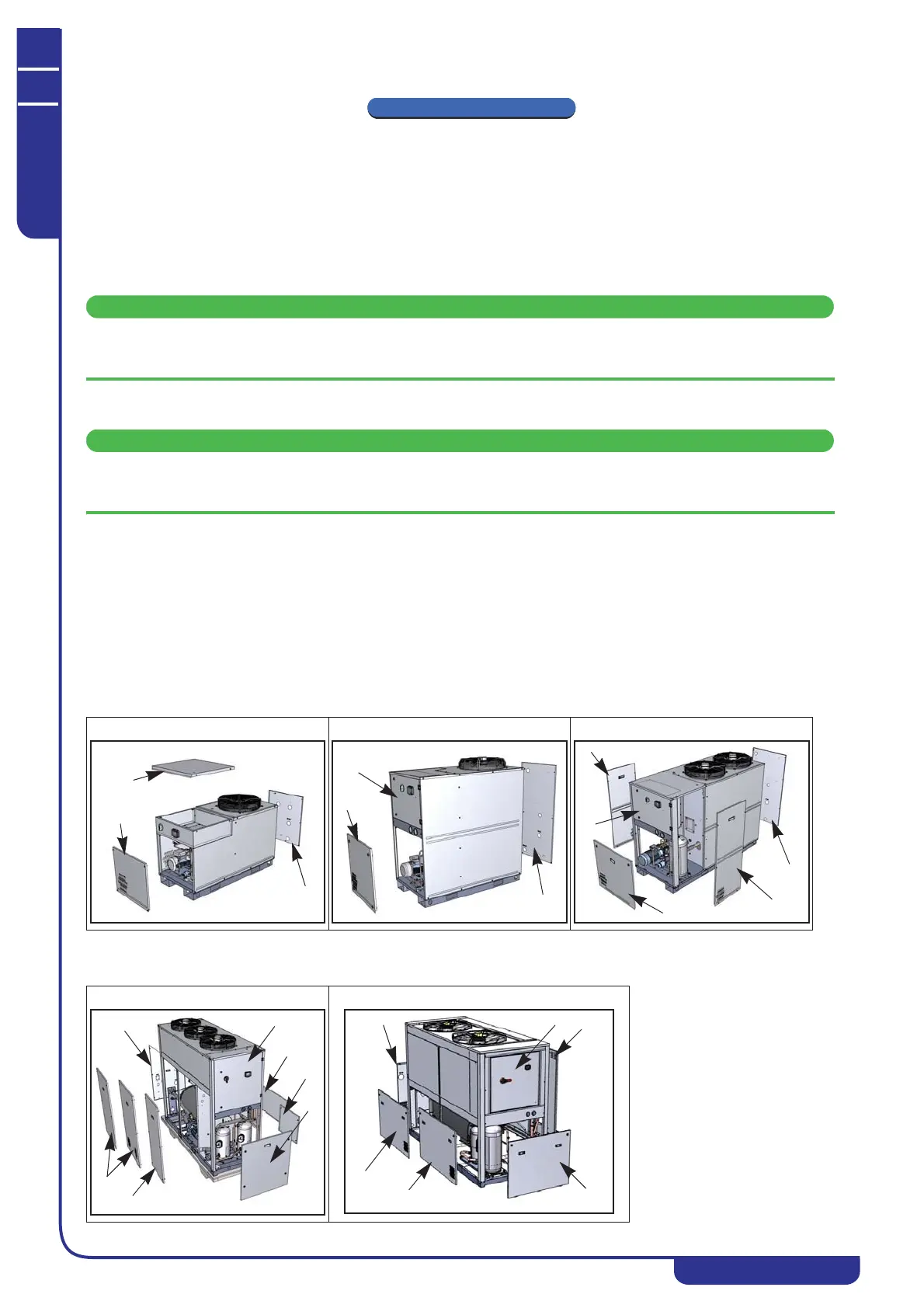
To access the refrigerant circuit components use the wrench supplied with the unit and open the latches securing front
panel (A).
To access the evaporator and hydraulic circuit components use a screwdriver to undo the screws fixing panel (B).
To access the electrical circuit components remove front panel (C).
For models iC 408÷780:
To access the components of the refrigerant circuit open the latches securing panel (A). You can also access the refrigerant
circuit components by removing the side panels (B). Access to the evaporator and the hydraulic circuit components is
possible by removing rear panel (F) or side panels (D), (E).
iC 215÷220 iC 303÷305 iC 408÷416
iC 520÷535 iC 538÷540



 To Next Page