EasyManua.ls Logo

Icy Box IB-RD3640SU3E2/SU3 - User Manual

Icy Box IB-RD3640SU3E2/SU3
19 pages
Print Icon
To Next Page IconTo Next Page
Loading...
Manual IB-3640 Series
1
Version 1.1
IB-RD3640SU3E2/SU3
IB-3640SU3
Question and Answer IconNeed help?

Do you have a question about the Icy Box IB-RD3640SU3E2/SU3 and is the answer not in the manual?

Summary

Introduction and General Information

General Information and Safety Precautions

Covers usage cautions, power, radio interference, repair, and disposal guidelines.

Hardware Components

Front View LED Indicators (IB-3640 SU3)

Details the front panel LEDs and buttons for the IB-3640SU3 model.

Front View LEDs and Fan Speed (IB-RD3640 SU3 E2;SU3)

Describes front panel LEDs and fan speed for IB-RD3640SU3E2/SU3 model.

Rear Panel Connectivity

Illustrates and explains the rear panel ports for both device models.

Side Panel Ports

Shows and describes the side panel ports for both device models.

Hard Drive Installation

HDD Installation Procedure

Step-by-step guide for installing HDDs into the device and connecting it.

RAID Mode Configuration and Operation

Setting and Changing RAID Modes

Instructions for setting and changing the RAID mode using front and rear panel buttons.

RAID Mode Descriptions

Explains RAID 0 (Spanning/Striping) and RAID 1 (Mirroring) functionalities and data structures.

Advanced RAID Configurations (3, 5, 10)

Details RAID 3 (Striped with parity), RAID 5 (Striped with distributed parity), and RAID 10.

Disk Initialization for Operating Systems

Windows 2000;XP Disk Initialization

Guide for initializing and formatting disks in Windows 2000/XP, including MBR limitations.

Windows Vista;7 Disk Initialization

Steps for disk initialization in Windows Vista/7, covering MBR vs. GPT partition styles.

Macintosh OS X Disk Initialization

Instructions for initializing and formatting disks using Disk Utility in macOS.

References and Support

Important References and Troubleshooting

Provides important references, warnings, and solutions for common operational issues.

Summary

Introduction and General Information

General Information and Safety Precautions

Covers usage cautions, power, radio interference, repair, and disposal guidelines.

Hardware Components

Front View LED Indicators (IB-3640 SU3)

Details the front panel LEDs and buttons for the IB-3640SU3 model.

Front View LEDs and Fan Speed (IB-RD3640 SU3 E2;SU3)

Describes front panel LEDs and fan speed for IB-RD3640SU3E2/SU3 model.

Rear Panel Connectivity

Illustrates and explains the rear panel ports for both device models.

Side Panel Ports

Shows and describes the side panel ports for both device models.

Hard Drive Installation

HDD Installation Procedure

Step-by-step guide for installing HDDs into the device and connecting it.

RAID Mode Configuration and Operation

Setting and Changing RAID Modes

Instructions for setting and changing the RAID mode using front and rear panel buttons.

RAID Mode Descriptions

Explains RAID 0 (Spanning/Striping) and RAID 1 (Mirroring) functionalities and data structures.

Advanced RAID Configurations (3, 5, 10)

Details RAID 3 (Striped with parity), RAID 5 (Striped with distributed parity), and RAID 10.

Disk Initialization for Operating Systems

Windows 2000;XP Disk Initialization

Guide for initializing and formatting disks in Windows 2000/XP, including MBR limitations.

Windows Vista;7 Disk Initialization

Steps for disk initialization in Windows Vista/7, covering MBR vs. GPT partition styles.

Macintosh OS X Disk Initialization

Instructions for initializing and formatting disks using Disk Utility in macOS.

References and Support

Important References and Troubleshooting

Provides important references, warnings, and solutions for common operational issues.
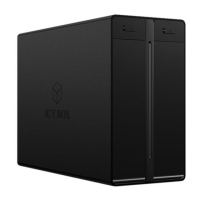
Icy Box IB-RD3640SU3E2/SU3 Specifications

General IconGeneral
BrandIcy Box
ModelIB-RD3640SU3E2/SU3
CategoryEnclosure
LanguageEnglish

Related product manuals