EasyManua.ls Logo

iDataLink Maestro K150 - User Manual

iDataLink Maestro K150
24 pages
Print Icon
To Next Page IconTo Next Page
Loading...
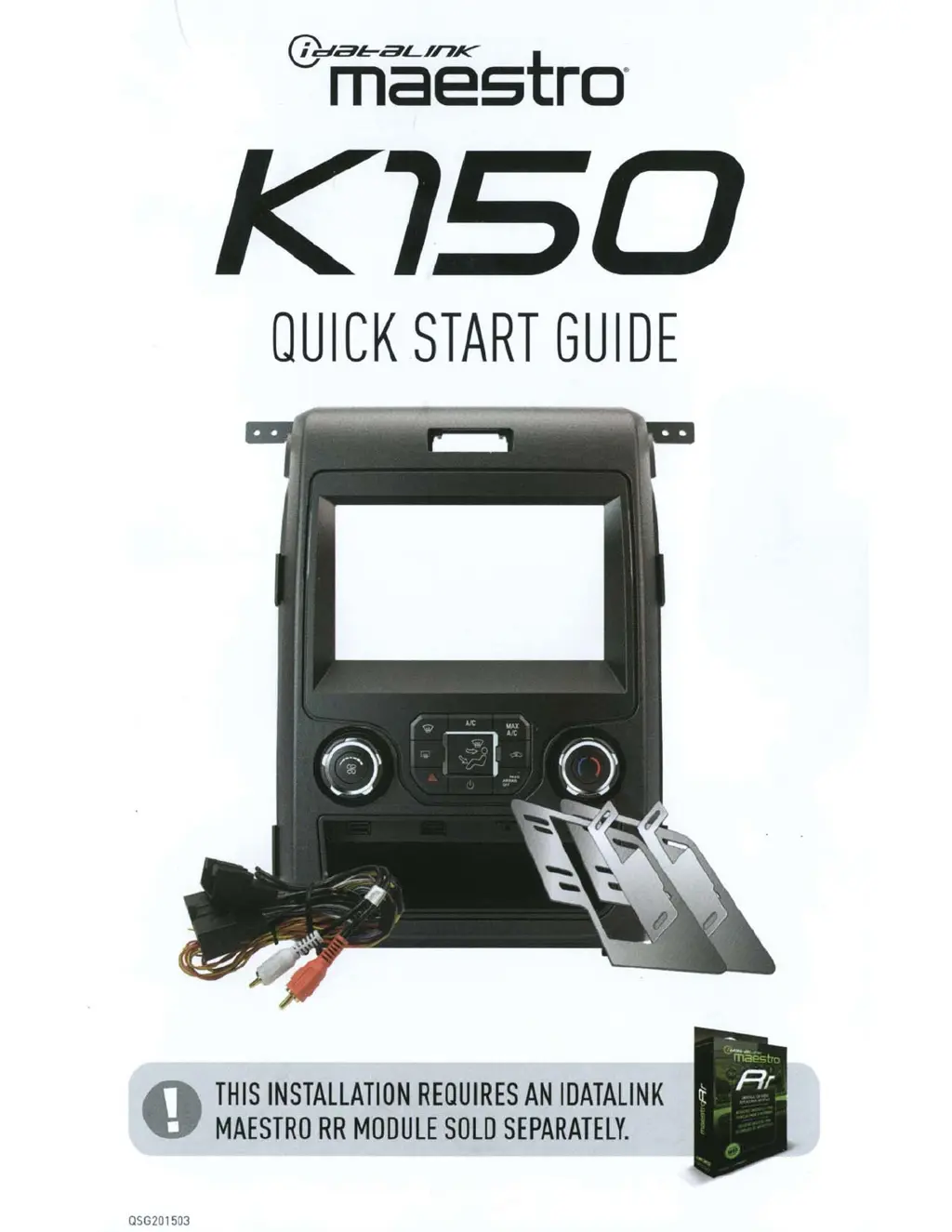
QSG201503
QUICK
START
GUIDE
THIS
INSTALLATION
REQUIRES
AN
IDATALINK
MAESTRO
RR
MODULE
SOLD
SEPARATELY.

Questions and Answers

  • A
    Alison StarkSep 12, 2025
    What to do if I cannot hear callers when making a phone call with iDataLink Automobile Accessories?
    • T
      tylermillerSep 12, 2025
      If you can't hear callers but they can hear you when making a phone call, and your vehicle has a factory amplifier, ensure that the 4-pin black and white connectors in the harness are plugged in correctly as stated in step 2.
  • S
    Sara GeorgeAug 25, 2025
    Why is the audio so quiet on my iDataLink Maestro K150?
    • J
      Jason MoralesAug 25, 2025
      If the audio from your iDataLink Automobile Accessories is too quiet or too loud, here's how to adjust it: * For vehicles without an amplifier: Cut off the black & white speaker junction connectors and directly wire the speaker wires from the radio to the harness. * For vehicles with an amplifier: Make sure the black & white speaker plugs are connected and that the speaker wires are routed through the level matching circuits covered with black heat shrink.
  • M
    Michael RamirezAug 27, 2025
    What to do if the iDataLink Maestro Automobile Accessories light is blinking red twice?
    • A
      Albert GrantAug 27, 2025
      If the light on your iDataLink Maestro is blinking red twice, it indicates a connection issue or incorrect configuration. First, ensure the 4-pin data cable is securely connected between the radio and the RR module, and that it's plugged into the black port on the Maestro RR. The red and blue ports should remain empty. Then, verify that the correct radio model and serial number were entered during the flashing process. You can usually find the radio's serial number in the radio's settings menu, often listed as Device ID, Device Number, or Serial Number. Ensure this number matches what you entered during the flash.
  • D
    Danielle SmithAug 27, 2025
    What to do if iDataLink Maestro K150 gauges do not work and radio shows OBD2 Error 1 or Error 2?
    • Z
      Zachary ChambersAug 28, 2025
      If the gauges aren't working and the radio displays OBD2 Error 1 or Error 2 with your iDataLink Automobile Accessories, check the connections of the BROWN/RED and BROWN/YELLOW wires to the OBDII connector. Ensure these wires are connected to the correct pins (PIN 6 and PIN 14 respectively) on the OBDII connector. Avoid using T-Taps; soldering or military splicing methods are recommended for a secure connection. It's crucial to connect the BROWN/RED and BROWN/YELLOW wires, and not the red/brown and yellow/brown wires. Finally, reset the RR module.
  • S
    Sharon WatkinsAug 29, 2025
    Why is the light on my iDataLink Maestro K150 flashing red once?
    • W
      wfisherAug 29, 2025
      If the light on your iDataLink Maestro is flashing red once, it means the module has no firmware. To resolve this, flash the RR module.
  • K
    Kristen WilsonAug 31, 2025
    Why steering wheel controls do not work on my iDataLink Maestro K150 Automobile Accessories?
    • J
      jonathan16Aug 31, 2025
      If the steering wheel controls for your iDataLink Automobile Accessories aren't working, but the LED on the Maestro blinks when you press the steering wheel buttons, first verify that the buttons are correctly configured in the flash. If any button is set to 'none' for 'press once,' it won't function. The 'Hold' column can be left as 'none,' and the 'press once' function will still work with a single press or when holding the button. Also, check that the blue 4-pin steering wheel control cable is securely connected between the Maestro and the radio.
  • D
    David WrightNov 20, 2025
    How to fix iDataLink Maestro K150 Automobile Accessories steering wheel controls when the LED blinks?
    • C
      conradsaraNov 20, 2025
      If the steering wheel controls on your iDataLink Automobile Accessories aren't working, but the LED on the Maestro blinks when you press the buttons, here's what to check: * First, verify that the buttons are properly configured in the flash. If any button is set to “none” for “press once”, it won't function. The “hold” column can be left as none and the “press once” function will still work with a single press or when holding the button. * Make sure the blue 4-pin steering wheel control cable is securely connected between the Maestro and the radio. * Remember, the radio uses either the 3.5mm jack OR the blue/yellow wire, not both. Connect the 3.5mm jack from the Maestro blue 4-pin cable to the radio’s 3.5mm port (labeled steering, remote, or wheel). If no such port exists, wire the...
  • E
    Elizabeth MeyersSep 13, 2025
    Why is the light on my iDataLink Maestro K150 Maestro flashing RED ONCE?
    • L
      Laura BrownSep 13, 2025
      If the light on the Maestro is flashing red once, it indicates that there is no firmware on the module. You should flash the RR module.
  • M
    Mrs. Lisa BeckSep 10, 2025
    What to do if iDataLink Automobile Accessories gauges do not work and the radio shows OBD2 Error 1 or Error 2?
    • T
      tyler61Sep 10, 2025
      If the gauges aren't working and the radio displays OBD2 Error 1 or Error 2, ensure the 2-pin connectors of the K200 T-harness are configured correctly, as shown in step 2. Also, try resetting the RR.
  • E
    Erika HardingSep 7, 2025
    What to do if radio goes to the camera screen but there is no image from the backup camera on iDataLink Automobile Accessories?
    • A
      aaronbirdSep 7, 2025
      If the iDataLink Automobile Accessories radio switches to the camera screen but there's no image from the backup camera, ensure the 12-pin connector from the 4” factory screen is plugged into the 12 pin plug of the F150 T-harness, and that the Backup cam RCA is plugged into the rear camera input of the radio.

iDataLink Maestro K150 Specifications

General IconGeneral
BrandiDataLink
ModelMaestro K150
CategoryAutomobile Accessories
LanguageEnglish

Related product manuals