EasyManua.ls Logo

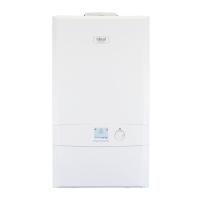
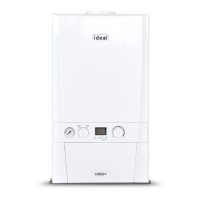
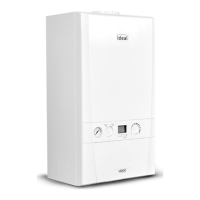
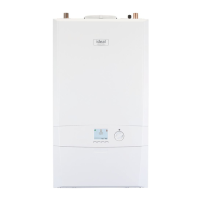
Ideal Heating LOGIC MAX SYSTEM2 S24 - User Manual

Default Icon
10 pages
Print Icon
To Next Page IconTo Next Page
Loading...
3User Guide
When replacing any part on this appliance, use only spare parts that you can be assured conform to the safety and performance
specification that we require. Do not use reconditioned or copy parts that have not been clearly authorised by Ideal Heating.
For the very latest copy of literature for specification and maintenance practices visit our website idealheating.com
where you can download the relevant information in PDF format.
USER GUIDE
LOGIC MAX SYSTEM
2
S15 S18 S24 S30
October 2022
UIN 228291 A06

Other manuals for Ideal Heating LOGIC MAX SYSTEM2 S24

Questions and Answers

  • B
    Brandy WebsterAug 7, 2025
    What to do if hot water is not working on my Ideal Heating LOGIC MAX SYSTEM2 S24?
    • A
      aduncanAug 8, 2025
      If your Ideal Heating Boiler isn't providing hot water, ensure that the system is on and the cylinder thermostat is calling for heat. If the problem continues, contact Ideal Customer Service or a Gas Safe Registered Engineer.
  • K
    Kim MendozaAug 22, 2025
    Why is there no central heating in my Ideal Heating LOGIC MAX SYSTEM2 S24?
    • B
      Brittany GarciaAug 22, 2025
      If your Ideal Heating Boiler isn't providing central heating, first ensure that the system is turned on. Then, check that the timer is on and the thermostat is set to a sufficient temperature. Verify the time settings on the programmer and adjust them if needed. If problems persist, it's recommended to contact a Gas Safe Registered Engineer.

Summary

1.2 Boiler Operation

Boiler Legend and Starting Procedure

Identifies key boiler components and provides step-by-step instructions for starting the appliance.

Ignition Lockout Fault

Details the 'Ignition Lockout' fault message and the procedure for restarting the boiler.

Boiler Frost Protection

Details the boiler's built-in frost protection mechanism to prevent freezing.

1.5 Condensate Drain

1.6 General Information

Service Request and Gas Leak Advice

Guidance on clearing service reminders and immediate actions for suspected gas leaks.

1.7 Troubleshooting

1.8 Display Functions - Normal Operation Mode

1.9 Display Functions - Fault Messages

Overheat Lockout and Ignition Lockout

Details the 'Overheat Lockout' and 'Ignition Lockout' fault messages and their resolution steps.

Gas Valve and Flow Faults

Addresses issues with the gas valve, no water flow, and blocked flue or condensate.

Ideal Heating LOGIC MAX SYSTEM2 S24 Specifications

General IconGeneral
Boiler TypeSystem
Output Rating24 kW
ERP RatingA
Efficiency94%
Dimensions (H x W x D)700 x 395 x 278 mm
MountingWall-mounted
Efficiency (%)94%
FuelNatural Gas

Related product manuals