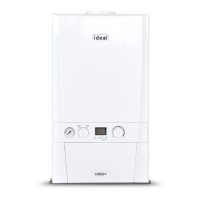
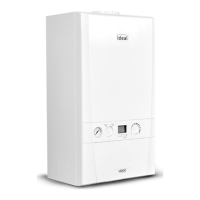
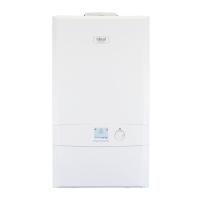
The Ideal Logic System² S is a high-efficiency, condensing system boiler designed for central heating and domestic hot water applications. It features full-sequence automatic spark ignition and fan-assisted combustion, ensuring reliable and efficient operation. Due to its high efficiency, the boiler produces condensate from the flue gases, which is drained through a plastic waste pipe at the base of the unit. A condensate "plume" may also be visible at the flue terminal during operation.
Safety and Installation:
Installation and any subsequent work on this appliance must be carried out by a Gas Safe Registered engineer in accordance with current Gas Safety (Installation & Use) Regulations. It is crucial to follow the instructions in this booklet for safe and economical operation. The appliance requires an earthed electrical supply of 230 V ~ 50 Hz, with a recommended fusing of 3A. For safety, the boiler must not be operated without its casing correctly fitted and forming an adequate seal. If installed in a compartment, that compartment must not be used for storage. If a fault is suspected, the boiler must not be used until a Gas Safe Registered Engineer has corrected the issue. Tampering with sealed components is strictly prohibited. This appliance can be used by children aged 8 years and above, and by persons with reduced physical, sensory, or mental capabilities, or lack of experience and knowledge, provided they are supervised or instructed on safe use and understand the associated hazards. Children should not play with the appliance, and cleaning and user maintenance should not be performed by children without supervision.
Boiler Operation:
To start the boiler, first switch on the electricity and ensure all external controls (programmer, room thermostat, cylinder thermostat) are active. If "OFF" is displayed, press the Mode button (B) to show "ON". Then, turn the Temperature control knob (A) until 80°C is displayed. Once the boiler has ignited, refer to the subsequent pages for optimal temperature knob settings. In normal operation, the boiler status display (C) will show various messages. If an "L" code is displayed, the boiler can be restarted by pressing the Restart button (E). The burner symbol '◊' will remain illuminated when the burner is lit. If the boiler fails to ignite after five attempts, fault messages like "L 02" will be displayed. To restart, press the Restart button (E); if it still fails, consult a Registered Gas Installer.
Operation Modes:
- Winter/Summer Conditions: When domestic hot water and central heating are required, ensure "ON" is displayed (press Mode button (B) if "OFF" is shown). The boiler will then supply heat to the hot water cylinder and radiators.
- Boiler Off: When neither domestic hot water nor central heating is required, ensure "OFF" is displayed (press Mode button (B) if "ON" is shown).
Control of Water Temperature:
- No Outside Sensor Connected: The temperature of the water supplied to radiators or the hot water cylinder can be set between 30°C and 80°C by rotating the Temperature Control Knob (A) clockwise or anti-clockwise.
- Outside Sensor Connected: The hot water cylinder supply temperature is factory set to 80°C (with the tap water temperature controlled by the cylinder thermostat). The nominal central heating room temperature can be set between 10°C and 30°C by rotating the Temperature control knob (A). Rotate clockwise for higher temperatures and anti-clockwise for more efficient heating.
Efficient Heating System Operation:
The Logic System² S is a high-efficiency, condensing appliance that automatically adjusts its output to match heat demand, thereby reducing gas consumption. For optimal efficiency (using less gas), turn the central heating temperature knob (A) lower. In colder periods, it may be necessary to increase the temperature setting to meet heating requirements, depending on the house and radiators. Reducing the room thermostat setting by 1°C can reduce gas consumption by up to 10%.
Boiler Frost Protection:
The boiler includes frost protection that operates in all modes, provided the power supply remains on. If the water in the boiler drops below 5°C, the frost protection activates to prevent freezing. This feature does not guarantee protection for all other parts of the system. If a system frost thermostat is installed, the boiler must be in winter mode (no cross through the radiator symbol) for the system frost protection to function. If no system frost protection is provided and frost is likely during a short absence, it is recommended to leave the system heating controls or built-in programmer (if fitted) switched on at a reduced temperature setting. For longer absences, the entire system should be drained.
Mains Power Off:
To completely remove power from the boiler, the mains power switch must be turned off.
Condensate Drain:
The appliance is fitted with a siphonic condensate trap system to reduce the risk of freezing. If the condensate pipe freezes, follow these instructions:
- If you are not competent to defrost, call a Gas Safe Registered installer.
- If competent, proceed with care, avoiding thawing pipework above ground level.
- If the condensate pipe blocks, the appliance will make a gurgling noise before locking out, displaying an "Lod" or "L02" fault code.
- To unblock a frozen condensate pipe:
- Trace the plastic pipe from the appliance's exit point to its termination. The blockage is likely at the most exposed external point, a bend, elbow, or dip.
- Apply a hot water bottle, microwaveable heat pack, or a warm damp cloth to the frozen area. Multiple applications may be needed. Warm water can also be poured onto the pipe from a watering can (do NOT use boiling water).
- Exercise caution when using warm water as it may freeze and create other hazards.
- Once the blockage is removed and condensate flows freely, restart the appliance.
- If the appliance fails to ignite, call your Gas Safe Registered engineer.
Loss of System Water Pressure:
The system pressure gauge (G) indicates the central heating system pressure. If the pressure falls below the original installation pressure of 1-2 bar over time, a water leak may be indicated. To re-pressurise:
- Use the filling loop to re-pressurise to 1 bar (contact your installer if unsure).
- Turn off the tap on the filling loop.
- Press the "RESTART" button (E) to restart the boiler.
If unable to re-pressurise or if pressure continues to drop, consult a Gas Safe Registered Engineer. The boiler will not operate if pressure drops below 0.3 bar.
- Boiler Pump: The boiler pump performs a brief self-check every 24 hours, regardless of system demand.
- Minimum Clearances: Allow 165mm above, 100mm below, 2.5mm at the sides, and 450mm at the front of the boiler casing for servicing. The bottom clearance can be reduced to 5mm with an easily removable panel to allow visibility of the pressure gauge and provide the 100mm servicing clearance.
- Escape of Gas: If a gas leak or fault is suspected, immediately contact the National Gas Emergency Service (0800 111 999). Ensure all naked flames are extinguished, electrical switches are not operated, and all windows and doors are opened.
Cleaning:
For normal cleaning, dust with a dry cloth. For stubborn marks, wipe with a damp cloth and finish with a dry cloth. Do NOT use abrasive cleaning materials.
Maintenance:
The appliance should be serviced at least once a year by a Gas Safe Registered Engineer.
Troubleshooting (Normal Operation Display Codes):
The user control display informs about the boiler's status and flame presence.
- Boiler Off Mode: "OFF" displayed. Press Mode button to enable CH.
- Boiler On Mode, no Heat Demand: "00" displayed.
- Boiler is active for Central Heating: "52" displayed.
- Boiler is active for boiler frost protection: "FP" displayed. Operates if ambient temperature is below 5°C until it reaches 19°C.
- Boiler is in Lockout for a specific error: "L 01" (example). A number after "L" indicates the error.
- Boiler has a fault for a specific error: "F 01" (example). A number after "F" indicates the error.
Troubleshooting (No Hot Water / No Central Heating):
- No Hot Water: Check mains power and "ON" display. If water is coming from the hot water tap, consult boiler "Display Functions" or Ideal Customer Services Helpline.
- No Central Heating: Check mains power and "ON" display. Check if programmable room stat or timer is calling for heat. If the boiler operates but provides no central heating, check time settings on the programmer.
- No Hot Water and No Central Heating: Check mains power and "ON" display. Contact a Gas Safe registered engineer.
Fault Codes (Display Code on Boiler, Description, Action):
- F 01 (Low Water Pressure): Check system water pressure (1-1.5 bar). Re-pressurise (see Section 3). If issue persists, contact Ideal or a Gas Safe Registered Engineer.
- F 02 (Flame Loss):
- Check other gas appliances for supply.
- Check gas supply at meter/pre-payment meter. If issue persists, contact Ideal or a Gas Safe Registered Engineer.
- F 03 (Fan Fault): Restart appliance. If issue persists, contact Ideal or a Gas Safe Registered Engineer.
- F 04 / L 04 (Flow Thermistor): Restart appliance. If issue persists, contact Ideal or a Gas Safe Registered Engineer.
- F 05 / L 05 (Return Thermistor): Restart appliance. If issue persists, contact Ideal or a Gas Safe Registered Engineer.
- F 06 (Outside Sensor Failure): Restart appliance. If issue persists, contact Ideal or a Gas Safe Registered Engineer.
- F 07 (Low Mains Voltage): Contact a qualified electrician or your electricity provider.
- F 09 / L 09 (Unconfigured PCB): Unconfigured/faulty PCB or gas valve short circuit. Contact Ideal or a Gas Safe Registered Engineer.
- L 01 (Flow Temperature Overheat or No Water Flow): Check system water pressure (1-1.5 bar). Re-pressurise (see Section 3). If issue persists, contact Ideal or a Gas Safe Registered Engineer.
- L 02 (Ignition Lockout):
- Check condensate pipe for blockages.
- Check other gas appliances for supply.
- Check gas supply at meter/pre-payment meter. If issue persists, contact Ideal or a Gas Safe Registered Engineer.
- L 06 (False Flame Lockout): Restart appliance. If issue persists, contact Ideal or a Gas Safe Registered Engineer.
- LOC (5 Boiler Resets in 15 minutes):
- Turn electrical supply to boiler off and on.
- If issue persists, contact Ideal or a Gas Safe Registered Engineer.
- LOd (Blocked Flue/Condensate):
- Check condensate pipe for blockages.
- Check other gas appliances for supply.
- Check gas supply at meter/pre-payment meter. If issue persists, contact Ideal or a Gas Safe Registered Engineer.
- FOU (Flow/Return Differential > 50°C): If issue persists, contact Ideal or a Gas Safe Registered Engineer.



 To Next Page

 General