EasyManua.ls Logo

IDEAL 61-736 - User Manual

IDEAL 61-736
11 pages
Print Icon
To Next Page IconTo Next Page
Loading...
#61-732
#61-736
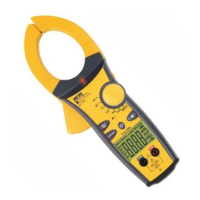
400 AAC Clamp Meter
Instruction Manual
HOLD APO
KM mVA
AC
DC
ND 4952-1 61-732/736 Instructio 9/2/04 9:41 AM Page 1
Question and Answer IconNeed help?

Do you have a question about the IDEAL 61-736 and is the answer not in the manual?

Summary

Safety Warnings and Precautions

Read First: Safety Information

Essential initial safety instructions and guidelines for operating the meter safely.

General Safety Guidelines

Key safety rules to prevent electric shock, injury, or death.

Operational Safety Measures

CAUTION

Important safety precautions and recommendations for protecting yourself during use.

Meter Operation

Measurement Procedures

Measuring AC Current (Amps)

Correct and incorrect methods for measuring AC current using the clamp meter.

Measuring Voltage

How to correctly connect the meter for AC and DC voltage measurements.

Advanced Measurements

Technical Specifications

Accuracy Details

Ranges & Accuracies

Table outlining measurement ranges, resolutions, and accuracy specifications for each function.

Overview

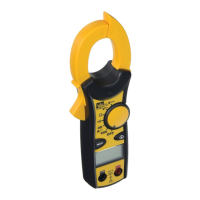
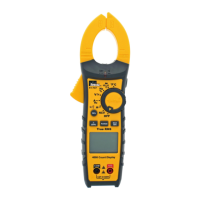
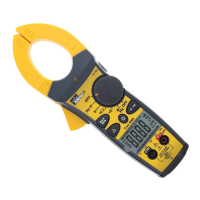
The IDEAL 400 AAC Clamp Meter, available as models #61-732 and #61-736, is a versatile auto/manual ranging clamp meter designed for electrical measurements. The #61-732 model uses averaging sensing and is RMS calibrated, while the #61-736 model features true RMS sensing.

Function Description:

This clamp meter is capable of measuring a variety of electrical parameters. Its primary function is to measure AC current up to 400 AAC using its jaw clamp. It also measures AC/DC voltage and resistance. An audible continuity test is included, and it features Non-Contact Voltage (NCV) detection for voltages between 70-600VAC. The meter incorporates a data hold function to lock readings on the display and an auto power off (APO) feature to conserve battery life. A low battery indicator alerts the user when the battery needs replacement.

Important Technical Specifications:

  • Display: 3-3/4 digit LCD with 4000 counts.
  • Polarity: Automatic, positive implied, negative (-) polarity indication.
  • Overrange: "OL" indication is displayed.
  • Measure Rate: Samples 2 times per second, nominal.
  • Auto Power Off: Approximately after 10 minutes of non-use.
  • Battery Life:
    • 400 hours continuous with Alkaline (61-732)
    • 250 hours continuous with Alkaline (61-736)
  • Low Battery Indication: The "[]" icon is displayed when battery voltage drops below operating level.
  • Power Supply: (2) 1.5V "AAA" batteries (NEDA R03), with an isolated battery compartment.
  • Accuracy: Stated at 23°C ±5°C, <75% R.H.
  • Temperature Coefficient: 0.1 times the applicable accuracy specification per degree C from 0°C to 18°C and 28°C to 50°C (32°F to 64°F and 82°F to 122°F).
  • Altitude: 6561.7 ft. (2000m).
  • Operating Environment: 32°F to 122°F (0°C to 50°C) at < 70% R.H.
  • Storage Environment: -4°F to 140°F (-20°C to 60°C) at < 80% R.H.
  • Jaw Opening: Accepts a 1.25" (32mm) conductor.
  • Dimensions: 7.4"H x 2.6"W x 1.5"D (187mm H x 65mm W x 37mm D).
  • Weight: 6.7 oz (190g) including batteries.
  • Safety: Complies with EN 61010-1, EN 61010-2-032, UL 61010B-1, UL 61010B-2-032 specifications. Clamp rated to Cat III-300V. Voltage rated for Cat III-600V. Double Insulation. Instrument has been evaluated and complies with insulation category II (overvoltage category II). Pollution degree 2 in accordance with IEC-644. Indoor use.
  • AC Current (50Hz - 60Hz):
    • Range: 40.0A/400.0A
    • Accuracy (61-732): 1.7% + 6 digits
    • Accuracy (61-736): 1.7% + 10 digits
    • Overload Protection: 400AAC
  • AC Current (60Hz - 400Hz):
    • Range: 40.0A/400.0A
    • Accuracy (61-732): 3.0% + 6 digits
    • Accuracy (61-736): 3.0% + 10 digits
    • Overload Protection: 400AAC
  • AC Voltage (50Hz - 500Hz):
    • Range: 400.0V
    • Accuracy (61-732): 1.2% + 5 digits
    • Accuracy (61-736): 1.2% + 8 digits
    • Overload Protection: 600 VDC or AC rms
  • AC Voltage (50Hz - 500Hz):
    • Range: 600V
    • Accuracy (61-732): 1.5% + 5 digits
    • Accuracy (61-736): 1.5% + 8 digits
    • Overload Protection: 600 VDC or AC rms
  • DC Voltage:
    • Range: 400.0V/600V
    • Accuracy: 0.5% + 2 digits
    • Overload Protection: 600 VDC or AC rms
  • Resistance:
    • Ranges: 400.0Ω/4.000kΩ/40.00kΩ/400.0kΩ
    • Accuracy: 1.0% + 4 digits
    • Overload Protection: 600 VDC or AC rms
    • Range: 4.000MΩ
    • Accuracy: 1.5% + 4 digits
    • Overload Protection: 600 VDC or AC rms
    • Range: 40.00MΩ
    • Accuracy: 3.0% + 5 digits
    • Overload Protection: 600 VDC or AC rms
  • Continuity:
    • Audible indication < 25Ω
    • Response time: 500ms
    • Overload Protection: 600 VDC or AC rms
  • Input Impedance: 10MΩ.

Usage Features:

  • Non-Contact Voltage (NCV): To use, press the NCV button and bring the NCV tab on the clamp tip close to an AC voltage. The NCV LED will light and the beeper will sound, with the beep becoming louder as the tab gets closer to the AC voltage. This feature can differentiate between hot and neutral in an outlet, with a louder beep on the hot side. The red test lead can also be used for differentiation by plugging it into the V/Ω input jack, pressing NCV, and inserting the probe tip into each slot of the outlet.
  • Auto/Manual Ranging Mode: The meter defaults to autoranging upon power-on, automatically selecting the best range. Pressing the Range (⊙) button switches to manual ranging, indicated by a (◉) on the display. Continue pressing the Range button to cycle through ranges. To return to autoranging, either hold the Range button for over 1 second or turn the meter off and on.
  • Data Hold Feature: Press the Hold button on the side of the meter to toggle the data hold mode. "HOLD" will appear on the display, locking the current reading. Press the Hold button again to release the reading.
  • Auto Power Off (APO) Feature: The meter automatically powers down after approximately 10 minutes of inactivity. Pressing any button will wake the meter and display the last reading. To override APO, hold the Range (⊙) button while turning the function switch from Off to any other position; "APO" will be removed from the display. Turning the meter off restores the APO default.
  • Measuring AC Current (Amps): For accurate readings, clamp the meter around a single conductor only. Clamping around multiple conductors will cause currents to cancel, resulting in an incorrect reading. For measuring current in a two-conductor cord, a line splitter should be used.
  • Measuring Voltage: Connect the test leads to the appropriate input terminals (V-Ω for red, COM for black) and apply to the circuit or component to be measured.
  • Measuring Resistance (Ohms): Ensure the circuit is de-energized before measuring resistance to obtain accurate results. Connect the test leads to the V-Ω and COM input terminals.
  • Verifying Continuity: Ensure the circuit is de-energized. The meter will beep if the resistance is less than 25 Ω, indicating continuity. Connect the test leads to the V-Ω and COM input terminals.

Maintenance Features:

  • Cleaning: Clean the meter's case with a damp cloth and mild detergent. Avoid using abrasives or solvents.
  • Battery Replacement:
    1. Ensure test leads are disconnected from the circuit or components.
    2. Remove test leads from the input jacks on the meter.
    3. Remove the two screws from the battery cap.
    4. Remove the battery cap.
    5. Replace the batteries with two "AAA" batteries.
    6. Assemble the battery cap and re-tighten the screws.
  • Service and Replacement Parts: This unit has no user-serviceable parts. For replacement parts or service information, contact IDEAL INDUSTRIES, INC. at 1-877-201-9005 or visit www.testersandmeters.com.

IDEAL 61-736 Specifications

General IconGeneral
Model61-736
BrandIDEAL
TypeDigital Multimeter
ContinuityYes
Diode TestYes
Safety RatingCAT III 600V
AC Voltage Range600 V
DC Voltage Range600 V
AC Current Range10 A
DC Current Range10 A
Resistance Range40 MΩ
DisplayDigital

Related product manuals