EasyManua.ls Logo

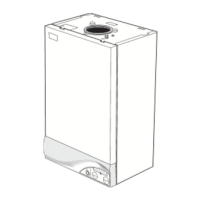
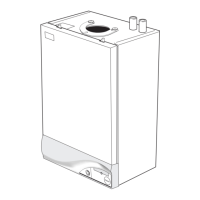
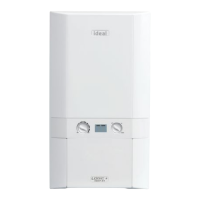
IDEAL he24 - User Manual

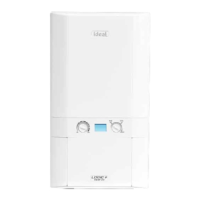
IDEAL he24
4 pages
Print Icon
To Next Page IconTo Next Page
Loading...
users guide
ideal esprit
Your Ideal users guide
When replacing any part on this appliance use only spare parts that you can be
assured conform to the safety and performance specification that we require. Do not
use reconditioned or copy parts that have not been clearly authorised by Ideal Boilers.
HE24, HE30, HE35
For installation guide see reverse of book

Other manuals for IDEAL he24

Questions and Answers

  • V
    Virginia MorganJul 26, 2025
    What to do if my IDEAL he24 Boiler is not working and shows 'LLLLL ::::: FFFFF'?
    • A
      Alex MorseJul 26, 2025
      If your IDEAL Boiler displays ‘LLLLL ::::: FFFFF ’ (flashing) and attempts to fire three times without success, try these steps: First, press the reset button (C) for 2 seconds to try the ignition sequence again. Then, check your gas supply by testing another gas appliance. If there's no gas, it's not a boiler issue, so contact your gas supplier. Finally, ensure the condensate pipe isn't blocked or frozen. Clear any blockages, and if you can't, contact your installer.
  • J
    Jonathan MartinezJul 30, 2025
    Why is my IDEAL he24 Boiler not working and showing 'LLLLL:::::EEEEE'?
    • L
      Lindsay ReedJul 30, 2025
      If your IDEAL Boiler displays ‘LLLLL:::::EEEEE ’ (flashing) and isn't working, check the pressure gauge on the boiler. It should show at least 1 bar. If it's lower, repressurize the system to 1 bar using the filling loop. If you're unsure how to do this, contact your installer. After repressurizing, turn off the tap on the filling loop, then switch the boiler off and back on again to reset it. If the pressure continues to drop after filling, contact your installer.
  • J
    Jasmine KnightAug 4, 2025
    Why won't my IDEAL Boiler fire for central heating?
    • P
      pettyjessicaAug 4, 2025
      If your IDEAL Boiler won't fire for central heating, first check that the programmer (either on the boiler or external) is set to an ‘ON’ period. If it is already set to ‘ON’, set the programmer to continuous. If the boiler then fires, contact your installer to fix the programmer. Also, check the room thermostat by turning it up fully. If ‘0’ is not displayed on the user controls, contact your installer.
  • J
    Jessica HesterAug 8, 2025
    Why does my IDEAL he24 turn on for hot water when no tap is open?
    • C
      Cynthia RodriguezAug 8, 2025
      If your IDEAL Boiler turns on for domestic hot water when no tap is open, check for dripping or dribbling taps or showers and ensure they are fully off. Also, check for leaks from the domestic hot water pipework, and if you find any, contact your installer.
  • C
    catherine79Aug 12, 2025
    How to check if my IDEAL he24 Boiler has power?
    • J
      Jenna CampbellAug 12, 2025
      To check if your IDEAL Boiler has power, ensure the switch (A) is in the ON position and ‘0 ’ is displayed on the controls. If ‘0 ’ is not displayed, it is not a boiler fault, so contact your installer or service company.
  • L
    Lindsay ColonAug 16, 2025
    What does it mean when my IDEAL Boiler displays 'LLLLL:::::AAAAA'?
    • B
      bcoleAug 16, 2025
      If your IDEAL Boiler displays ‘LLLLL:::::AAAAA ’ (flashing) and isn't working, press the reset button (C) for 2 seconds to attempt a re-light. If this fault happens again, it means the boiler is overheating. Turn the boiler off and contact your installer.
  • E
    Elizabeth RamosAug 21, 2025
    Why does my IDEAL he24 fire for 2 minutes and show 't'?
    • R
      richardhartAug 21, 2025
      When your IDEAL Boiler fires occasionally for about 2 minutes and the display shows ‘t’, it is normal. This happens when the pre-heat switch is on. The boiler periodically pre-heats the plate heat exchanger to make hot water available to taps or showers faster.

Summary

Introduction

Safety

Details safety regulations, electricity supply, and important operational notes for the appliance.

Minimum Clearances

Specifies the required space around the boiler for servicing and installation.

To light the boiler

Step-by-step instructions for igniting the boiler, including pre-ignition checks and settings.

Operation

Explains the boiler's operation in winter conditions for central heating and domestic hot water.

Summer Conditions and Temperature Control

Summer conditions - i.e. DHW only required.

Details boiler operation for domestic hot water only during summer mode.

Domestic Hot Water Temperature Control

Explains how to control and adjust domestic hot water temperature via the boiler controls.

Central Heating Temperature Control

Explains how to control and adjust central heating radiator temperature via the boiler controls.

Boiler Shutdown and Protection

To shut down the boiler

Instructions for shutting down the boiler for short or longer periods.

To relight the boiler

Procedure for relighting the boiler, referring to the initial lighting instructions.

Frost protection

Guidance on protecting the system from frost during short or long absences.

Boiler overheat thermostat

Explains the function and fault code for the overheat thermostat shutdown.

Flame failure

Explains the function and fault code for flame failure shutdown.

Loss of system water pressure

Describes how to identify and address low system water pressure issues.

Condensate Drain

Information regarding the condensate drain and potential blockages or freezing.

Escape of gas

Advice on what to do if a gas leak is suspected, emphasizing safety precautions.

Boiler Controls and Troubleshooting

BOILER CONTROLS - Legend

Identifies and explains the function of various boiler controls and indicators.

TROUBLESHOOTING - TYPICAL NON PRODUCT FAULTS

Lists common problems, their potential causes, and troubleshooting solutions.

IDEAL he24 Specifications

General IconGeneral
Fuel TypeNatural Gas
Central Heating Output24 kW
Dimensions (H x W x D)700 x 395 x 278 mm
Boiler TypeCombi
MountingWall Mounted
ERP RatingA
DHW Output24 kW
Efficiency RatingA

Related product manuals