13
3.2
3.23.2
3.2 Display
DisplayDisplay
Display
I
II
Icons and
cons and cons and
cons and S
SS
Symbols
ymbolsymbols
ymbols
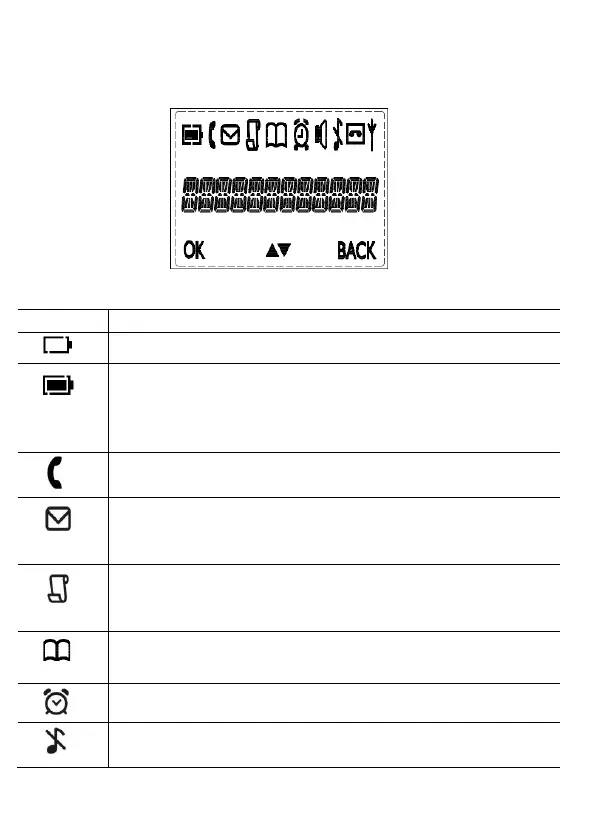
The home screen gives you information on the current status of the
phone.
Meaning
Meaning Meaning
Meaning
Displays when the battery is almost empty.
Displays when the battery is fully charged.
Blinks (3s on / 1s off) when the battery is partly
discharged.
Flashes (1s on / 1s off) when the
Displays when the line is in use.
Flashes when you have a new voicemail message.
(This is a
caller display service and is not usually available from UK
Displays when you have new missed calls, or the call log is
being viewed.
Displays when the phonebook is accessed.
Displays when the alarm is set.
Displays when handset ringer is turned off.
This manual downloaded from http://www.manualowl.com



 To Next Page