Part 1 - Remote Setup
36
Audio Detection
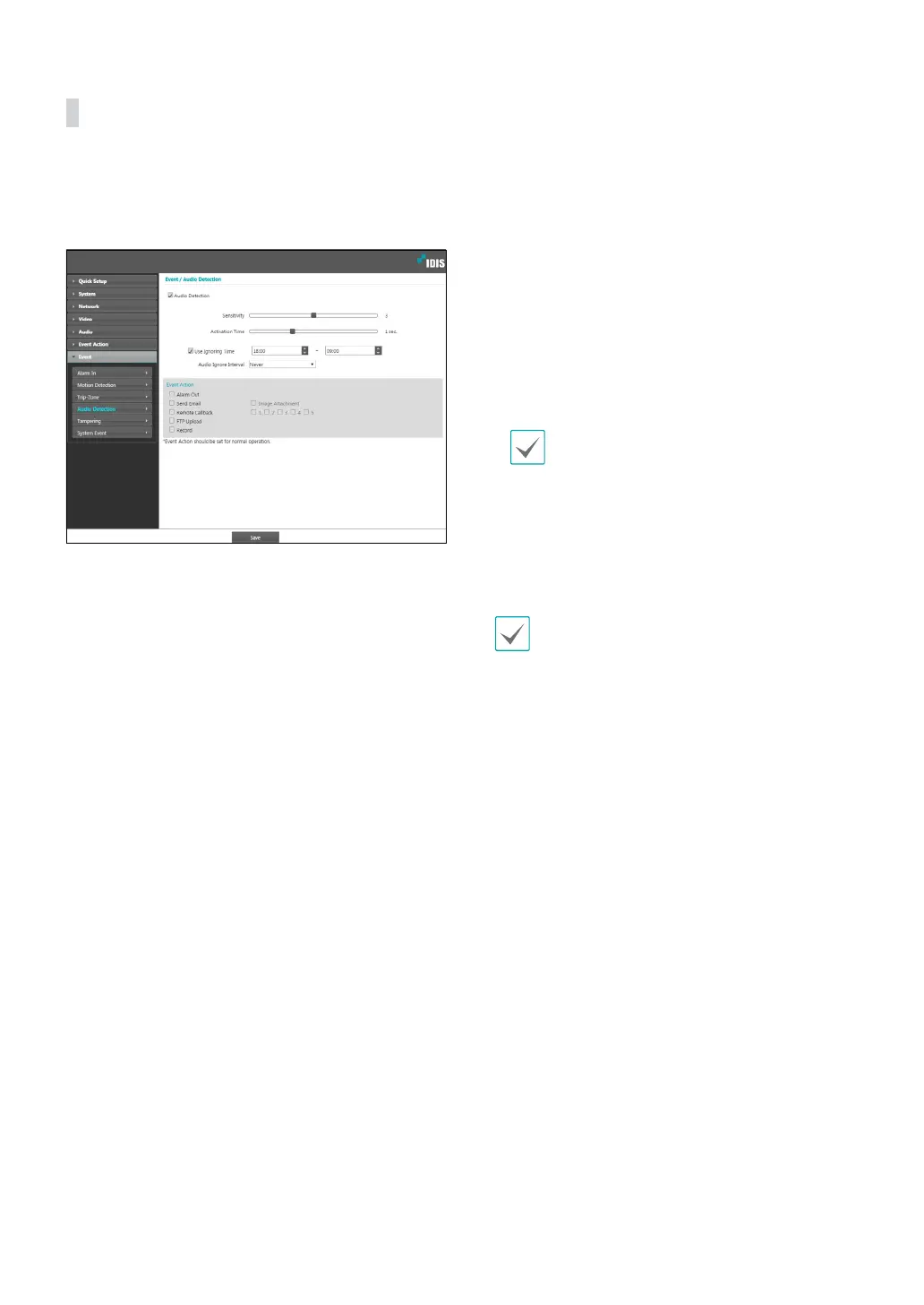
Select Audio Detection to congure audio detection
event settings. With audio detection enabled, an audio
detection taking place during the specied activation
period will be assumed as an event.
• Sensitivity: Dene the audio detection sensitivity.
Higher values will result in more sensitive detection.
• Activation Time: Specify how long audio has to be
detected for it to be considered as an event. Audio
detections that do not last for the specied duration
of time will not be considered as events.
• Use Ignoring Time: Dene the event ignoring time.
Audio detections taking place during the dened
time range will not be assumed as events.
• Audio Ignore Interval: With Audio Ignoring Time
congured, no event log or notication is generated
for audio detections taking place during a period of
time following an audio detection event.
• Event Action: Select an audio detection event alert
action.
- Alarm Out: Select if you wish to generate an alarm
out.
- Send Email: Select if you wish to send an email.
Select the Image Attachment option to attach a
.jpg image of the event detected to the email.
- Remote Callback: Select this option to send a
message to a remote system and then select which
system to send the message to.
• Not supported from the IDIS Web program.
• The camera must be registered to the remote
system in order to use the Remote Callback
feature.
- FTP Upload: Select this option if you wish to
upload images to the FTP server.
- Record: Select this option to record video.
Event Action settings must be congured correctly
in order to perform event actions.


 To Next Page