Part 1 - Remote Setup
31
- Resolution/Quality: Choose the resolution and
quality of the images to upload to the FTP server.
Range of resolution settings you can use here can
vary depe nding on the resolution setting applied
under Video > Streaming.
- Base File Name: Enter a name for the les to be
uploaded to the FTP server and then choose le
identication options. Select Add Date/Time Sux
to add event detection date and time information
to each image le. Select Add Sequence Number
Sux - max. Count to number the image les
based on the order of event detection. Select
Overwrite to overwrite the previous image with
the new image. Event type is automatically added
to the le names.
• When specifying the Upload Path or Base File
Name, you cannot use special characters such as \, /,
#, *, |, :, ", <, >, and ?.
• The resolution of FTP upload image can change
depending on the resolution setting applied under
Video > Streaming.
• Set speed settings for Upload Frequency and
Upload 1 image per options in consideration of the
FTP server's performance. FTP uploads can fail if the
congured speed is higher than what the FTP server
can handle.
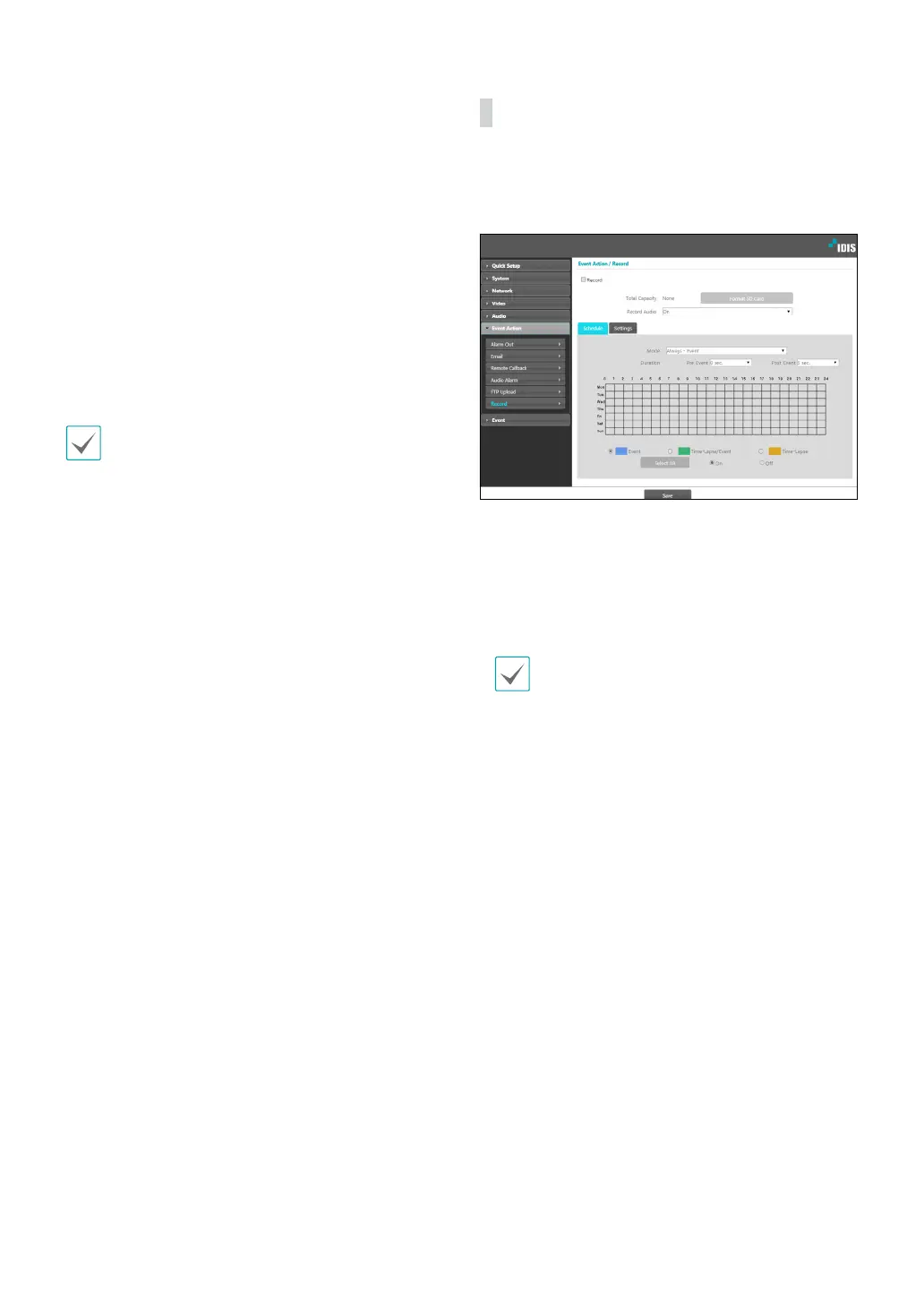
Record
Select Record to record video on the SD memory card.
First, make sure that an SD memory card (Class 6 or
higher) has been properly inserted.
• Total Capacity: Indicates the SD memory card’s total
capacity if it has been inserted properly.
• Format SD card: Click on this button to format the
inserted SD memory card. Formatting the SD memory
card erases all data saved on the card.
This function is only supported for users in
Administrator group.
• Record Audio: Enable/disable audio recording.



 To Next Page