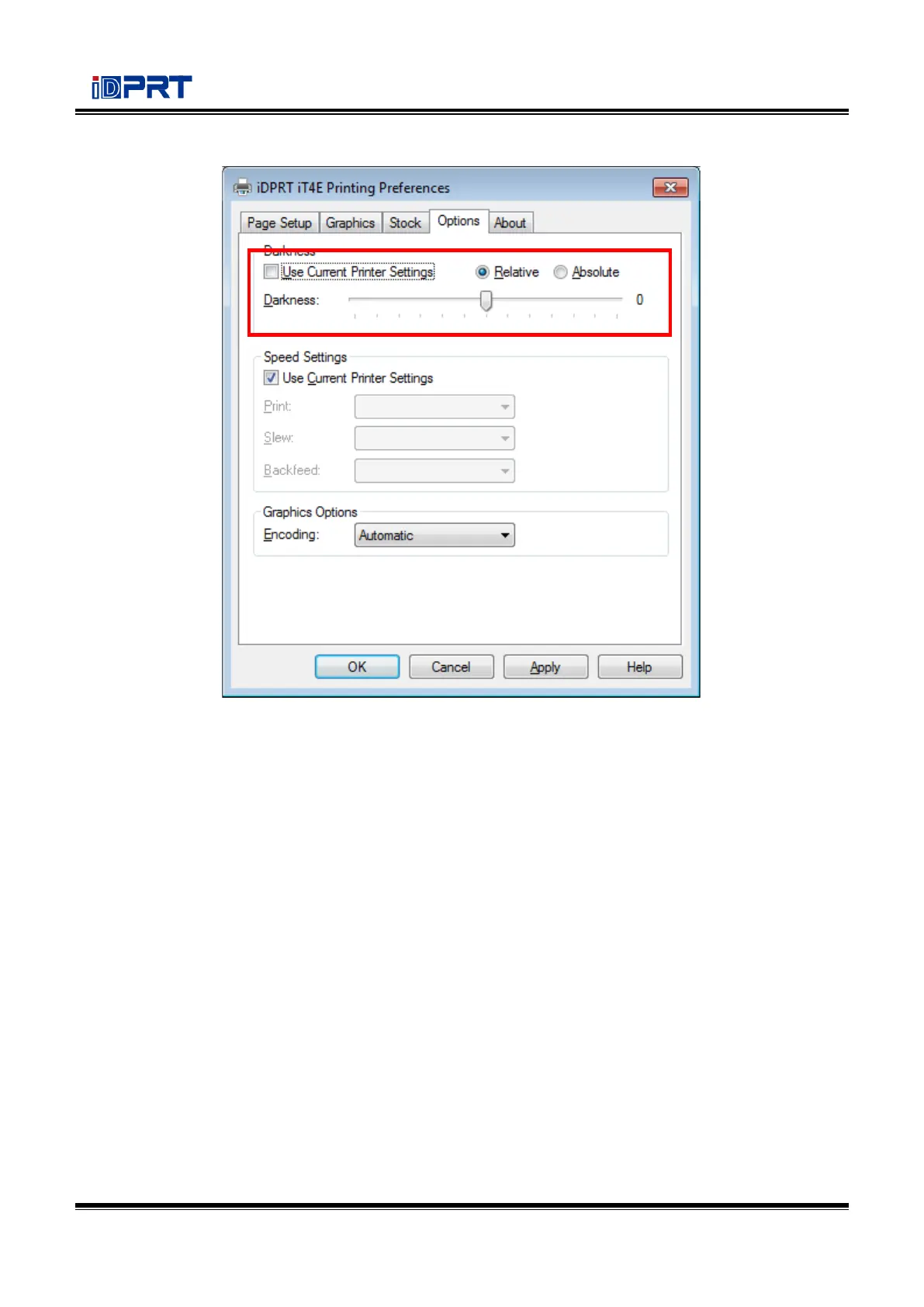
●Click “Darkness”. Set up the relative and absolute darkness.
In general, the darkness of relative and absolute is 0 and 15 respectively. When the printing effect is
too light, turn up the absolute darkness (<15). When the printing is too thick, turn down the absolute
darkness (>15). The relative concentration remains unchanged.


 To Next Page