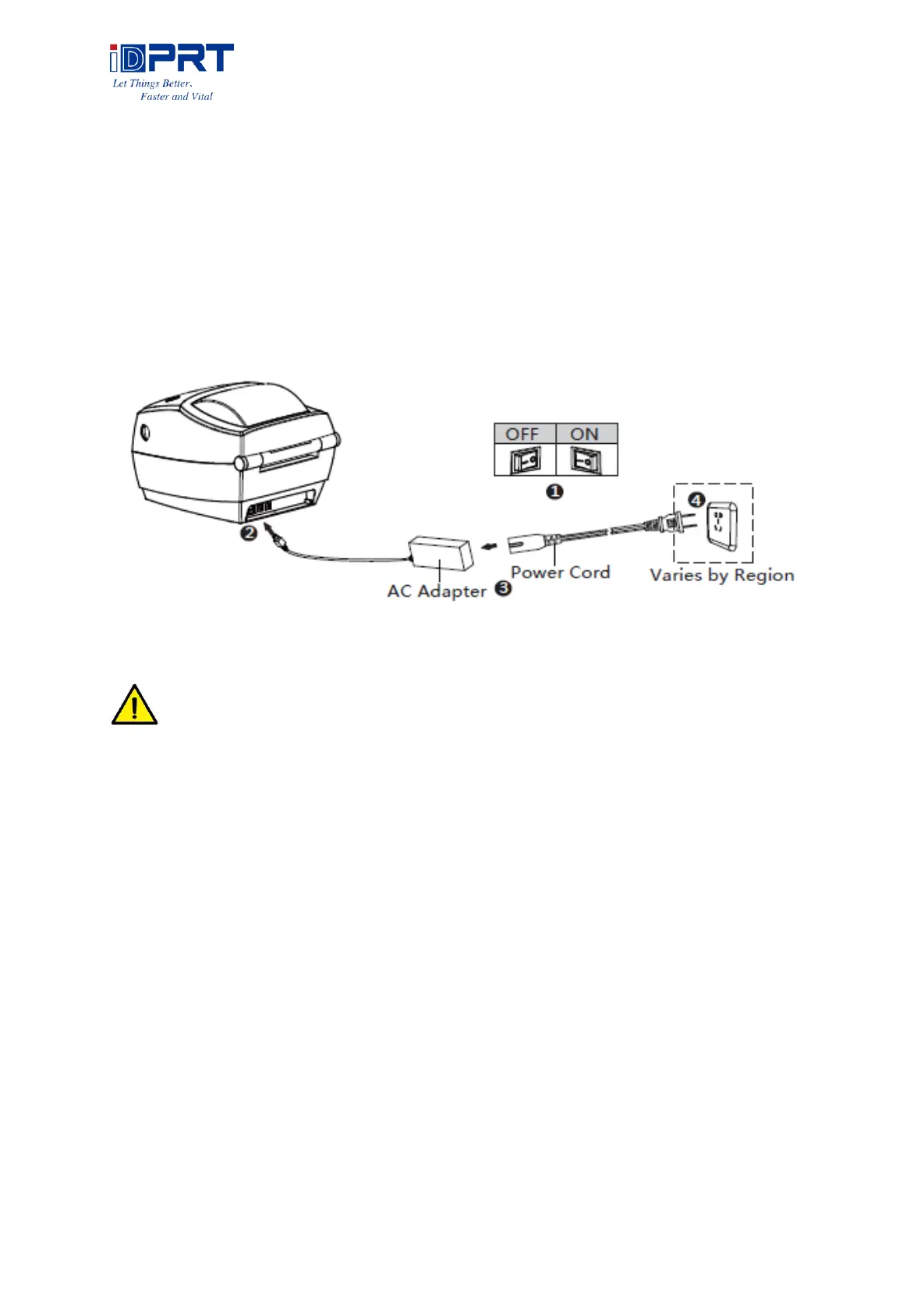
3.2 Power Connection
1. Make sure the printer’s power switch is in the off position.
2. Connect the AC adapter to printer.
3. Connect the power cord to AC adapter.
4. Connect the other end of power cord to the outlet.
NOTE:
⚫ Use the original power adapter only, in case that the damage caused by charging
improperly.
⚫ Please unplug the printer power cord if it is not in use for a long time.



 To Next Page