SP900 User Manual
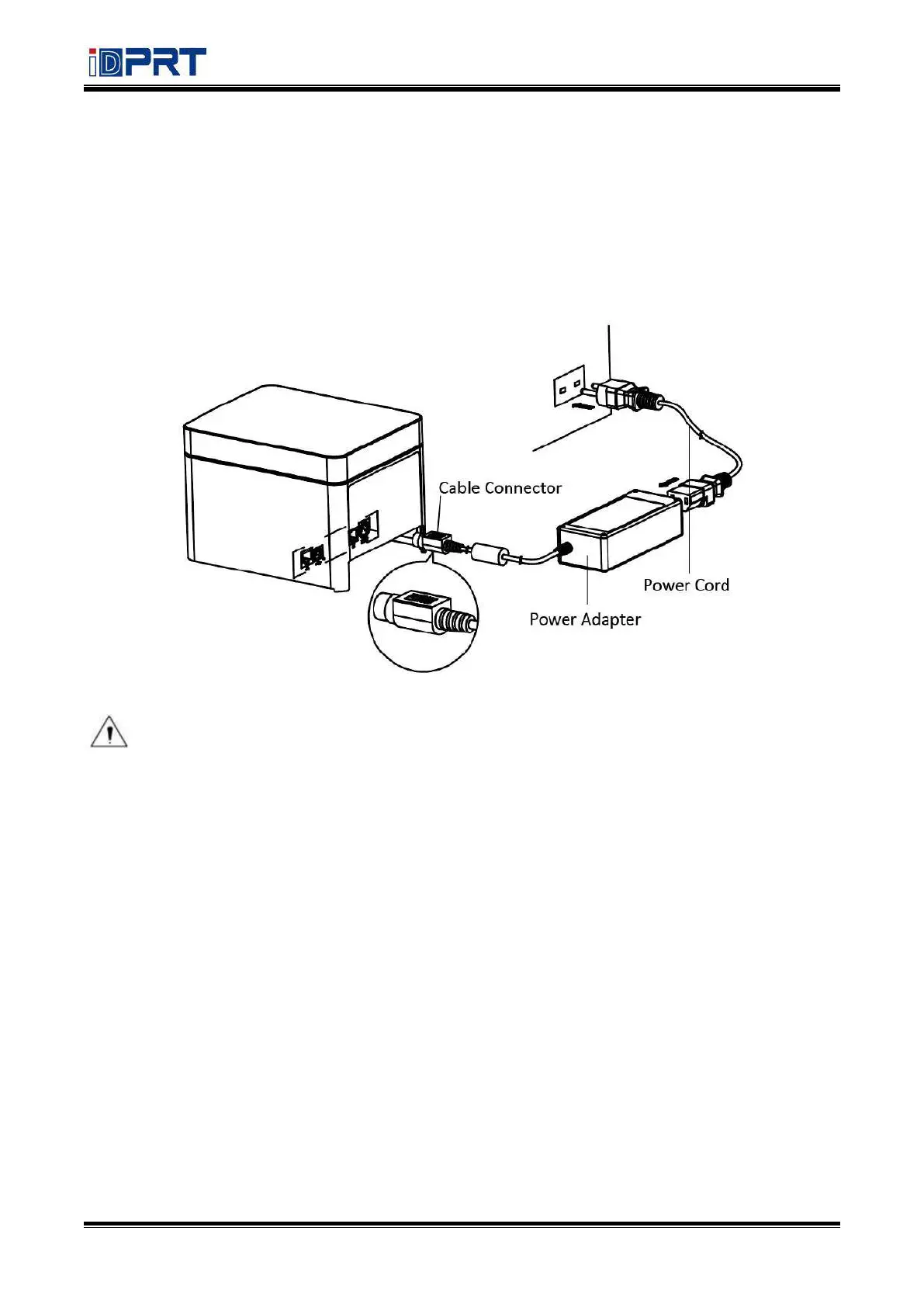
4.3 Power Connection
1) Put the cable connector of power adapter facing up at flat side. Plug in the cable connector
of the power adapter to the power connector at the rear of the printer.
2) Connect the power cord to the power adapter, and insert the power cord plug into a
suitable wall outlet.
3) Be sure to disconnect or connect the Power adapter by correct method, or it is likely to
cause damage.
Note: The Power adapter and power cord vary by local and region.



 To Next Page