EN
6
04/ Chargethe Battery
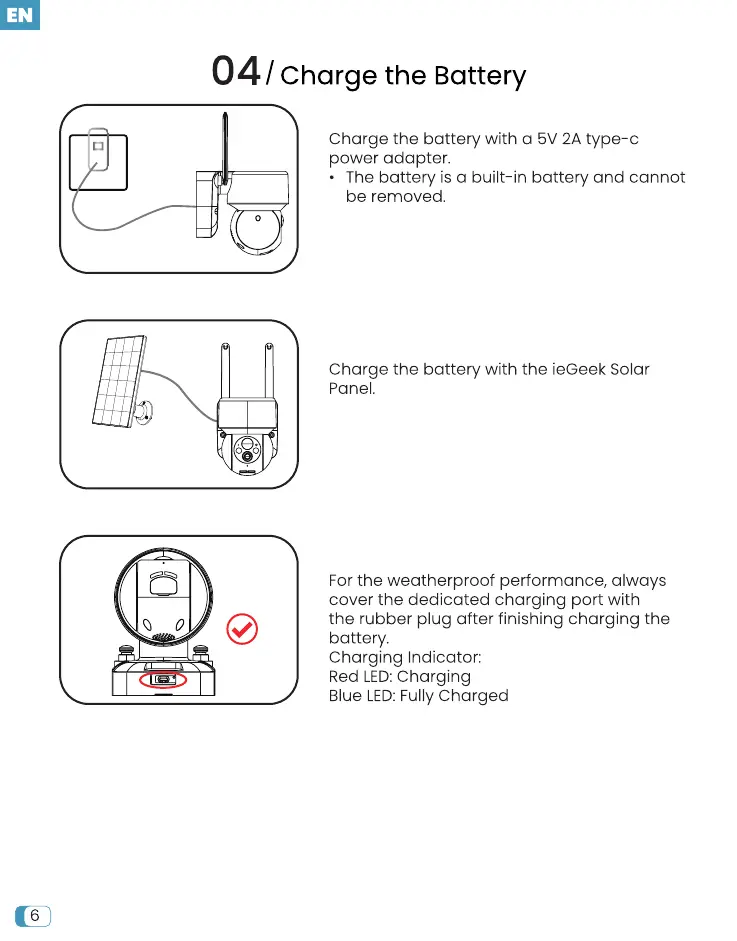
Charge the battery with a 5V 2A type-c
power adapter.
• The battery is a built-in battery and cannot
be removed.
Charge the battery with the ieGeek Solar
Panel.
For the weatherproof performance, always
cover the dedicated charging port with
the rubber plug after finishing charging the
battery.
Charging Indicator:
Red LED:Charging
Blue LED: Fully Charged


 To Next Page