11EN
/
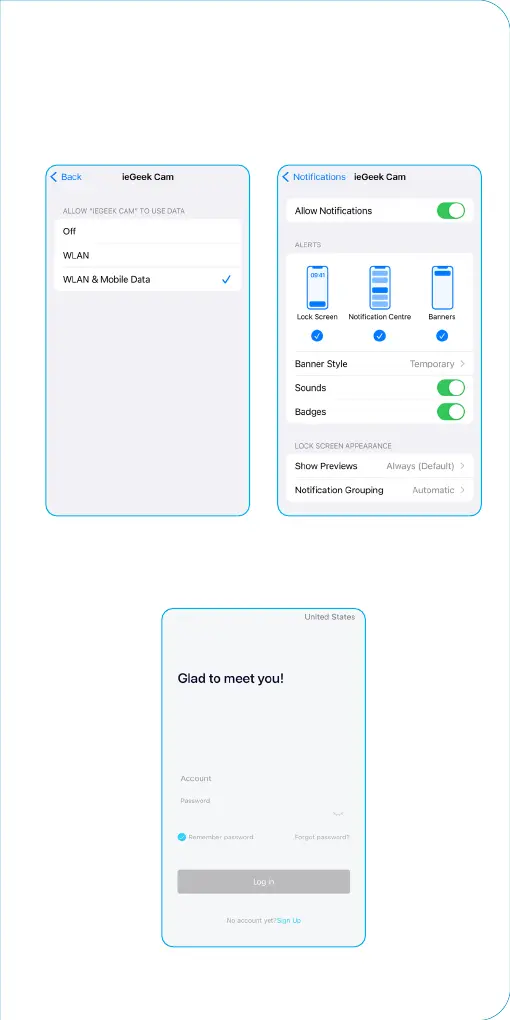
NOTE: Please OPEN 2 permissions below when rst setting up
the App.
1. Allow “CloudEdge” or “ ieGeek Cam” to access mobile cellular
data and wireless LAN, or it will fail to add an IP camera .
2. Allow “CloudEdge” or “ ieGeek Cam” to receive pushed
messages, or the cellphone will not receive alarm push when
motion detection or audible alarm is triggered.
Step2 APP Registration & Login
1. Open the App, click "Sign up now" to register.
If you already have an account, click “Log In” to log in.


 To Next Page