12EN
/
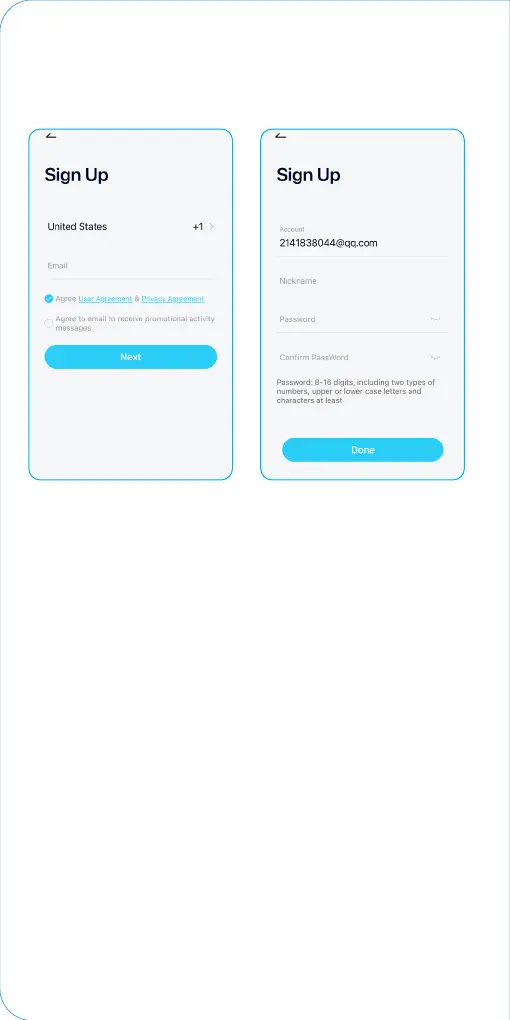
2. On the registration interface, enter a valid mobile phone
number or Email address , and read the "User Agreement" and
"Privacy Policy" . After conrmation, click "Next".
When entering the received verication code, set up a
nickname and password, and click "Done".
Tips:
1) Please use correct email.
2) Please choose the correct country code.
3) When registering a new account, please choose the region
which you are actually in. (Different registered regions can’t
share the camera.)


 To Next Page