13EN
/
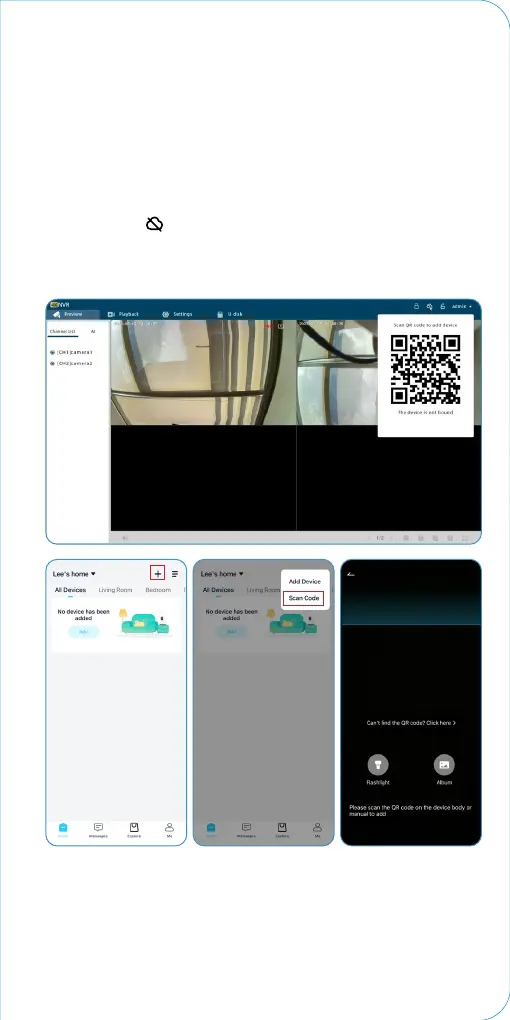
Step3 Add the device to APP
1. Before adding devices to the APP, please ensure your
camera system is connected to your home router with a
network cable.
(Please prepare a network cable of appropriate length
according to the NVR location.)
2. Please ensure the wireless network is connected to the
mobile phone and the device is the same router.
①
Adding Method 1
Click the icon on the display screen, scan the QR code with
your phone APP, and add the camera system to the App. Or
scan the QR code pasted on the device casing with the App of
your phone, and add the NVR to the App.


 To Next Page