EasyManua.ls Logo

Ier Automatic Systems PNG390 - User Manual

Default Icon
50 pages
Print Icon
To Next Page IconTo Next Page
Loading...
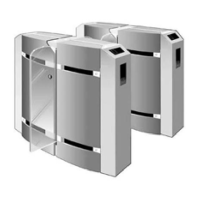
PNG3XX OPTICAL PORTAL
PNG3XX INSTALLATION MANUAL
NAM-PNG3xx-TM-EN-C.doc
The information contained in this document is the
p
roperty of Automatic
Systems and is confidential. The recipient shall refrain from using it for any
p
urpose other than the use of the products or the execution of the project to
which it refers and from communicating it to third parties without written prior
agreement of Automatic Systems. Document subject to change without notice.
Optical Portal
“PNG38X-39X Series”
INSTALLATION MANUAL

Table of Contents

Question and Answer IconNeed help?

Do you have a question about the Ier Automatic Systems PNG390 and is the answer not in the manual?

Summary

IMPORTANT INFORMATION

SAFETY INSTRUCTIONS

Critical safety guidelines for operating and servicing the PNG equipment to prevent injury or death.

Emergency Opening

Explains two methods for emergency opening (power shutdown or electronic input) and AHJ approval.

INSTALLATION

Installing the Unit

Step-by-step guide for physically placing and securing the PNG unit to the baseplate, ensuring levelness.

Electrical Connections

Detailed instructions for making all necessary electrical hookups, power requirements, and grounding.

Installation Wiring

Specific wiring procedures for connecting power, low voltage, and motor interconnects for master, intermediate, and slave units.

START-UP

REFERENCE

Electrical Diagrams

Provides detailed interconnect and wiring diagrams (PNG-EL-01-EN-D, 082703-E18-EN-F) for the system.

Ier Automatic Systems PNG390 Specifications

General IconGeneral
BrandIer
ModelAutomatic Systems PNG390
CategoryTurnstiles
LanguageEnglish

Related product manuals