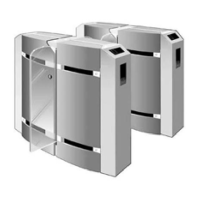
PNG3XX INSTALLATION MANUAL
NAM-PNG3xx-TM-EN-C.doc
The information contained in this document is the property of Automatic
Systems and is confidential. The recipient shall refrain from using it for any
urpose other than the use of the products or the execution of the project to
which it refers and from communicating it to third parties without written prior
agreement of Automatic Systems. Document subject to change without notice.
2
Table of contents
1. IMPORTANT INFORMATION ..........................................................................................................................................6
1.1 Direction Names and Conventions.....................................................................................................7
1.2 Before You Begin – Required Objects................................................................................................7
1.3 Required Cables or Conduits.............................................................................................................8
1.4 U.L. (Underwriters Laboratories) Notes..............................................................................................9
1.5 Installation Notes – Measurements.................................................................................................. 10
1.6 Baseplates...................................................................................................................................... 11
1.7 Emergency Opening........................................................................................................................ 13
2. INSTALLATION..............................................................................................................................................................14
2.1 Move and Unpack Equipment .......................................................................................................... 14
2.2 Equipment Zones (locations) and Conventions.................................................................................15
2.2.1 Conventions and Locations ....................................................................................................... 15
2.2.2 Location MF (Master Front): ...................................................................................................... 16
2.2.3 Location MR (Master Rear): ...................................................................................................... 17
2.2.4 Location SR (Slave-Rear):......................................................................................................... 18
2.3 Preliminary Site Work...................................................................................................................... 19
2.4 Installing the Unit............................................................................................................................ 22
2.5 Electrical Connections..................................................................................................................... 25
2.5.1 Power Requirements................................................................................................................. 25
2.6 Installation Wiring ........................................................................................................................... 26
2.6.1 Master (Right) Unit.................................................................................................................... 26
2.6.2 Intermediate Unit – Master Side ................................................................................................ 26
2.6.3 Intermediate Unit – Slave Side .................................................................................................. 27
2.6.4 Slave (Left) Unit........................................................................................................................ 27
2.7 AS1007 Board (Interface)................................................................................................................ 28
2.8 Wiring Principle for One Lane:......................................................................................................... 30
2.9 Wiring Principle for Multiple Lanes: ................................................................................................. 31
2.10 OPTIONS - Remote Control Panel (Remote Console)..................................................................... 32
3. START-UP......................................................................................................................................................................34
3.1 Final Adjustments ........................................................................................................................... 34
3.1.1 Detailed Calibration Method of Omron Type Photocells.............................................................. 34
3.1.2 Detailed Limit Switches Adjustment Procedure. ......................................................................... 37
3.2 Check List....................................................................................................................................... 40
3.3 Troubleshooting .............................................................................................................................. 40



 To Next Page