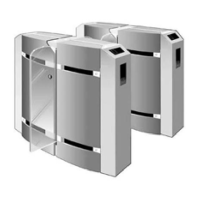
PNG3XX INSTALLATION MANUAL
NAM-PNG3xx-TM-EN-C.doc
The information contained in this document is the property of Automatic
Systems and is confidential. The recipient shall refrain from using it for any
urpose other than the use of the products or the execution of the project to
which it refers and from communicating it to third parties without written prior
agreement of Automatic Systems. Document subject to change without notice.
5
Thank you for buying an Automatic Systems PNG.
WARNING
Y
OUR OPTICAL PORTAL "PNG38X-39X" IS MADE VARIOUS MECHANICAL AND
ELECTRICAL COMPONENTS
. CARELESSNESS DURING ANY WORK ON THE MACHINE MAY
SERIOUSLY ENDANGER YOUR SAFETY
. AS SOON AS YOU OPEN THE HOUSING, SWITCH
OFF THE MAIN CIRCUIT BREAKER IN THE MASTER UNIT
, WHICH IS LOCATED BEHIND THE
FRONT SIDE DOOR
(MF). BE CAREFUL WHEN HANDLING ANY INTERNAL COMPONENT
WHICH MIGHT BE POWERED OR COULD BE SET IN MOTION
. WHEN WORKING ON
CIRCUITS
, IT IS RECOMMENDED:
DO NOT DISCONNECT WIRES WITHOUT FIRST MARKING THEIR TERMINALS;
DO NOT REMOVE ANY CONNECTOR WITHOUT FIRST MARKING ITS EXACT POSITION



 To Next Page