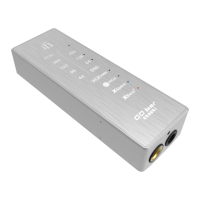
iFi Audio hip-dac User Manual
1. Power Match® (on/off )
Power Match® enables hip-dac to match headphones’ impedance and sensitivity in order to generate their highest operational efficiency.
Tip: For in-ear-monitors (earbuds) try Power Match® off. For headphones try Power Match® on.
2. XBass® (on/off)
Many headphones lack the correct bass response. XBass® is an analogue circuit designed to ‘add back’ the lost bass response for a
more accurate reproduction of the original music.
3. Audio Format LED (kHz)
The LED colour scheme indicates the audio format and sampling frequency received by hip-dac from the music source.
LED Mode
Green 44/48/88/96kHz
Yellow 176/192kHz DXD352/384kHz
Cyan DSD128/DSD64 2.8/3.1/5.6/6.2MHz
Blue DSD256 11.2/12.2MHz
Magenta MQA
Off No valid signal
4. ON/OFF and Analogue Volume Control
The analogue volume control in hip-dac is superior to any digital volume control.
Warning: Due to the high power of hip-dac, always start off at a low volume level so that there is no risk of damage to your headphones
and your hearing. iFi audio is not
responsible for any hearing or equipment damage from misuse.
Tip: hip-dac will continue to use battery power even if the USB cable is connected afterwards.
Tip: For connection to Apple devices, Apple Lightning to USB Camera Adapter is required. For connection to Android devices,
USB On-The-Go (OTG) cable and appropriate OS support are required.
For more information, please refer to www.ifi-audio.com.
5. Balanced 4.4mm headphone output
Connect balanced 4.4mm headphones.
6. Single-ended 3.5mm headphone output
Connect single-ended 3.5mm headphones.



 To Next Page