11
UK
9 Operation
After every power on all LEDs light and go out again step by step (during this time
the output is closed if configured as normally open)� The unit is then ready for
operation�
In case of power failure or interruption all settings remain�
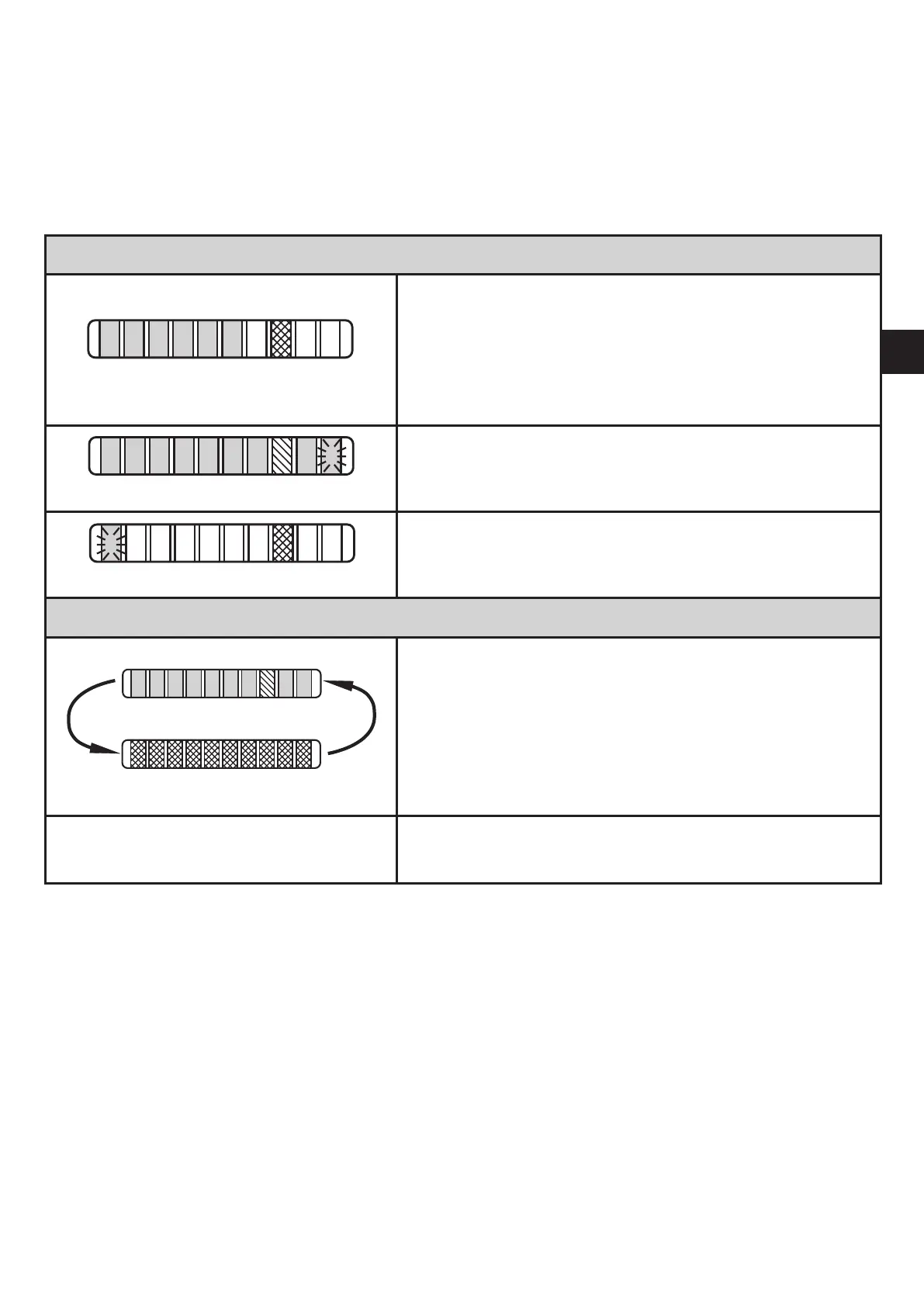
Operating indicators
Green LED bar: Current flow within the representa-
tion range�
Indication of the switch point (SP):
- LED orange: output closed�
- LED red: output open�
LED 9 flashes: current flow above the
representation range�
LED 0 flashes: current flow far below the represen-
tation range�
Interference indicators
Short circuit at the switching output:
The operating indicator and red LEDs light
alternately�
If the short circuit has been rectified, the unit im-
mediately passes into the normal operating state�
The current operating state is displayed�
Display OFF
(no LED lights):
Operating voltage too low (< 19 V) or failed�
Ensure a correct voltage supply�
10 Maintenance
Recommended maintenance:
► Check the sensor tip for build-up from time to time�
► Clean it using a soft cloth� Stubborn build-up (e�g� lime) can be removed using
a common vinegar cleaning agent�



 To Next Page