8
6 Set-up and settings for water
(For media other than water → 7�1: Low flow adjustment)�
► Switch on the supply voltage�
> All LEDs light and go out again step by step� During this time the output is
closed (if configured as normally open)� The unit is in the operating mode�
► Let the normal flow circulate in the installation�
► Check the display and determine further actions�
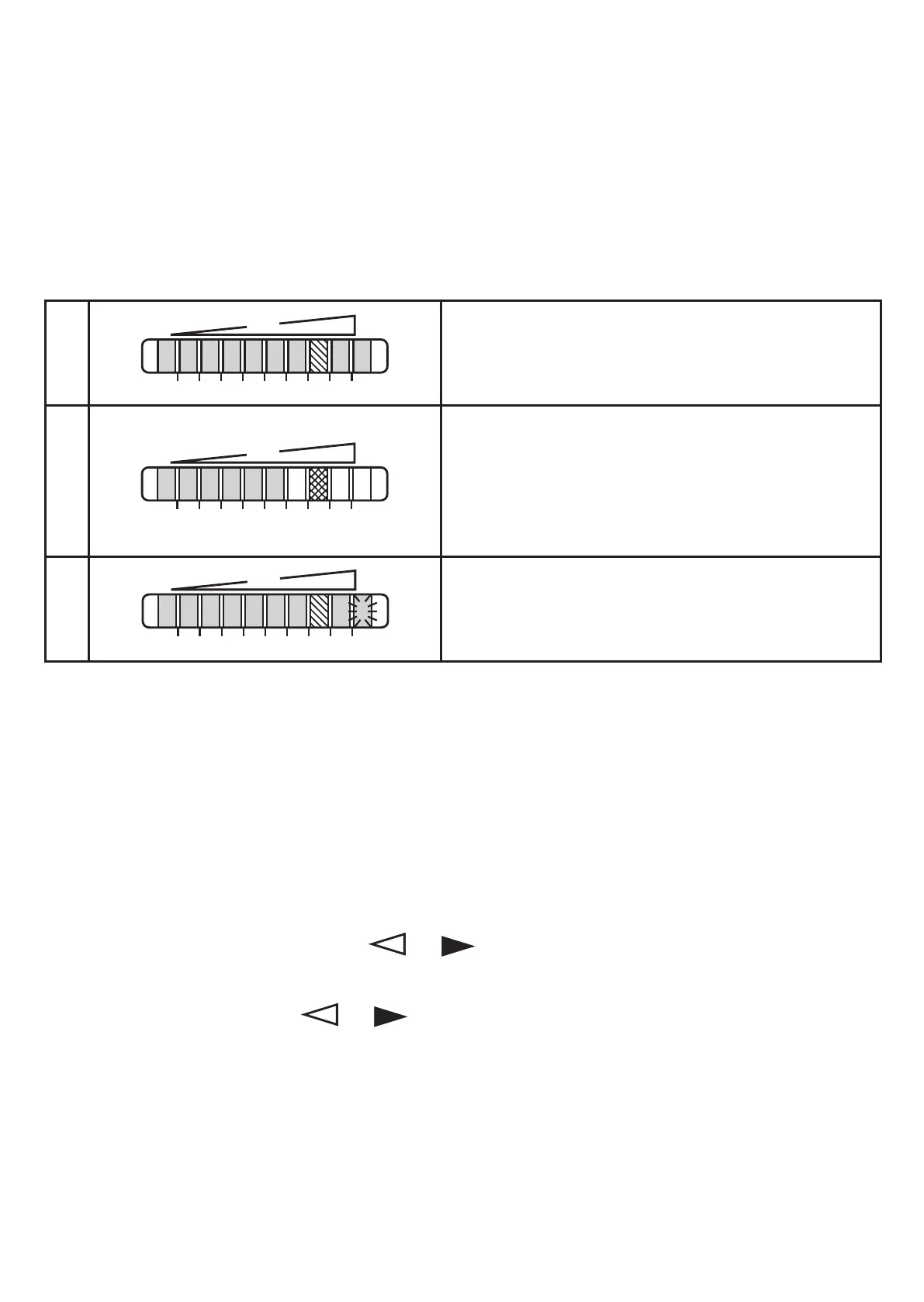
1
The factory setting is suitable for the applica-
tion�
► No further settings are required�
2
Your normal flow is below the representation
range of the display�
2 setting options:
► Change the switch point (→ 6�1)�
► Carry out high flow adjustment (→ 6�2)�
3
Your normal flow exceeds the representation
range of the display (LED 9 flashes)�
► Carry out high flow adjustment (→ 6�2)�
You can restore the factory setting any time� (→ 7�3)�
6.1 Change the switch point (optional)
For the factory setting the switch point is at LED 7� A change makes sense if:
• the display shows example 2�
• the flow fluctuates much or pulsates�
• if a faster response time of the unit is requested (low switch point = fast re-
sponse with rising flow, high switch point = fast response with falling flow)�
► Briefly press the pushbutton
or �
> The switch point LED flashes�
► Press the pushbutton
or as often as required� Each press of the push-
button shifts the LED by one position in the indicated direction�
Note: If no pushbutton is pressed for 2 s, the unit returns to the operating mode
with the newly set value�



 To Next Page