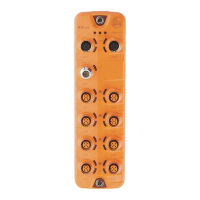
CompactModul Metall CR2033
20
Index S-Idx Name Typ Default Beschreibung
10 Configuration
analogue input
channel pair 3/4
u8, rw 0x03 0 = OFF
3 = voltage 0���10�000 mV
6 = ratiometric 0���1000 ‰
7 = current 0���20�000 µA
9 = voltage 0���32�000 mV
A = binary input with analogue evaluation
B = binary input with analogue evaluation with
diagnosis
2000 11 Configuration
analogue input
channel pair 5/6
u8, rw 0x03 0 = OFF
3 = voltage 0���10�000 mV
6 = ratiometric 0���1000 ‰
7 = current 0���20�000 µA
9 = voltage 0���32�000 mV
A = binary input with analogue evaluation
B = binary input with analogue evaluation with
diagnosis
12 Configuration
analogue input
channel pair 7/8
u8, rw 0x03 0 = OFF
3 = voltage 0���10�000 mV
6 = ratiometric 0���1000 ‰
7 = current 0���20�000 µA
9 = voltage 0���32�000 mV
A = binary input with analogue evaluation
B = binary input with analogue evaluation with
diagnosis
2001 0 PWM
Frequency
u8, rw 0x64
(100
Hz)
Setting in Hz (20���250 Hz)
If an invalid value is entered, the
previous value remains valid�
20F0
20F1
0 Setting of the
Node ID *)
u8, rw 0x20 (=
0d32)
The node ID used to access the module in the
CANopen network�
20F2
20F3
0 Setting of the
Baud rate *)
u8, rw 0x04 Baud rate of the CAN network
0 = 1000 kBaud
1 = 800 kBaud
2 = 500 kBaud
3 = 250 kBaud
4 = 125 kBaud (Default)
5 = 100 kBaud
6 = 50 kBaud
7 = 20 kBaud
The entries 20F0/20F1 and 20F2/20F3 must always contain identical values�
The new entries are valid after a reset (switching the module off/on)�
Values outside the permissible ranges will be rejected�


 To Next Page