15
SETTING UP WI-FI FUNCTION
1. Setting up the Igenix app
• Download the Igenix app from Apple Store for IOS or from Google Play for android and install
the app on your device.
• Register your new Igenix account and sign in to the app.
NOTE: This product will only connect to 2.4GHz bandwidth. While most
modern routers are dual bandwidth (both 5GHz and 2.4GHz) and will
automatically select the correct one for individual WiFi compatible appliances,
please try manually adjusting your router to 2.4GHz if struggling to connect.
2. Pair the Air Conditioner with the Igenix app
• Plug your IG9909WIFI into a power socket and leave it in the standby mode.
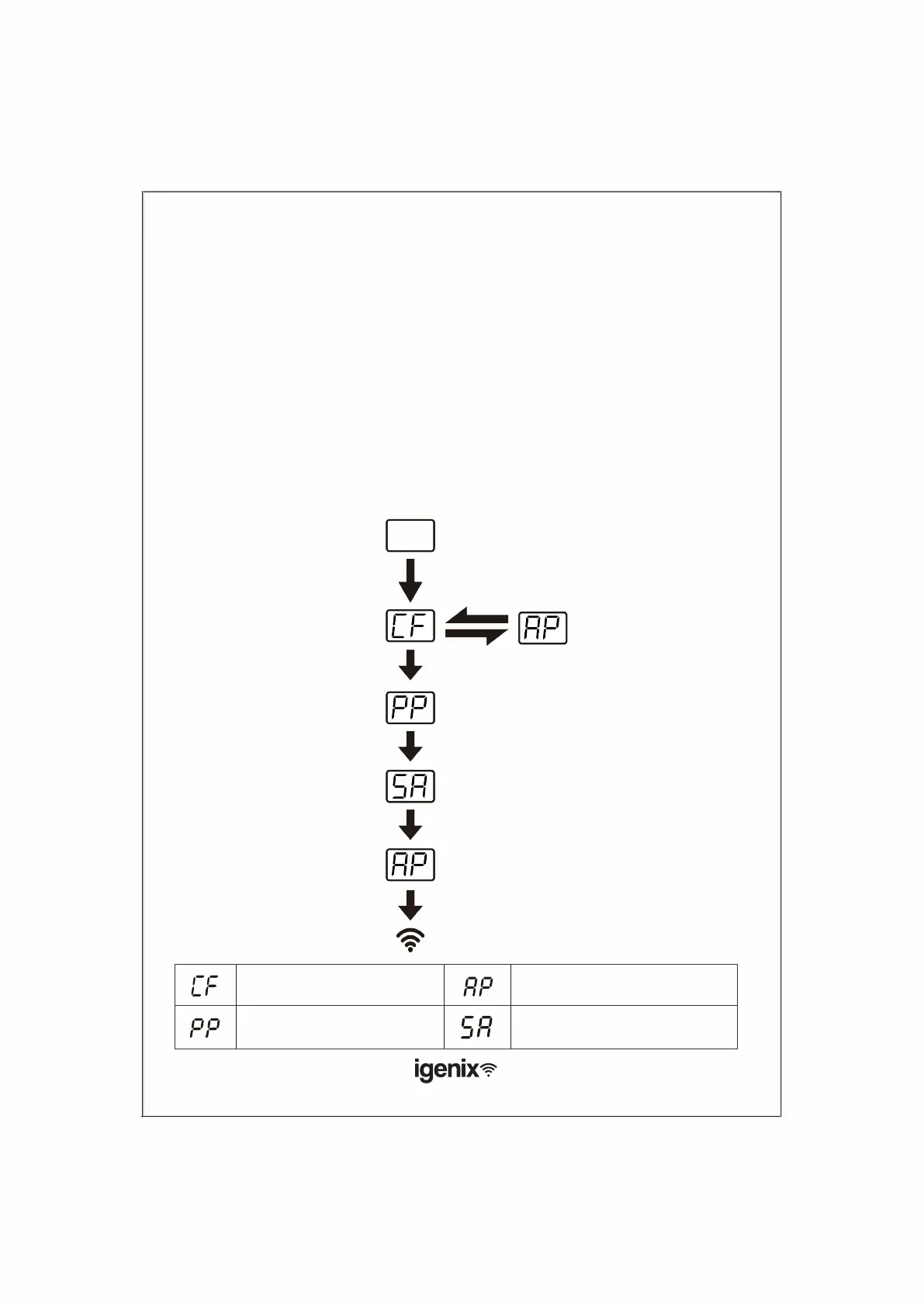
• On top of the unit, press the ‘FAN’ button 6 times within 4 seconds, until the screen displays ‘CF’
or ‘AP’
• Choose the “Devices” option in the Igenix app and then click on “Add Device” button.
• Follow the steps on your screen to add the device (g.1)
Unit standby
FAN SPEED
button x6
CF mode AP mode
FAN SPEED
button x6
Start pairing
Paired - LED next
to Wi-Fi lights up
Waiting pair after reset
1)) Hotspot connect mo
2) Access to the Internet
Searching and try to connect Connect successful
Pairing Process



 To Next Page