11
• Point the remote control at the receiver on the appliance.
• The remote control must be no more than 7 meters away from the appliance (without obstacles
between the remote control and the receiver).
• The remote control must be handled with extreme care. Do not drop it or expose it to direct
sunlight or sources of heat. If the remote control does not work, please try to take out the
battery, and put it back.
Inserting or Replacing the Batteries
• Remove the cover on the rear of the remote control
• Insert two "AAA" 1.5V batteries in the correct position (see instructions inside the battery
compartment
NOTE
• If the remote control unit is replaced or disposed of, the batteries must be removed and
discarded in accordance with current legislation as they are harmful to the environment.
• Do not mix old and new batteries. Do not mix alkaline, standard (carbon-zinc) or rechargeable
(nickel-cadmium) batteries.
• Do not dispose of batteries in re. Batteries may explode or leak.
• If the remote control is not be used for a certain length of time, remove the batteries
Operation
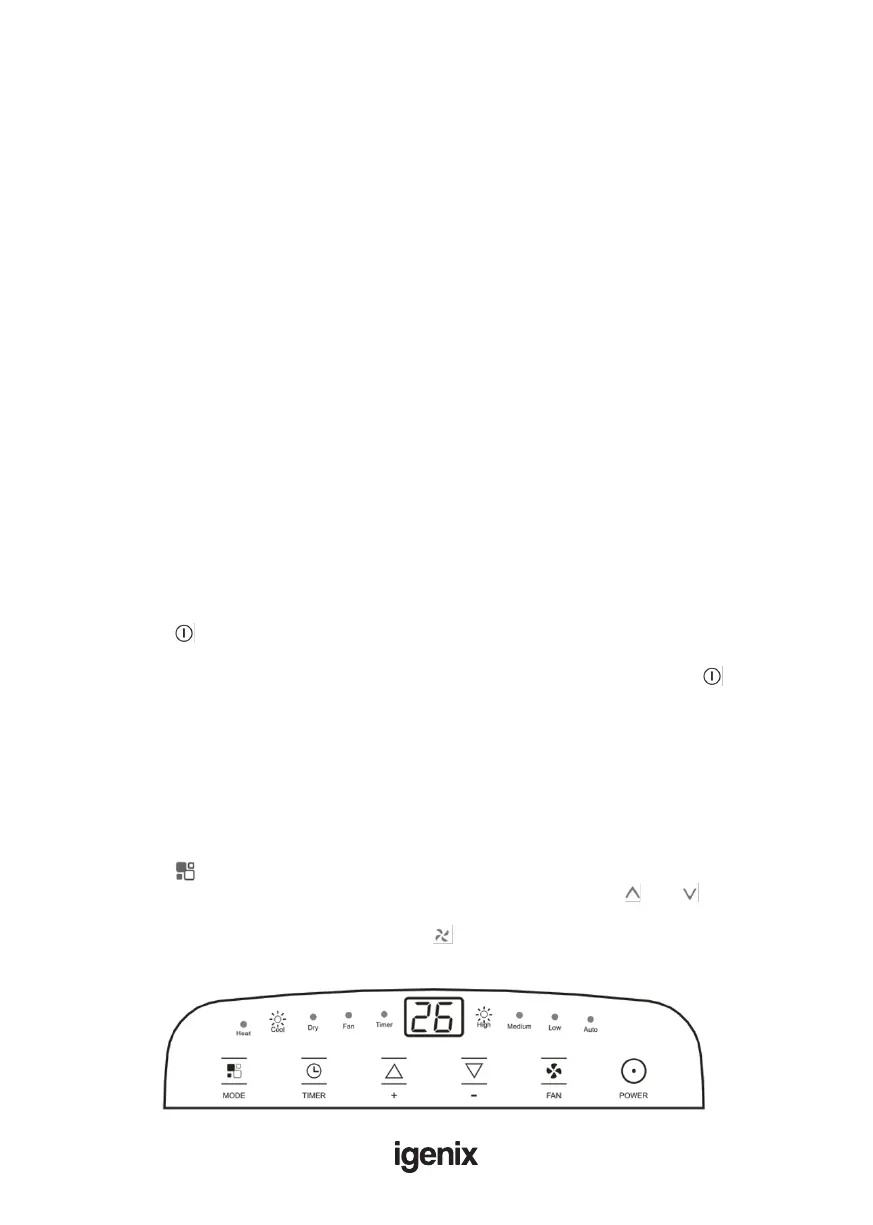
• The control panel is on the top of the appliance, enables you to manage part functions without
remote controller, but to fully exploit its potential, you must use the remote controller
• Plug into the mains socket, then the appliance is on standby.
• Press the “ ” button to make the appliance turn on. The last function active when it was
turned off will appear.
NOTE: Never turn the appliance off by unplugging from the mains. Always press the “ ” button,
then wait for a few minutes before unplugging. This allows the appliance to perform a cycle of
checks to verify operation.
Modes
Cool Mode
Ideal for hot muggy weather when you need to cool and dehumidify the room.
To set this mode correctly:
• Press the “ ” button a number of times until the “Cool” symbol light appears.
• Select the target temperature (18°C-32°C) (64°F-90°F) by pressing the “ ” or “ ” button until
the corresponding value is displayed.
• Select the required fan speed by pressing the “ ” button.
• Four speeds are available: High / Medium / Low / Auto.



 To Next Page