9
Prepare Lock For Installation
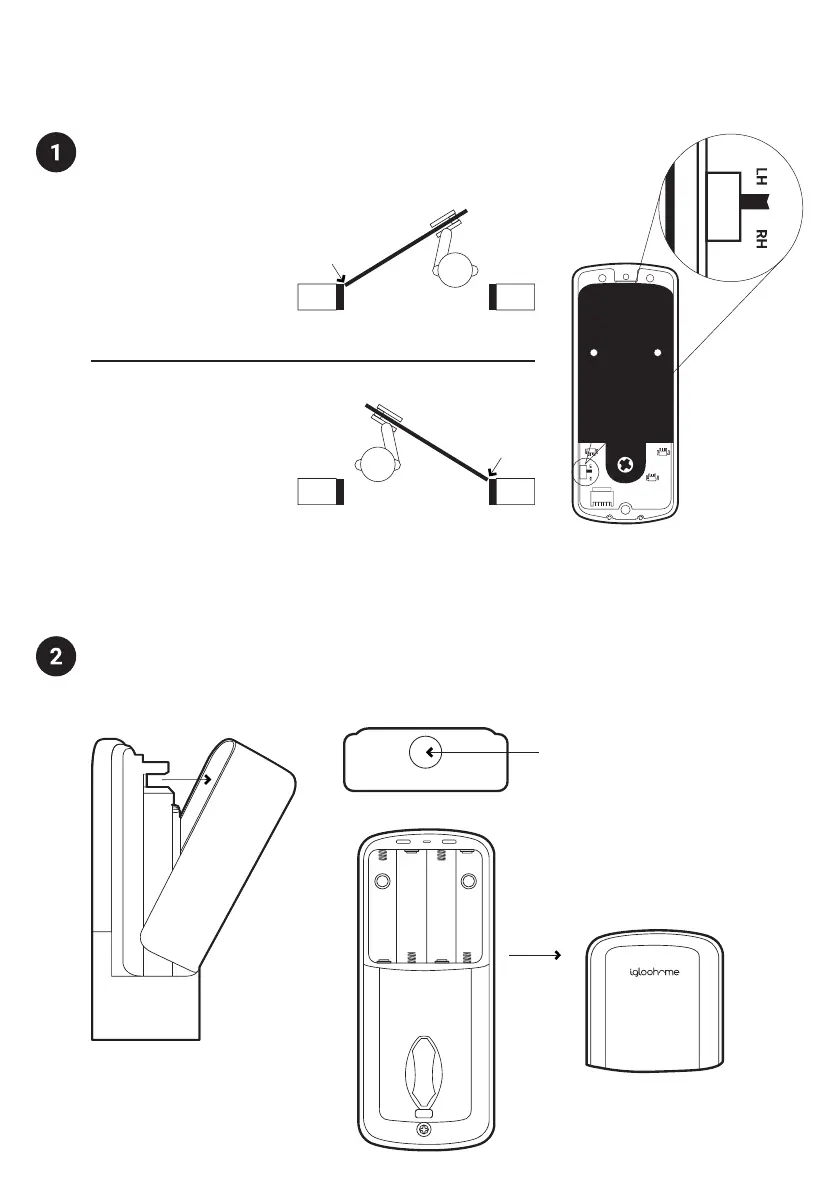
Set Back Assembly for Left / Right Hand Installation
Set the toggle to ‘RH’ for
right-hand installation
Right Hand Installation
Set the toggle to ‘LH’ for
left-hand installation
* Hinge is on your left.
* Hinge is on your right.
Left Hand Installation
Remove Battery Cover from the Back Assembly
Press the button on the
top of the battery cover,
and pull outwards.
Top View of Battery Cover
Hinge
Outside
Outside
Hinge
Note: If your BT ID is greater than IGB412 please skip this step, Left/Right Hand
installation will be configured in the App.


 To Next Page