USING BLUETOOTH
Pairing Your Device
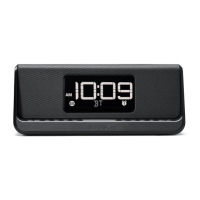
Pairing is the set-up process to introduce your Bluetooth-capable device to the
iBTW23. Once your device is paired, the iBTW23 can recognize it and you can
play your audio through it.
1. Press and hold the Bluetooth Pairing Button located on the top of the unit
for 3 seconds. The Bluetooth icon and “BT” will flash on the display and
notes will sound indicating pairing mode.
2. “iHome iBTW23” will appear on your device’s Bluetooth menu. Select “iHome
iIBTW23” to complete pairing.
If prompted for a passcode, enter “1234” on
your device’s keypad.
“Connected” or similar should appear on your device.
3.
Tones will sound and the Bluetooth icon will appear solid indicating the
iBTW23 is paired and ready to play music. If no device is successfully paired
within 3 minutes the unit will default to previous mode.
4.
Once the unit is paired to a device and in Bluetooth mode it will attempt to
autolink when the device is within range (about 33 feet).
To reset Bluetooth, press and hold the Bluetooth Pairing Button for 10 seconds.
You will then need to re-pair any Bluetooth devices.
8


 To Next Page