EasyManua.ls Logo

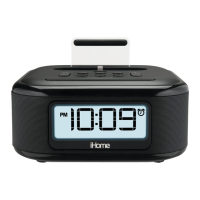
iHome iDL46 - User Manual

iHome iDL46
20 pages
Print Icon
To Next Page IconTo Next Page
Loading...
I
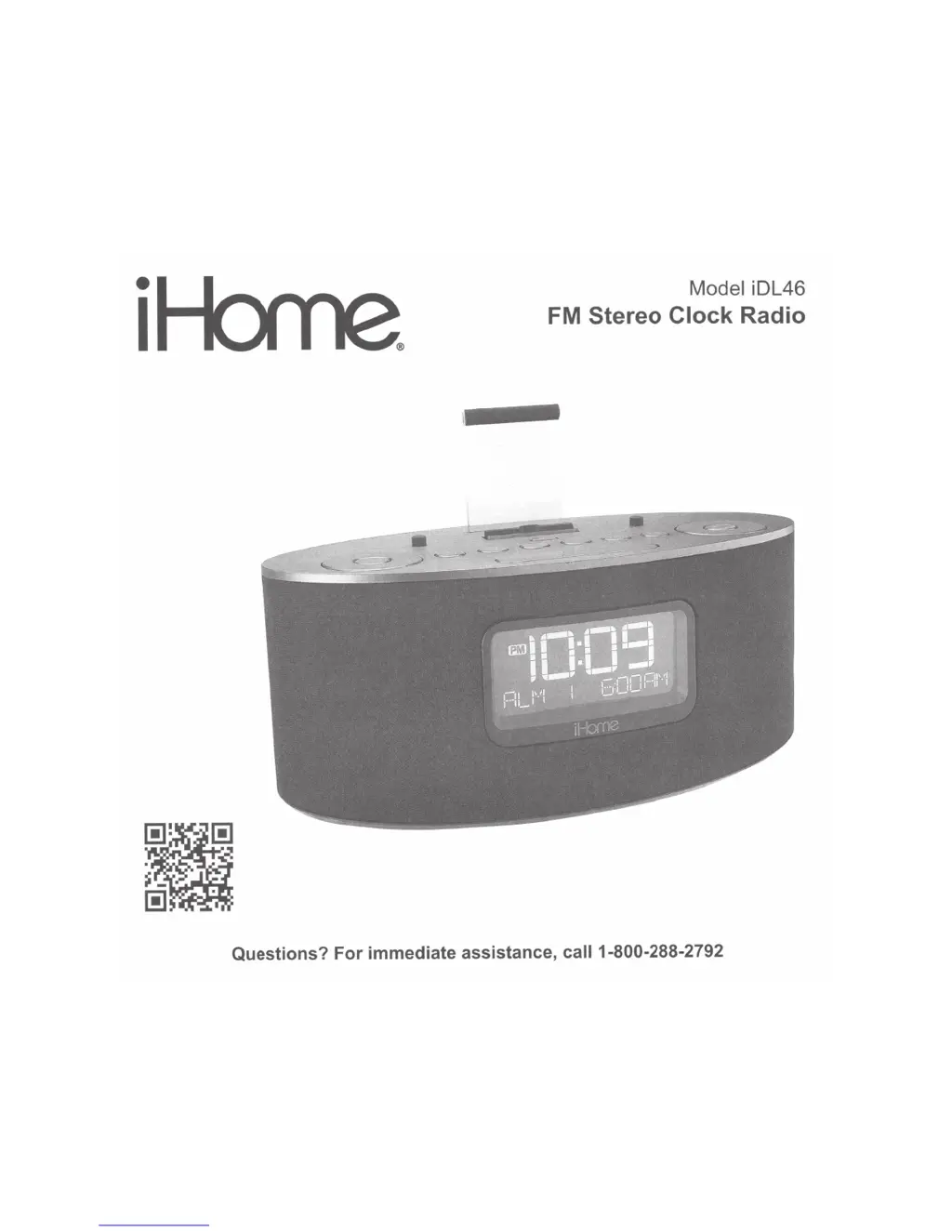
Model iDL46
FM
Stereo
Clock
Radio
Questions?
For
immediate
assistance, call 1-800-288-2792

Other manuals for iHome iDL46

Questions and Answers

  • L
    Lori CortezJul 26, 2025
    How to fix iHome iDL46 if iPad/iPhone/iPod isn't charging?
    • J
      jeremydelacruzJul 26, 2025
      If your iPad/iPhone/iPod isn't charging when docked with the iHome Clock Radio, try these steps: * Remove your device from the dock and inspect both the dock and your device's connectors for any obstructions. * Reseat the device in the dock, ensuring a firm connection. * If you are using a case on your device, remove it and try again.
  • K
    kzimmermanJul 31, 2025
    What to do if my iPad/iPhone/iPod doesn't respond to my iHome iDL46 Clock Radio?
    • H
      Heather GarciaJul 31, 2025
      If your iPad/iPhone/iPod isn't responding or there's no sound when docked with your iHome Clock Radio, consider the following: * Remove your device and check for any obstructions on the connectors. * Reseat it firmly in the dock. * Ensure that the software on your iPad/iPhone/iPod is up to date by updating via iTunes. * Also, verify the volume settings and ensure your device is working correctly before docking.
  • A
    avilarebekahAug 5, 2025
    What to do if my iHome iDL46 Clock Radio doesn't respond?
    • F
      finleykatieAug 6, 2025
      If your iHome Clock Radio doesn't respond, and it's plugged in, try resetting it. First, remove any connected iPad/iPhone/iPod. Then, unplug the unit from the power source and remove the backup battery. Wait a few minutes before restoring the battery and resuming use. Also, remove your iPad/iPhone/iPod from the dock and check for obstructions. Remove any case or skin on your device that may be preventing proper contact.
  • Z
    Zachary MaloneAug 11, 2025
    Why is my iHome iDL46 performance erratic?
    • M
      matthew91Aug 11, 2025
      If your iHome Clock Radio unit's performance is erratic, it might be reacting to external interference. Try moving the unit away from potential sources of interference like computers, modems, wireless routers, or fluorescent lights.
  • A
    Aaron SmallAug 15, 2025
    Why didn't time sync work on my iHome Clock Radio?
    • Z
      zadamsAug 16, 2025
      If the time sync feature isn't working on your iHome Clock Radio, ensure you are using an iPhone or a newer iPod model like the Touch, Nano, or Classic, as older models such as the iPod Mini do not support this function. If a compatible device isn't available, you will need to set the time manually.
  • J
    Joshua ParkerAug 20, 2025
    Why is the battery low icon always flashing on my iHome iDL46 Clock Radio?
    • S
      samanthacoleAug 20, 2025
      If the 'Battery Low' icon is constantly flashing on your iHome Clock Radio, it could be due to a weak battery or incorrect installation. Replace the battery with a new one, ensuring that the '+' side is facing outwards when installing it.

Summary

Quick Start Guide

Using the Unit

Clock Setting Methods

Explains both automatic time syncing and manual clock configuration steps.

Using the Alarms

Setting the Alarms

Comprehensive guide to setting alarm times, sources, and schedules for dual alarms.

Alarm Management

Reviewing, Arming, and Disarming Alarms

How to check, arm, disarm, and reset active alarms.

Snooze and Sure Alarm

Details on using the snooze feature and the sure alarm backup function.

Audio Playback Features

Dock and USB Audio Playback

How to play audio from docked or USB-connected Apple devices.

Radio and External Audio Input

FM Radio Operation

Guide to setting up the antenna, tuning stations, and using presets.

Sleep and Nap Modes

Sleep Operation

How to use sleep mode with gradual volume decrease and timer settings.

Backup Battery Installation

Battery Installation and Replacement

Step-by-step instructions for installing and replacing backup batteries.

Product Safety Guidelines

Important Safety Instructions

Essential safety guidelines for using the product to prevent hazards.

Troubleshooting - Unit Issues

Troubleshooting - Audio and Alarms

iHome iDL46 Specifications

General IconGeneral
BrandiHome
ModeliDL46
CategoryClock Radio
LanguageEnglish

Related product manuals