EasyManua.ls Logo

iHome iH13 - User Manual

iHome iH13
10 pages
Print Icon
To Next Page IconTo Next Page
Loading...
Model iH13
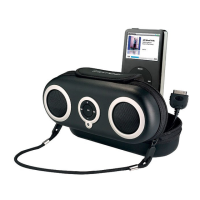
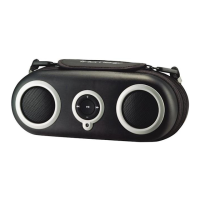
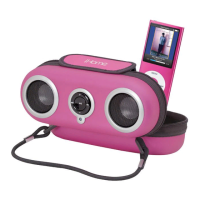
The Portable System
For Your iPod
®
Questions? Visit www.ihomeaudio.com
THIS UNIT WILL NOT CONTROL OR CHARGE 3G iPod
iH13IBinUSBversion
Printcolor:Blacktextonwhitepaper
Sizeofmanual:178mmWx178mmH
Jan31,08
P1

Questions and Answers

  • L
    Lisa StokesJul 30, 2025
    What to do if my iPod didn’t charge up on iHome Docking Station iH13?
    • S
      Shawn DennisJul 30, 2025
      The iHome Docking Station iH13 only charges your iPod when plugged into an AC outlet using the optional AC adapter. Ensure the AC adapter is properly connected to both the iH13 power jack and a working wall socket. Also, inspect the connector and your iPod for any obstructions before reconnecting. For iPod battery or freezing issues, consult your iPod manual.
  • T
    Tammy WilsonAug 7, 2025
    What to do if my iHome Docking Station iH13 doesn’t respond?
    • J
      justin84Aug 7, 2025
      If your iHome Docking Station iH13 doesn't respond, the Hold switch may be activated, locking the controls. To resolve this, simply slide the hold switch to the off position.
  • A
    Alexandra WilliamsonAug 14, 2025
    Why is there no sound coming from my iHome Docking Station iH13?
    • A
      Adam RamseyAug 14, 2025
      If your iHome Docking Station iH13 isn't producing any sound, there are a few potential reasons. First, ensure that the volume on the iH13 itself is turned up. Also, check that nothing is connected to the headphone jack. Finally, make sure your iPod is correctly and securely connected to the dock.
  • M
    Michelle AndersonAug 21, 2025
    How to turn off iHome Docking Station iH13?
    • W
      William GardnerAug 21, 2025
      To turn off your iHome Docking Station iH13, HOLD the Play/Pause button for 3 seconds.

Summary

iH13 Quick Start

1:batteries

Instructions for installing batteries in the iH13 unit.

2:iPod

Guidance on how to dock and connect your iPod to the iH13.

3:adaptor (optional)

Steps for connecting an optional AC adaptor for charging and playback.

Controls and Indicators

Top Panel

Details of the controls and indicators located on the top surface of the iH13.

Front Panel

Details of the controls and indicators located on the front surface of the iH13.

Using the iH13

Installing;Replacing Batteries

Instructions on how to install or replace the AA batteries in the iH13.

Charging: Connecting iH13 to AC Power Source

Guide to connecting the iH13 to AC power for charging the iPod.

Playing your iPod

Steps for docking your iPod and playing music through the iH13.

Hold Switch

Explanation of the Hold Switch function to prevent accidental button presses.

Using the Line-in and Headphone Jacks

Guide on connecting audio sources via line-in and using the headphone jack.

A Consumer Guide to Product Safety

Maintenance

Guidelines for maintaining the unit's condition and appearance.

Trouble Shooting

Limited 90-Day Warranty Information

Disclaimer of Warranty

Details the limitations and scope of the product's warranty coverage.

iHome iH13 Specifications

General IconGeneral
BrandiHome
ModeliH13
CategoryDocking Station
LanguageEnglish

Related product manuals