EasyManua.ls Logo

iHome iH51 - User Manual

iHome iH51
17 pages
Print Icon
To Next Page IconTo Next Page
Loading...
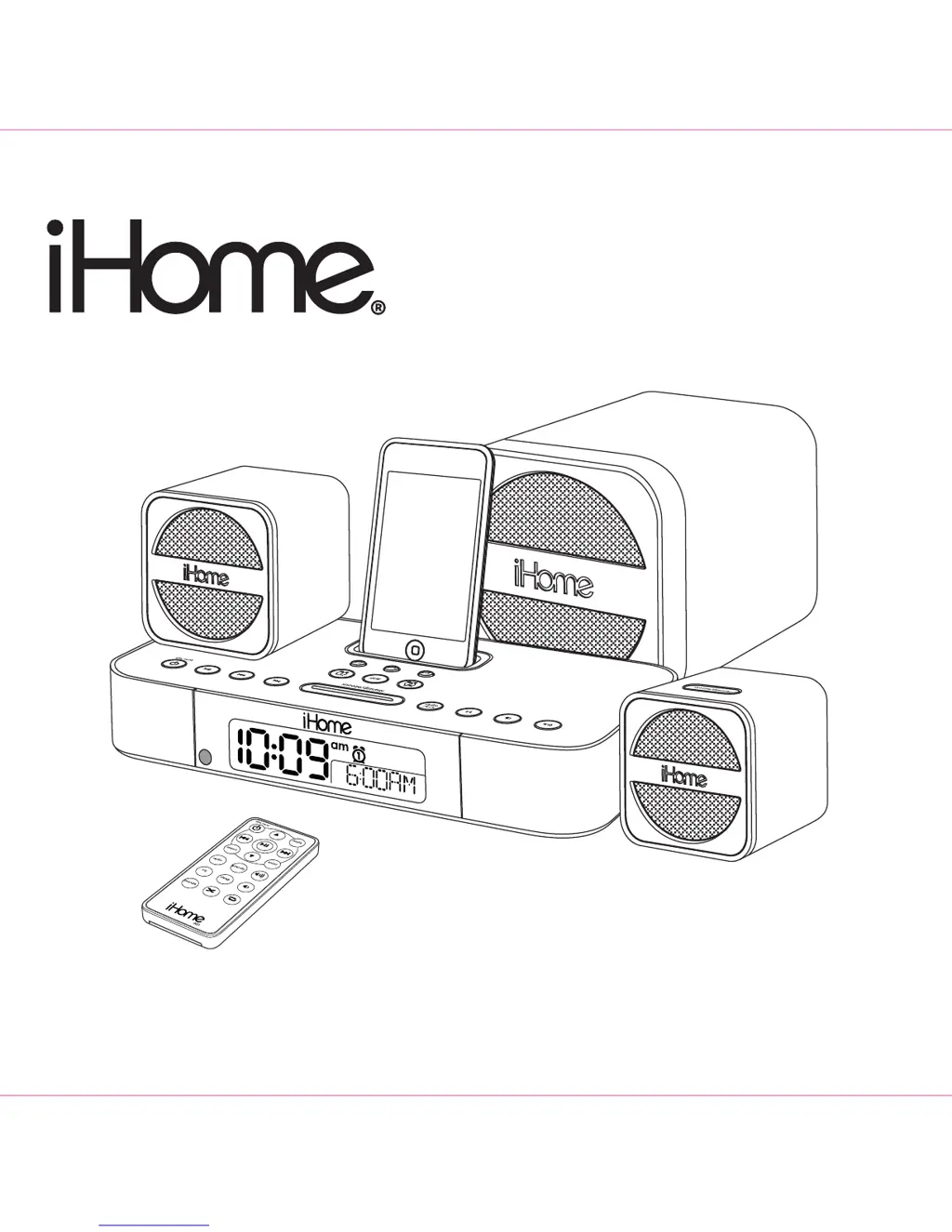
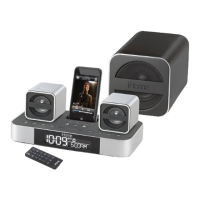
Model iH51
The Home System
For Your iPod
®
Questions? Visit www.ihomeaudio.com

Questions and Answers

  • W
    weisspatriciaAug 13, 2025
    How to troubleshoot a non-responsive iHome Docking Station?
    • M
      Mark DavisAug 13, 2025
      If your iHome Docking Station isn't turning on, there are a few things to check. First, make sure the AC power cord is securely plugged into a working wall outlet. Test the outlet with another device and check any switches that might control it. Also, verify that the connector cable from the subwoofer to the receiver is properly connected.
  • A
    adriennecoleAug 17, 2025
    Why is the sound distorted on my iHome iH51?
    • M
      Mary BradfordAug 17, 2025
      If the sound from your iHome Docking Station is distorted, try these steps: Lower the volume on both the subwoofer and receiver. If using an iPod, the original MP3 file may be low quality; try a different audio source like a music CD. If using an external sound source, reduce its output volume. Finally, adjust the EQ settings on your iPod/iHome Docking Station/sound source.
  • S
    Stephanie BarrAug 21, 2025
    Why is my iPod not responding to my iHome iH51 Docking Station?
    • R
      Randy WilsonAug 21, 2025
      If your iPod isn't responding to your iHome Docking Station, first, remove your iPod from the dock and check for any obstructions on the connectors, then reseat it. If that doesn't work, upgrade your iPod software via iTunes. Note that the iHome Docking Station cannot control 1st or 2nd generation iPods or other devices. Please make sure your iPod is working properly before docking into the unit. Please refer to your iPod manual for details.
  • C
    Christopher PrestonAug 25, 2025
    What to do if my iPod didn’t charge up on iHome iH51?
    • S
      Sydney ReillyAug 25, 2025
      If your iPod isn't charging on the iHome Docking Station, remove the iPod and check the connectors on both the iPod and the dock for obstructions, then reseat it. Also, ensure your iPod is working properly before docking. Please refer to your iPod manual for details.
  • M
    Margaret VazquezAug 28, 2025
    Why doesn’t the remote control work on my iHome iH51 Docking Station?
    • K
      kparksAug 28, 2025
      If the remote control for your iHome Docking Station isn't working, first, move closer to the unit. If that doesn't help, replace the remote's battery with a new one.
  • T
    Tyler SandersSep 1, 2025
    What to do if my iPod does not dock properly with my iHome iH51?
    • M
      morristoddSep 1, 2025
      If your iPod isn't docking correctly with your iHome Docking Station, ensure you're using the correct dock insert for your iPod model. Also, remove the iPod and inspect the connectors on both the dock and your iPod for any obstructions. Then, carefully reseat the iPod in the dock.
  • T
    Thomas LongSep 4, 2025
    Why is the Battery Low icon always flashing on my iHome Docking Station?
    • J
      Jacqueline MortonSep 4, 2025
      If the Battery Low icon is always flashing on your iHome Docking Station, replace the batteries with new ones. Also, check that the batteries are installed correctly, matching the polarity (+ and - ends) with the diagram in the battery compartment.
  • E
    eddie81Sep 8, 2025
    What to do if iPod does not come on immediately on iHome iH51?
    • B
      bowendanielSep 8, 2025
      If your iPod doesn't turn on immediately when docked in the iHome Docking Station, it may be in deep sleep mode if it hasn't been used for a while. Please refer to your iPod manual for details on how to wake it up.

Summary

A Consumer Guide to Product Safety

FCC Information

Device compliance with FCC Rules and measures to eliminate interference.

Maintenance

Guidelines for placing, protecting, and cleaning the unit.

Quick Start Connections

Controls and Indicators

RECEIVER (top panel)

Identifies controls and indicators on the top panel of the receiver unit.

RECEIVER (rear panel)

Identifies ports and connections on the rear panel of the receiver unit.

Using the iH51

Connections

Steps for connecting the subwoofer, speakers, antennas, and power.

Setting the Time Zone

Instructions for adjusting the unit's time zone and DST settings.

Setting the Clock & Calendar

Guide to setting the current time, year, and date on the unit.

Using your iPod

How to dock, play, and control your iPod with the iH51.

Using the AM;FM Radio

Instructions for tuning, playing, and saving AM/FM radio stations.

Using the Line-in Jack

How to play audio from external devices via the line-in jack.

Using the Dimmer

How to adjust the display brightness settings.

Using the Alarms

Steps to set, arm, disarm, and use alarm functions.

Replacing iH51 Backup Batteries

Guide for installing and replacing backup batteries for power failure.

Using The Remote Control Unit

OPERATING THE REMOTE CONTROL

Explains the functions of various buttons on the remote control.

Install;Replace the Remote Control Battery

Instructions for replacing the battery in the remote control.

Troubleshooting

Limited 90-Day Warranty Information

Disclaimer of Warranty

Details limitations and terms of the product warranty.

iHome iH51 Specifications

General IconGeneral
TypeDocking Station
CompatibilityiPod, iPhone
Power SourceAC Adapter
ChargingYes
Audio OutputStereo Speakers
Weight1.5 lbs
FeaturesFM Radio, Alarm Clock
ConnectivityAux In

Related product manuals