EasyManua.ls Logo

Ihse R474-BSHCR - User Manual

Default Icon
89 pages
Print Icon
To Next Page IconTo Next Page
Loading...
Document 474_494_REV02.01_en
Edition: 2023-04-03
USER MANUAL
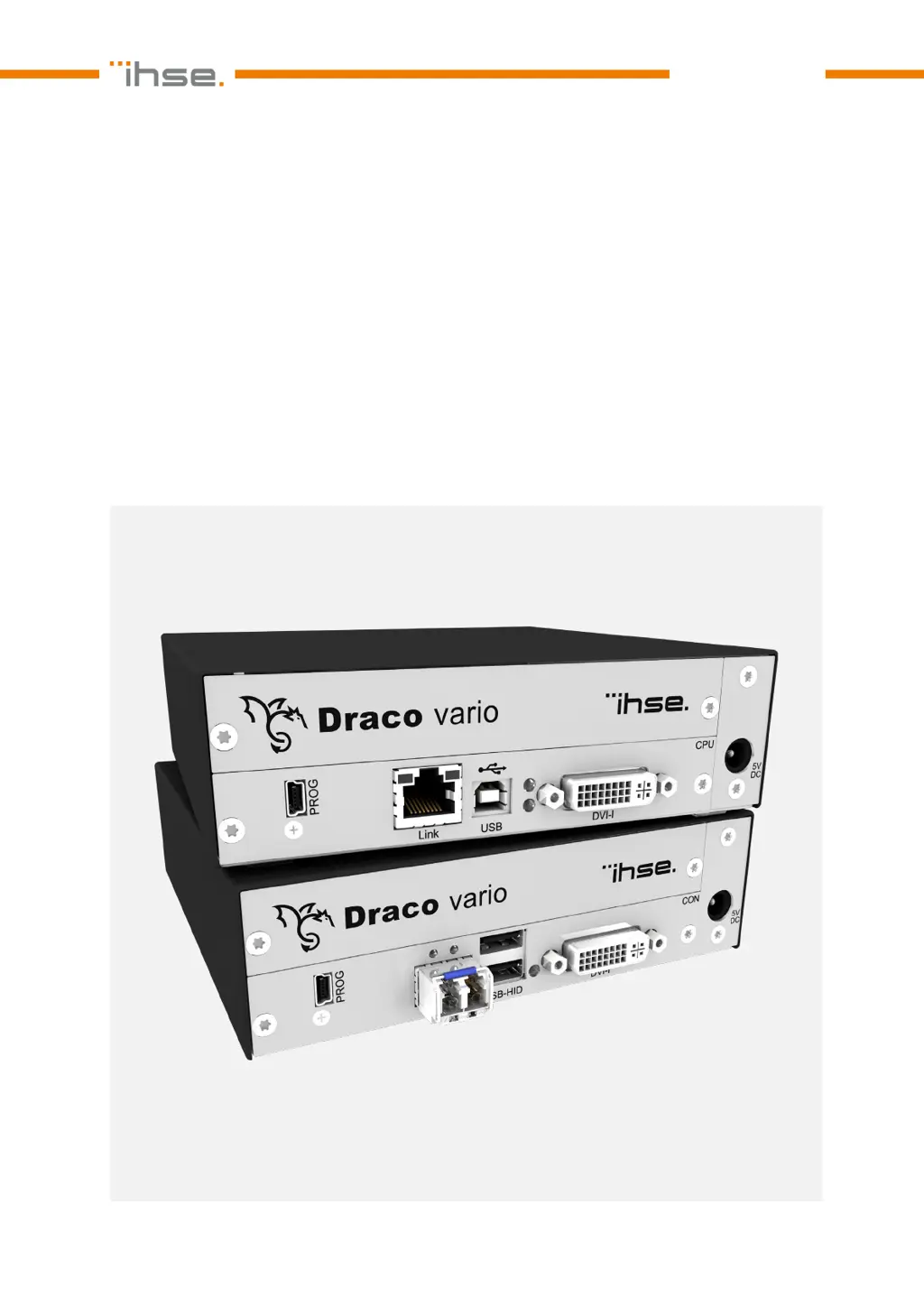
Draco vario DVI
Draco vario ultra DVI
KVM Extender
Series 474
/494

Table of Contents

Questions and Answers

  • N
    Nicholas EvansAug 10, 2025
    Why is the LED 5 violet on my Ihse R474-BSHCR CON Unit?
    • P
      Patrick WardAug 10, 2025
      The LED 5 on your Ihse Extender CON Unit might be violet because no video signal is detected. Try these steps: * Check the video cable to the source. * Check the connectors. * Reboot the source if necessary.
  • N
    Nathan MooreAug 15, 2025
    What to do if LEDs 1/3 or 2/4 are flashing on my Ihse R474-BSHCR?
    • K
      Katherine LewisAug 15, 2025
      If LEDs 1/3 or 2/4 are flashing on your Ihse Extender, it indicates that there is no link connection between the CON Unit and the CPU Unit. You should: * Check the interconnect cables. * Check the connectors.
  • E
    Elizabeth BlackAug 22, 2025
    What does it mean when LED 5 is flashing red/violet/blue on my Ihse R474-BSHCR Extender CON Unit?
    • J
      Jamie BrayAug 22, 2025
      A flashing red/violet/blue LED 5 on your Ihse Extender CON Unit indicates that there is no link connection between the CON Unit and CPU Unit. Check the interconnect cables and connectors.
  • A
    Amanda GarciaAug 27, 2025
    How to fix a Config.txt parameter without function on Ihse R474-BSHCR?
    • S
      Stephen MillerAug 27, 2025
      If a parameter in your Config.txt file isn't working on your Ihse Extender, here are some things to try: 1. Write the parameter into the Config.txt file and save changes. 2. Write the start command #CFG into the first line of the Config.txt file. 3. Check for correct spelling and capitalization. 4. Restart the extender module.
  • T
    tinaclarkSep 2, 2025
    Why are all the LEDs off on my Ihse R474-BSHCR Extender?
    • B
      Brandon BrownSep 2, 2025
      If all the LEDs are off on your Ihse Extender, it means that the power supply voltage is not available. Check the power supply units and the connection to the power network.

Summary

Safety Instructions

General Safety and Installation Guidelines

Outlines essential guidelines for reliable and safe long-term operation of the device, including location and connection.

Access Options

Command Mode

Enables access to extender module functions via keyboard commands.

Management Software

Describes the Tera Tool software for configuring and operating extender modules.

Installation

Setting up the System

Provides instructions for connecting and powering up CON and CPU units.

Installation Examples

Illustrates typical installations like single-head, dual-head, and matrix setups.

Configuration

Transmission Parameters

Details compression methods and adaptive transmission for Classic and Ultra series.

Configuration Options via Mini-USB Service Port

Explains how to configure modules using the Mini-USB port and config files.

EDID Settings

Covers retrieving, uploading, and resetting EDID data for optimal monitor compatibility.

USB HID Ghosting

Describes storing keyboard/mouse descriptors for shared use across consoles.

Parameters

Lists parameters for CPU and CON units regarding EDID, compression, and shared operation.

Operation

Maintenance

Cleaning of Modules

Instructions for safely cleaning the device components.

Replacing or Mounting additional Modules in Chassis

Guidance on adding or replacing modules in the chassis.

Troubleshooting

General Failures

Common issues and their possible reasons and solutions for configuration or restart problems.

Blank Screen Issues

Diagnoses and measures for blank screens in point-to-point and matrix connections.

USB HID Failure

Troubleshooting steps for USB HID devices not functioning correctly.

Ihse R474-BSHCR Specifications

General IconGeneral
BrandIhse
ModelR474-BSHCR
CategoryExtender
LanguageEnglish

Related product manuals