EasyManua.ls Logo

Ihse Draco - User Manual

Ihse Draco
62 pages
Print Icon
To Next Page IconTo Next Page
Loading...
IHSE GmbH
Maybachstrasse 11
88094 Oberteuringen
Germany
info@ihse.de
www.ihse.de
Tel. +49 7546-9248-0
Fax +49 7546-9248-48
User Manual
Edition: 2011-03-09
Draco
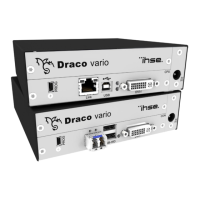
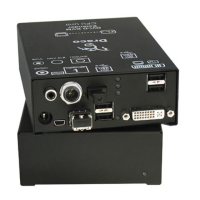
KVM Extender
Model:
K477 Series

Table of Contents

Other manuals for Ihse Draco

Questions and Answers

  • C
    catherinerayJul 26, 2025
    What to do if my Ihse Extender screen is blank?
    • R
      Ronald WaltersJul 26, 2025
      If the Ihse Extender screen is blank, start by checking the power supply units and their connection to the power network. Then, verify the interconnect cables and connections between the ON Unit and CPU Unit. Also, check the DVI-D cable connection to the CPU. If there is still no image, ensure the connection, length, and quality of the DVI-D cable to the monitor, tightening the thumbscrews. Additionally, check the connection, length, and quality of the interconnect cables between the units. If necessary, reboot the CPU.
  • M
    Maurice BrownAug 10, 2025
    Why is my Ihse Extender USB-HID not working?
    • J
      joseph25Aug 11, 2025
      If you're experiencing USB-HID issues with your Ihse Extender, first ensure that your keyboard is not in Command Mode by pressing the key. Then, check the USB cable connection to the CPU, trying another USB port if needed. If problems persist, remove the USB and power cables and restart the CPU, connecting the power cable first. Also, verify the USB cable connection to the USB-HID device. Finally, ensure that the USB-HID device is supported and properly connected.

Summary

Safety Instructions

Installation Safety Guidelines

Guidelines for safe installation, covering environmental conditions, power supply, and ventilation to prevent damage.

Repair and Fault Handling

Instructions for handling unit faults, emphasizing no user repair and contacting the dealer for assistance.

Description

Status LEDs Overview

Explains the multi-color LEDs on the KVM Extender for overall status and connection indication on rear and front sides.

Digital Audio Status LED

Details the multi-color LED on the rear side for indicating connection status for optional digital audio.

USB-HID Add-On Status LED

Describes the three LEDs on the rear side indicating connection status for the optional USB-HID Add-On.

USB 2.0 Status LED

Explains the multi-color and additional LEDs for indicating connection status for the optional USB 2.0.

VGA; DVI-I Status LED

Details the multi-color LED on the CPU Unit's front side for indicating connection status for VGA/DVI-I input.

Installation

System Setup

Provides recommendations for initial system setup, including testing in the same room and verifying component compliance.

KVM Extender Setup Steps

Step-by-step instructions for installing CON Unit, CPU Unit, and powering up the system, including device switch-off.

Optional Modules Setup

Details setup for optional modules: Analog Audio/Serial, Digital Audio, USB-HID, and USB 2.0 Add-Ons.

Configuration

Operation

Troubleshooting

Blank Screen Issues

Diagnoses blank screen causes related to power, connections, and DDC information, providing troubleshooting steps.

USB-HID and USB 2.0 Troubleshooting

Troubleshoots USB-HID and USB 2.0 issues, including LEDs, connection problems, and unsupported devices.

Serial and Analog Audio Troubleshooting

Addresses serial connection and analog audio problems, covering settings, connections, and signal issues.

Digital Audio Troubleshooting

Diagnoses digital audio issues like no signal or connection, and provides measures for resolution.

USB-HID Add-On Troubleshooting

Covers troubleshooting for USB-HID Add-On, focusing on LED indicators, connections, and command mode issues.

USB 2.0 Troubleshooting

Provides troubleshooting steps for USB 2.0 issues, including no connection, missing devices, and driver checks.

Ihse Draco Specifications

General IconGeneral
CategoryExtender
TypeKVM Extender
ConnectionFiber Optic
Video FormatsHDMI, DisplayPort, DVI, VGA
Maximum Resolution4K @ 60Hz
Audio FormatsAnalog, Digital
Audio SupportYes
USB SupportUSB 2.0, USB 3.0
Maximum Distance10 km
Power SupplyExternal power supply
Control InterfaceRS-232
Operating Temperature0°C to 40°C
Storage Temperature-20°C to 60°C

Related product manuals