EasyManua.ls Logo

Ihse Draco compact DVI 477 Series - User Manual

Ihse Draco compact DVI 477 Series
73 pages
Print Icon
To Next Page IconTo Next Page
Loading...
IHSE GmbH Benzstraße 1 88094 Oberteuringen Germany
info@ihse.com
www.ihse.com phone: +49 7546-9248-0 fax: +49 7546-9248-48
Draco compact DVI
477 Series
KVM Extender
User Manual
Edition: 2021-07-09

Table of Contents

Questions and Answers

Ihse Draco compact DVI 477 Series Specifications

General IconGeneral
BrandIhse
ModelDraco compact DVI 477 Series
CategoryExtender
LanguageEnglish

Summary

About This Manual

Cautions and Notes

Explanation of symbols used in the manual for warnings and best practices.

Safety Instructions

Description

Application

Purpose of the KVM Extender in extending distances between source and console.

System Overview

Explanation of the KVM Extender's components: CPU Unit and CON Unit.

Product Range

Overview of available KVM Extender models and their part numbers.

Device Views

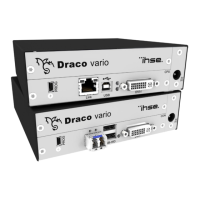
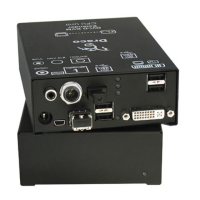
Diagrams and port descriptions for various KVM Extender models.

Installation

Package Contents

List of items included in the KVM Extender package.

System Setup

Step-by-step guide for connecting and powering up the KVM Extender system.

Example Applications

Configuration

Transmission Parameters

Settings for optimizing video compression and image quality.

DDC Settings

Managing monitor display data for optimal compatibility.

Command Mode

Using keyboard shortcuts to access special functions and settings.

Operation

Download of DDC Information

Loading monitor display data into the KVM Extender for optimal video.

Specifications

Interfaces

Details on video, USB, audio, serial, and network connectivity.

Interconnect Cable

Requirements and types for Cat X and Fiber cables.

Supported Peripherals

USB-HID Devices

Compatibility and limitations for keyboards, mice, and other HID devices.

Connector Pinouts

Power Supply

Troubleshooting

General Failures

Common issues and solutions for KVM Extender configuration and operation.

Blank Screen

Diagnosing and resolving issues causing no video output.

USB-HID

Troubleshooting problems related to USB-HID device connection and functionality.

Analog Audio

Diagnosing and fixing problems with analog audio transmission.

Serial Connection

Resolving issues with serial interface connectivity and settings.

Digital Audio

Troubleshooting digital audio connection and signal issues.

USB 2.0 Add-On

Resolving issues with the USB 2.0 functionality.

USB 2.0

Troubleshooting connection and functionality of USB 2.0 devices.

Technical Support

Support Checklist

Information required for efficient technical support requests.

Directives

North American Regulatory Compliance

FCC compliance information for Class A digital devices.

Glossary

Related product manuals