English
9
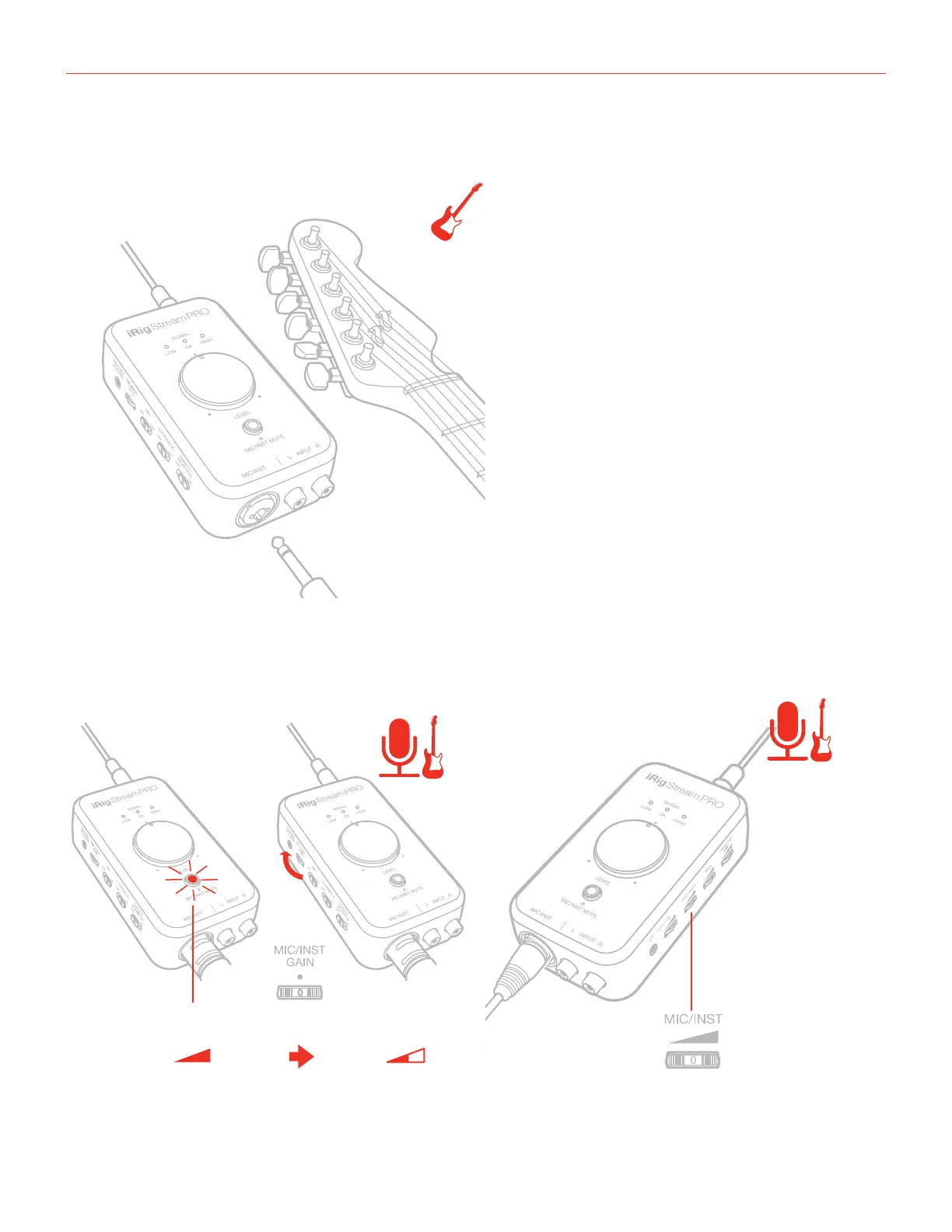
7. If you are using an instrument like a guitar or a bass, connect it using a regular 1⁄4” guitar cable to the iRig
Stream Pro’s 1/4” instrument input.
8. You can adjust the gain of the microphone/instrument input with the dedicate “Mic/Inst Gain” thumbwheel:
if the level of the microphone/instrument input is too high the “Mute” button LED will light up RED for 2
seconds. You should decrease the gain. Also, you can control the post-gain level with the “Mic/Inst” level
thumbwheel: this control helps you to adjust the level of the signal before the main Level knob.
RED



 To Next Page