Opening the Housing
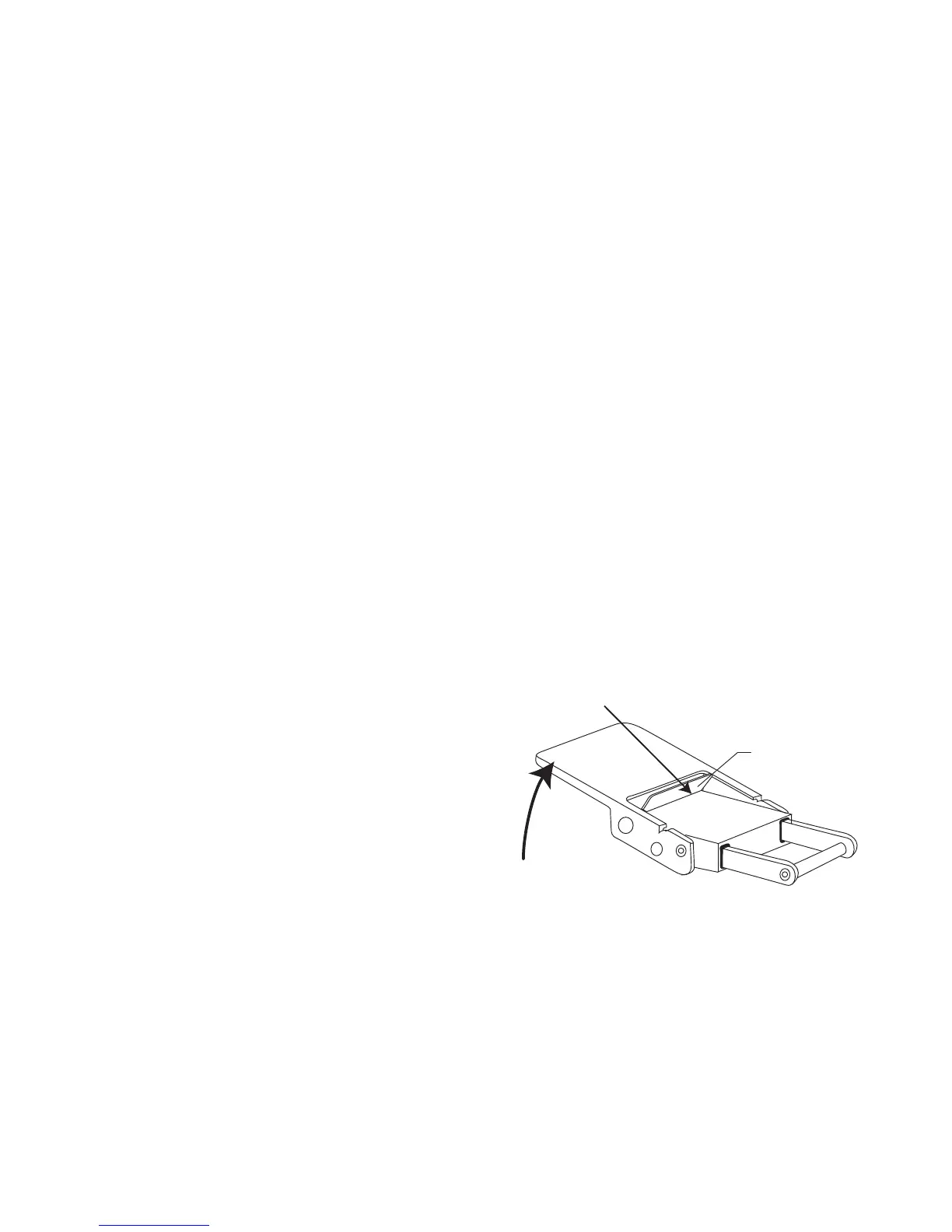
Lid Snaps have a Lock. To open,
push Lid Snap Lock forward and lift as
shown. Keep pressure on the Lid
Snap so it does not fly open quickly.
Lid Snaps have a lot of spring tension
once they go over center, so have a
firm grip on the Lid Snap. Lid Snaps
may be opened one at a time.
6
Lift
Push Forward
Lid Snap Lock
Initial Camera Setup
- Insert a fully charged battery.
- Insert SD memory card (2GB or greater capacity recommended).
- Set Time Zone and Date.
- Set the Mode dial to “M” manual or “A” aperture priority.
- Set shutter speed to 1/60th second or 1/125th second for fast
moving subjects in “M” mode. In “A” mode shutter speed is automatically
locked at 1/60 second.
- Set aperture to F8 for general photography or F22 for macro
photography (close-ups).
- Set red-eye reduction and “FP” to OFF in the Menu Settings.
- Set image resolution to highest jpeg setting or RAW.
- Set ISO to 100.”
- Set Metering to “center-weighted.”


 To Next Page