14
( for Model with water tank only)
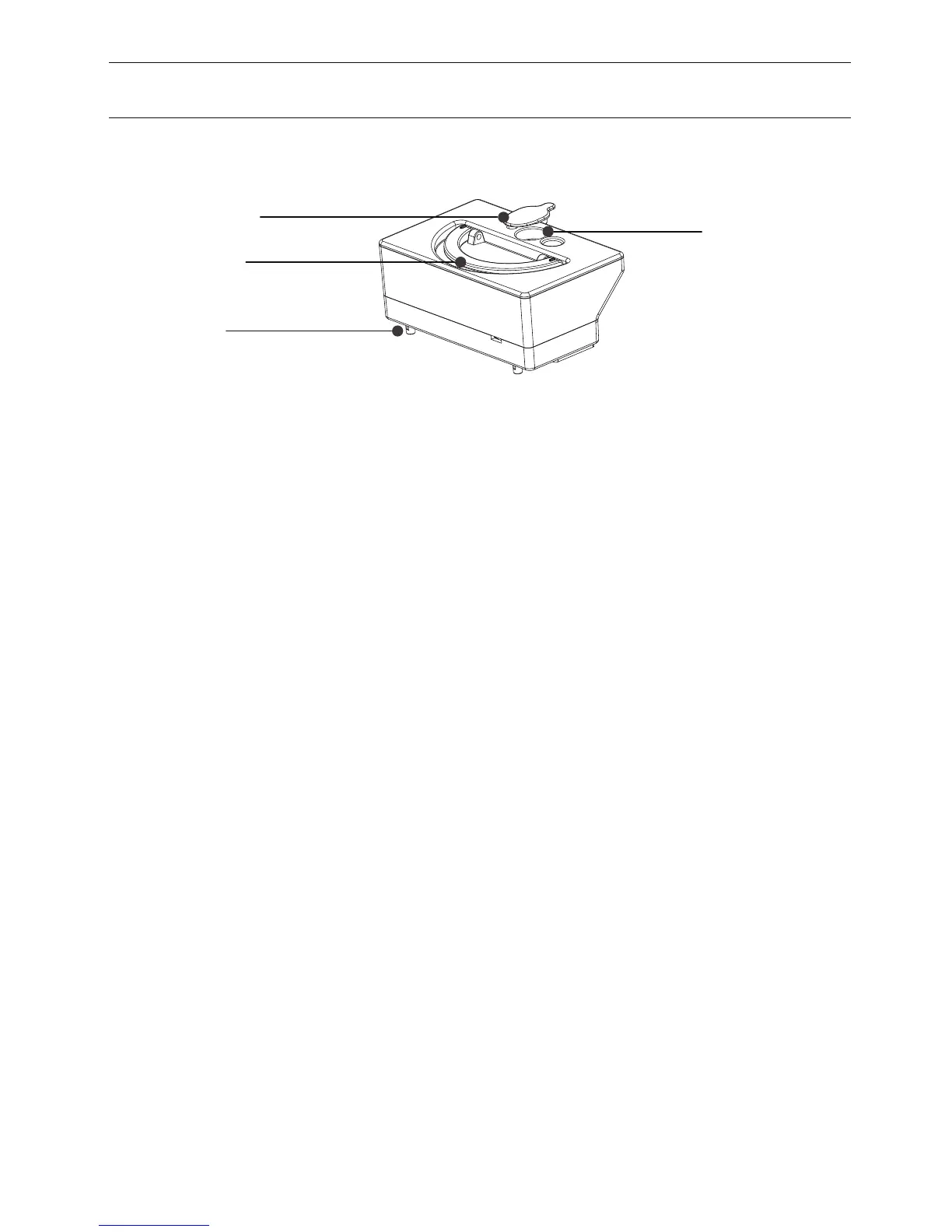
Rubber Plug
Water input hole
Handle
Weep hole
Annex-Operation manual 2
1. Dry clean is made with dust bin, and wet clean is made with water tank
2. The mop bracket with mop should be on the robot when the water tank is
used.
3. Pouring the water into the water tank
4. Open the robot lid and put the water tank into the body, the weep hole of the
water tank should be aligned with the weep hole on the robot body.
5. Close the robot lid, press “CLEAN” button to start the wet cleaning. There is
no vacuum suction function during the wet cleaning
6. When the robot vacuum cleaner is stopped with water tank inside, or when the
wet cleaning is completed, and there is still the water left in the tank, please take
out the water tank and pour out the water, then store the water tank properly
after the water tank is empty.
7. It is suggest to make the suction(dry clean) before wet clean for a better
cleaning result
8. The water in the water tank is flow out automatically, so it is prohibited to let
water tank be still inside or outside of the robot when there is still water in
the tank. This will cause the water logging on floor.
9. Please take out the water tank when you charge the robot vacuum
cleaner.
“MAX”Button on remote control
1. Press “Max”button to shift between the enhanced cleaning and the normal
clean during dry cleaning
2. Press “Max” button to make robot backward move during the standby mode


 To Previous Page