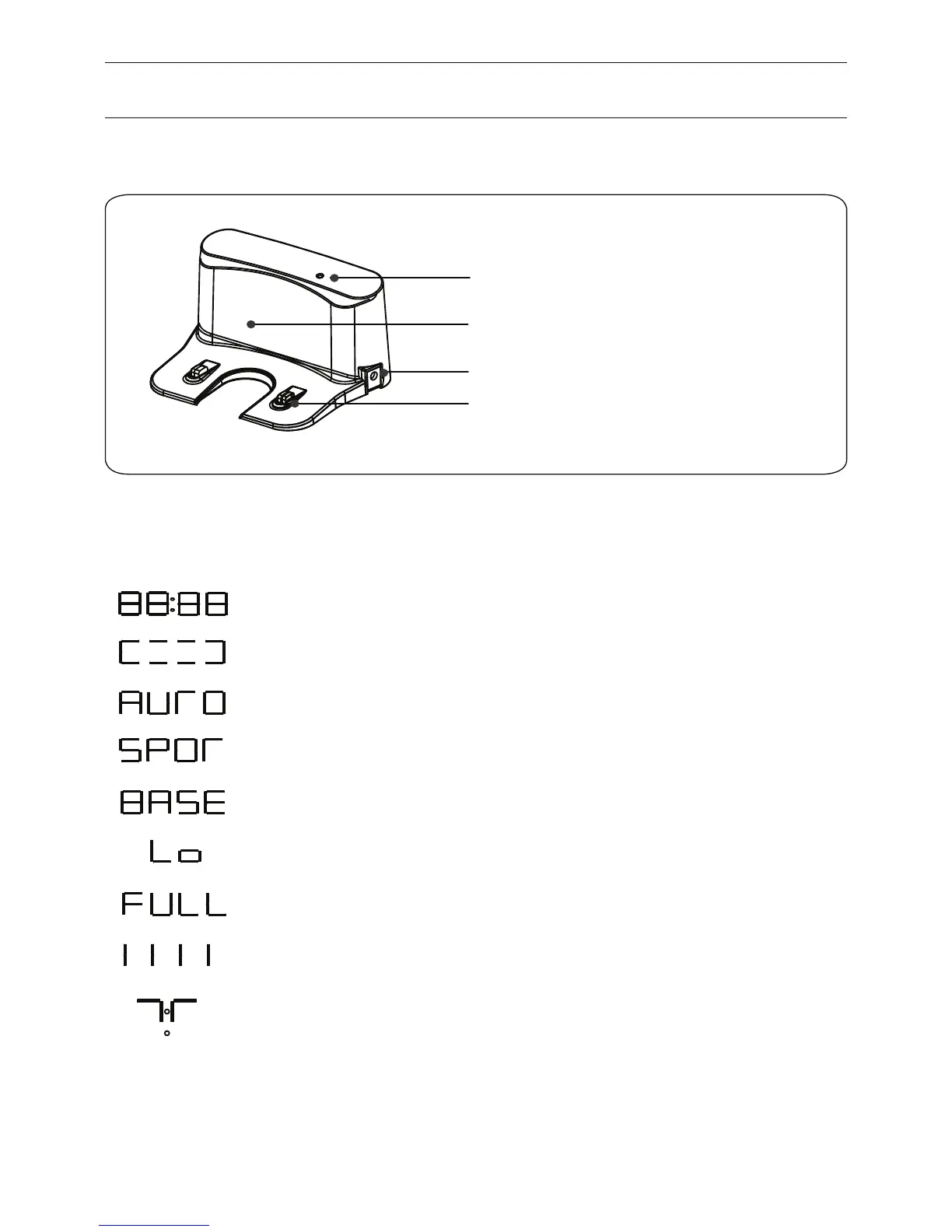
Power Supply Socket
Charge Connecting Points
Top Cover
Signal Light
Charging home base
4
Display panel
When the robot is working or under operation, display panel will show the current status as below:
When the display panel flashes like this, it means the robot is in selected mode,
other opeation can be performed.
Means robot is in edge cleaning mode.
Means robot is in auto cleaning mode.
Means robot is in spot cleaning mode.
Means the battery is low, robot needs to be charged immediately.
Means robot is in home mode, it’s searching for the home base.
Means robot is fully charged.
Means robot is under charging.
Means robot is under the control of the remote control directional buttons.
Product Parts


 To Next Page