EasyManua.ls Logo

Ilife A9 - User Manual

Ilife A9
32 pages
Print Icon
To Next Page IconTo Next Page
Loading...
A9
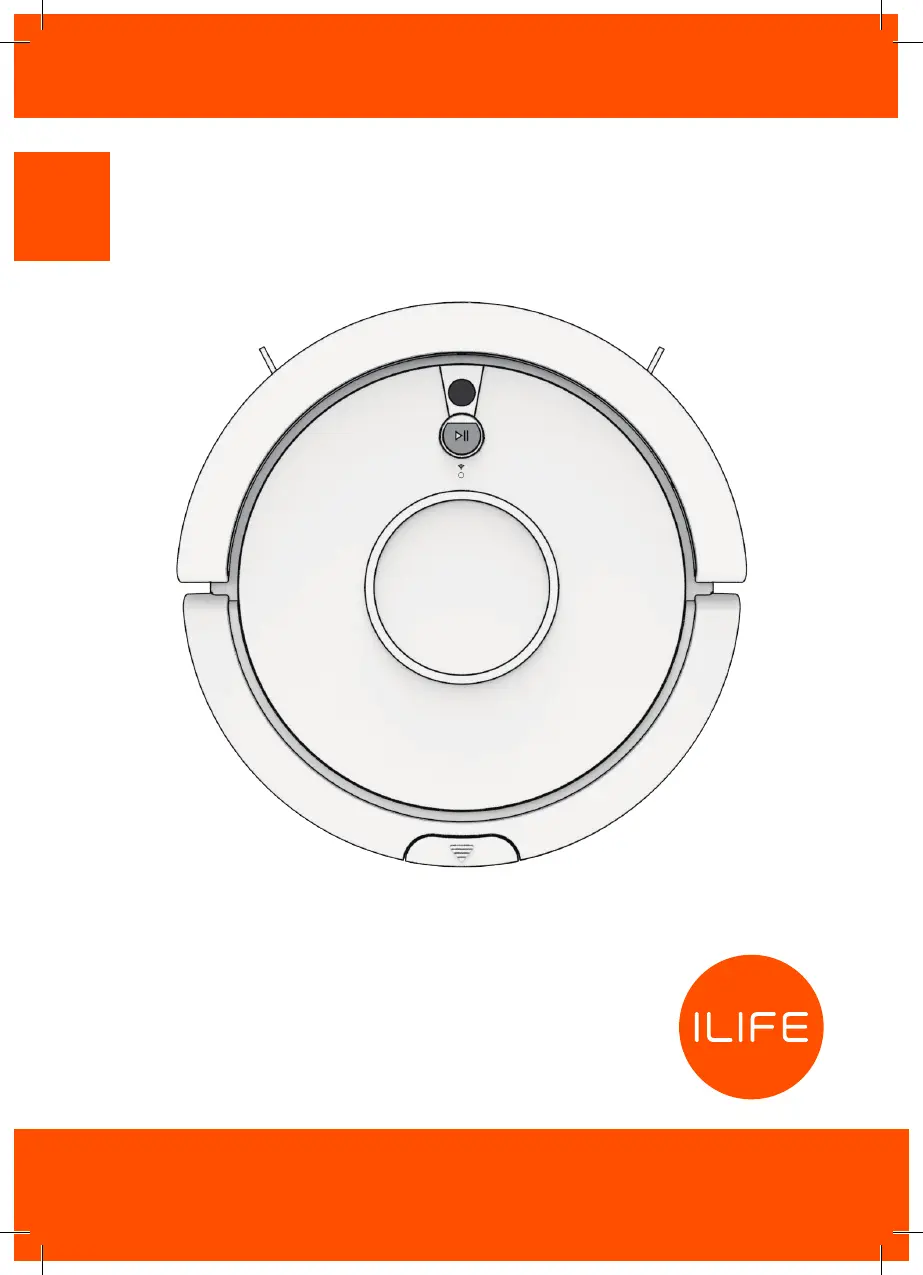
EN A9 Robot Vacuum Cleaner
FR Aspirateur robot A9

Questions and Answers

  • J
    Jennifer DanielAug 14, 2025
    What to do if Ilife Vacuum Cleaner cannot return to the Charging Dock?
    • L
      lynchjohnAug 14, 2025
      If your Ilife Vacuum Cleaner doesn't return to the Charging Dock, regularly clean the charging pins. Also, ensure the robot is started from the Charging Dock and, after starting auto mode, do not switch to other cleaning modes during the cleaning progress.
  • A
    Alan FlowersAug 17, 2025
    What to do if Ilife A9 Vacuum Cleaner cannot recharge normally on the charging dock?
    • K
      Kimberly SteeleAug 17, 2025
      If your Ilife Vacuum Cleaner finds the charging dock but cannot recharge normally, regularly clean the charging pins with a dry cloth. Check if you can hear a beep when the robot is docked onto the Charging Dock.
  • R
    Robert JamesAug 21, 2025
    How to fix Ilife Vacuum Cleaner that cannot operate normally?
    • M
      Makayla LopezAug 21, 2025
      If your Ilife Vacuum Cleaner doesn't operate normally, first ensure the main power switch is in the ON position. Next, ensure the battery is fully charged. If the issue persists, turn the power switch off and then back on.
  • A
    Anthony ThomasAug 25, 2025
    Why is schedule cleaning always invalid on my Ilife A9 Vacuum Cleaner?
    • L
      Lawrence BriggsAug 26, 2025
      If the schedule cleaning is always invalid for your Ilife Vacuum Cleaner, note that the robot will automatically synchronize the phone's clock after opening the ILIFE APP, but the schedules cleaning time still valid. Also, cleaning schedules are erased when the power switch is turned off or the robot's battery is exhausted. The valid cleaning schedule must be reset via the app or the remote control.
  • K
    kspencerAug 28, 2025
    Why is the main brush not rotating normally on my Ilife A9?
    • J
      Joshua GarzaAug 28, 2025
      If the main brush of your Ilife Vacuum Cleaner doesn't rotate normally: 1. Check if the main brush is entangled by hair and dirt; remove it with the cleaning comb. 2. Check if the main brush and brush cover have been installed properly. 3. Check if any obstacles are blocking the suction inlet. 4. Empty and clean the dustbin regularly. 5. Clean the filters with a vacuum cleaner or a cleaning comb.
  • B
    Brianna AnthonySep 1, 2025
    What to do if Ilife A9 Vacuum Cleaner stopped cleaning suddenly?
    • J
      jason84Sep 1, 2025
      If your Ilife Vacuum Cleaner stopped cleaning suddenly, check if the robot is malfunctioning and showing the red light. If the problem persists, turn off the power switch and then turn it back on.
  • M
    Miss Maria VillarrealSep 4, 2025
    Why does my Ilife A9 Vacuum Cleaner repeatedly rotate?
    • J
      James RomeroSep 5, 2025
      If your Ilife Vacuum Cleaner repeatedly rotates, check if the side wheels and nose wheel are working properly. Clean any entangled dirt and hair regularly using a cleaning comb.
  • J
    Joshua RaySep 9, 2025
    Why is the voice invalid or fragmentary on my Ilife A9 Vacuum Cleaner?
    • R
      Robin RussellSep 9, 2025
      If the voice of your Ilife Vacuum Cleaner is invalid or fragmentary, check if the voice switch is turned off in the app. If the voice is invalid after turning on the voice switch in the app, it is recommended to contact the ILIFE service center to repair.

Summary

Important Safety Instructions

Initial Setup

Before First Use

Important steps to perform before operating the robot for the first time.

Robot Operation

Automatic Charging

How the robot automatically returns to the charging dock when battery is low.

Manual Charging Procedure

Basic Operation Modes

Cleaning Modes

Auto Cleaning Mode

Robot cleans in a zigzag pattern, covering missed areas.

Scheduling and Barriers

Setting Cleaning Schedules

How to program a specific time for the robot to start cleaning.

Mobile App Connectivity

Downloading the App

Instructions to download the ILIFE Robot app from app stores.

Starting the App

Steps to register, log in, and add the robot to the app.

App Wi-Fi Connection

Connecting to Home Wi-Fi

Guide to connect the robot to your home Wi-Fi network via the app.

Finalizing App Setup

Completing Wi-Fi Setup

Final steps for Wi-Fi connection and naming the robot.

Cleaning and Maintenance

Maintenance Schedule

Recommended cleaning frequency for robot parts and accessories.

Troubleshooting

Troubleshooting (Continued)

Ilife A9 Specifications

General IconGeneral
BrandIlife
ModelA9
CategoryVacuum Cleaner
LanguageEnglish

Related product manuals