Cleaning Modes
NOTICE -
the “Basic Operation Modes” chapter).
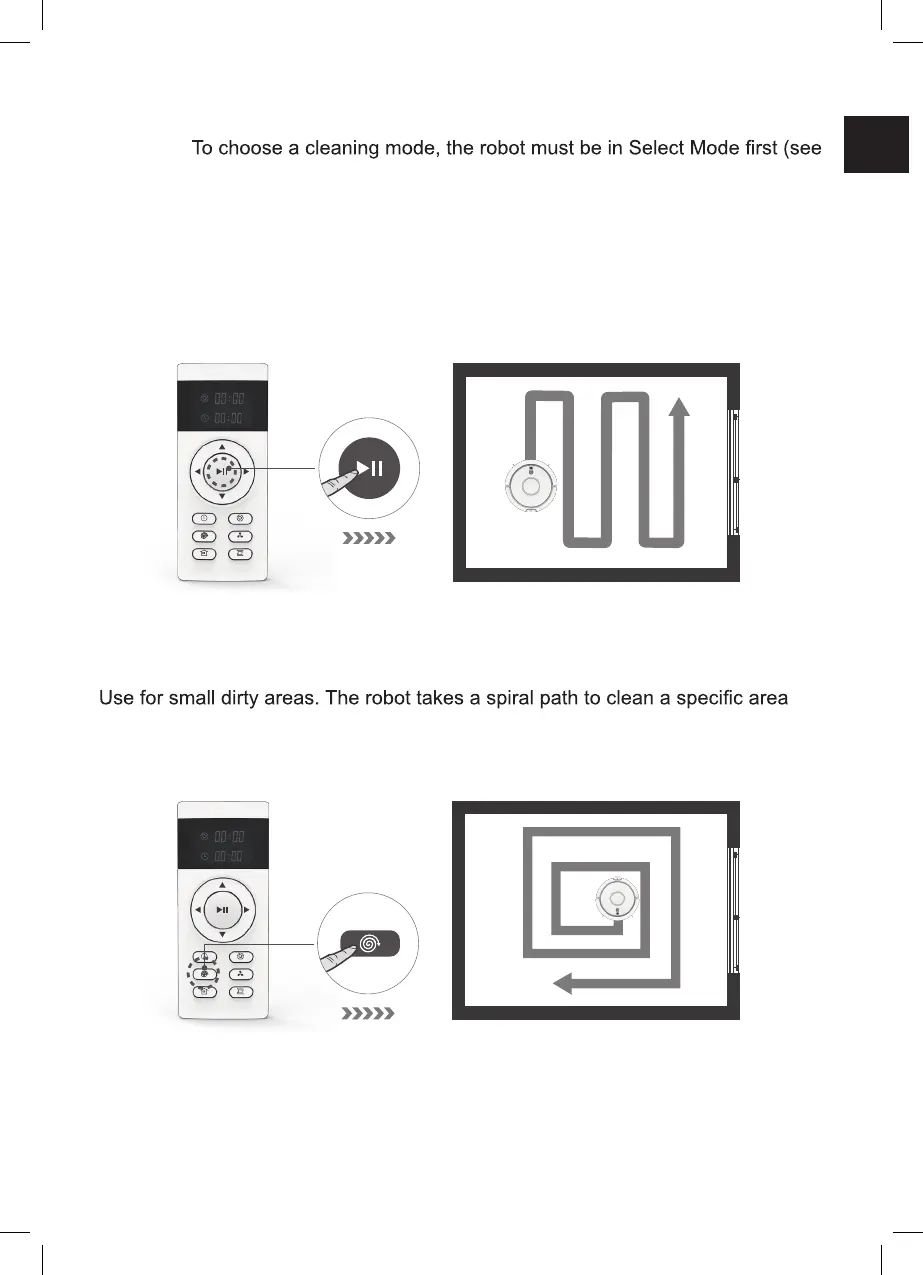
Auto Cleaning Mode
The default cleaning mode. The robot plans a path and cleans along a zigzag
pattern. During cleaning, the robot detects and cleans areas that have been
missed.
• To start the auto cleaning mode, press the start/pause button.
Spot Mode
with concentrated dust and debris.
• To start the spot mode, press the spot mode button.
EN
13



 To Next Page